生成现有的自由格式登陆页面模板Mobile Compatible make-an-existing-free-form-landing-page-template-mobile-compatible
可以在模板编辑器和登陆页面编辑器这两个位置执行此操作。
从模板编辑器升级 upgrade-from-the-template-editor
-
转到Design Studio。
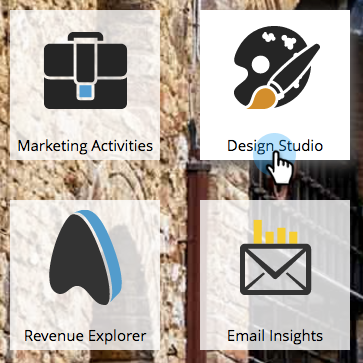
-
选择 Templates。
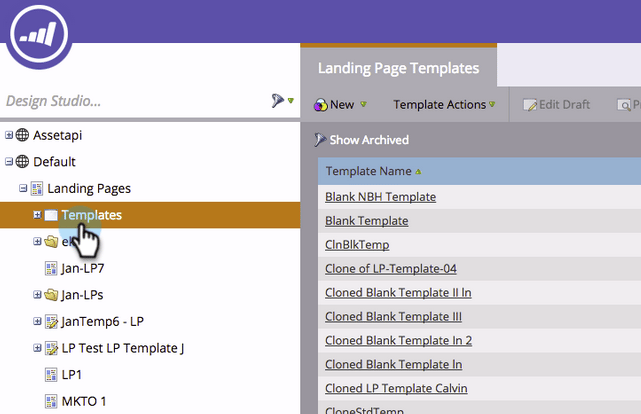
-
选择 Mobile Compatible 为 No 的模板。
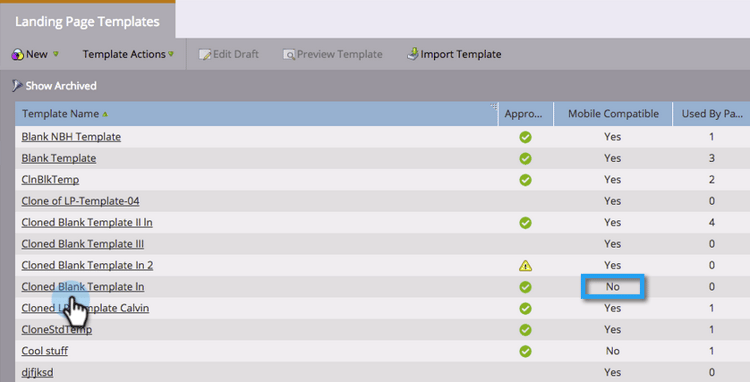
-
单击 Edit Draft。
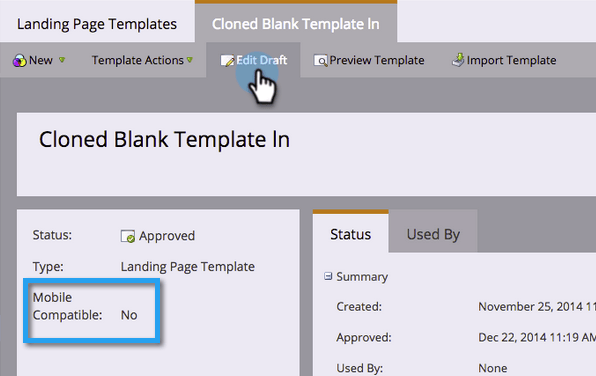
-
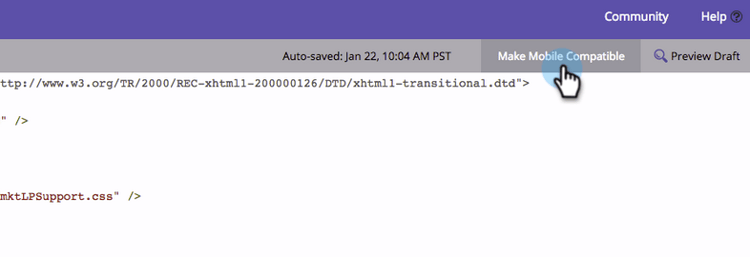
单击 Make Mobile Compatible。
-
单击 Upgrade。
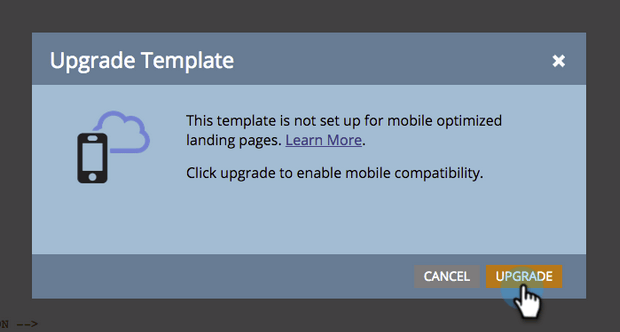
您的登陆页面模板现在与移动设备兼容!
note NOTE 升级应该无害,但请确保检查页面是否有任何差异。 升级将使用该模板创建任何登陆页面的草稿。 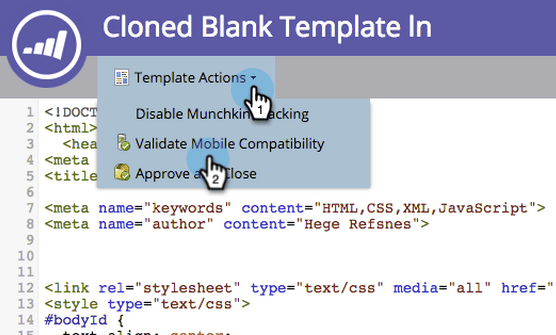
是什么构成了模板Mobile Compatible? what-makes-a-template-mobile-compatible
好问题! 您的模板必须具有以下标记:
Must have <!DOCTYPE HTML> Must have a <HEAD> element Must have a <TITLE> in the <HEAD> element Must have <META CHARSET="UTF-8"> within the <HEAD> element Must have a <BODY> element that contains one (and only one) <DIV class="mktoContent"></DIV>
如果一切正常,您将看到此消息。
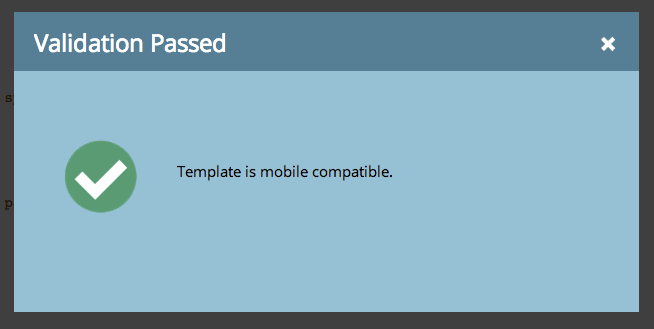
如果出现错误,将显示一条错误消息,请单击“修复”以修复问题并重复验证过程。
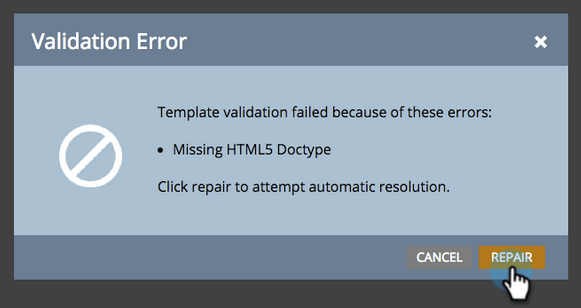
如果您对模板进行了任何更改,请单击Template Actions并选择Validate Mobile Compatibility。
从自由格式登陆页面编辑器升级模板 upgrading-a-template-from-the-free-form-landing-page-editor
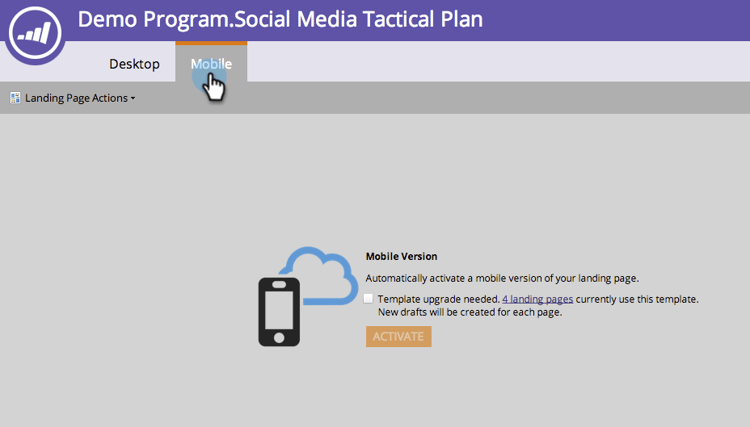
在编辑登陆页面并单击移动设备选项卡时,您有时会注意到模板尚未升级。 不要害怕! 你可以在这里升级它。
-
单击 Mobile 选项卡。
-
单击该复选框,然后单击Activate。
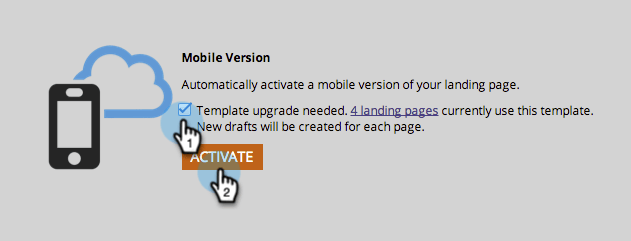
note NOTE 激活模板的移动版本将会创建使用该模板的任何登陆页面的草稿。
太棒了! 您现在可以自定义使用此模板的所有登陆页面的移动设备视图。