第1步(共3步):为Marketo配置同步用户(2015年内部部署) step-of-configure-sync-user-for-marketo-on-premises-2015
在与Marketo同步Microsoft Dynamics 2015年内部部署之前,您需要先在Dynamics中安装Marketo解决方案。
-
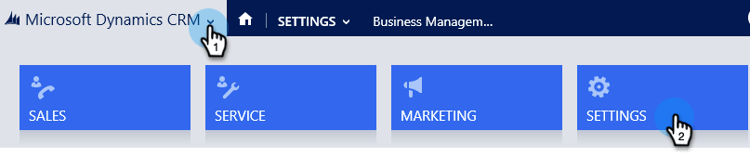
登录到 Dynamics。 单击 Microsoft Dynamics CRM 下拉菜单并选择 Settings。
-
在 Settings 下,选择 Solutions。

-
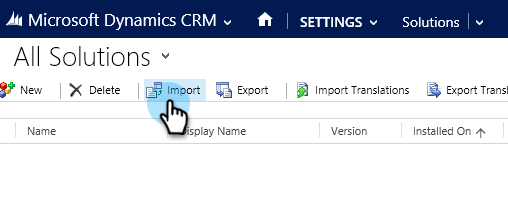
单击 Import。
-
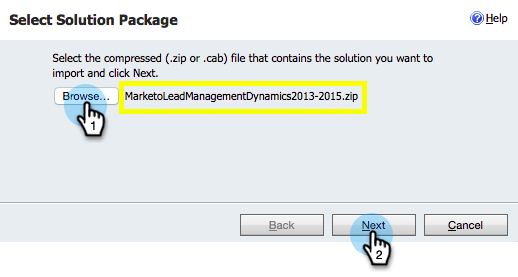
单击 Browse 并选择您下载的解决方案。 单击 Next。
-
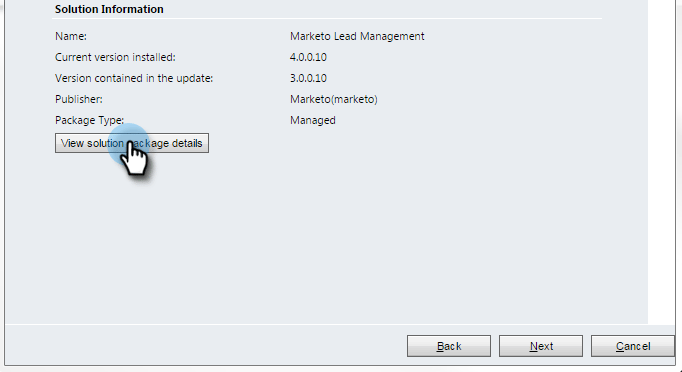
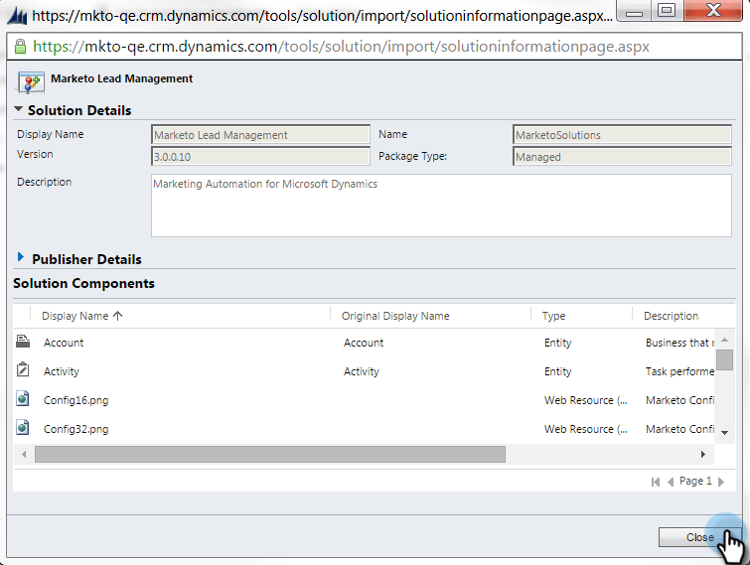
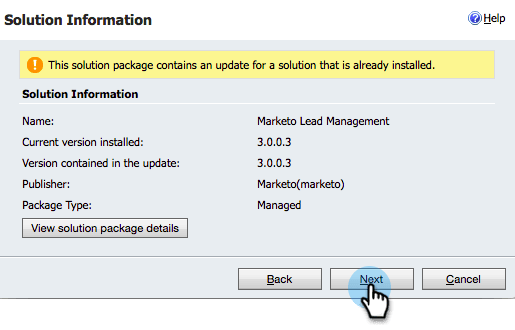
查看Solution Information并单击 View solution package details。
-
检查完所有详细信息后,单击 Close。
-
返回Solution Information页面,单击 Next。
-
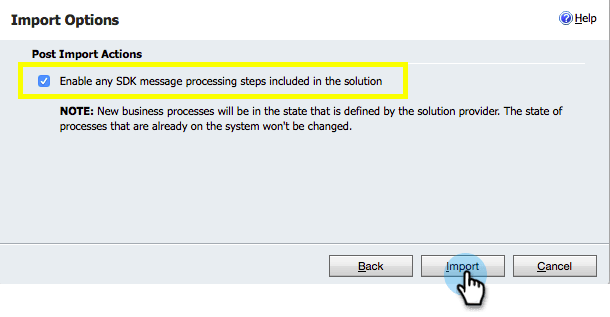
确保选中SDK选项复选框。 单击 Import。
-
等待导入完成。
note tip TIP 您需要启用浏览器上的弹出窗口才能完成安装过程。 
-
下载日志文件(如果需要),然后单击 Close。
note note NOTE 您可能会看到一条消息,显示“Marketo潜在客户管理已完成,但有警告”。 这是完全符合预期的。 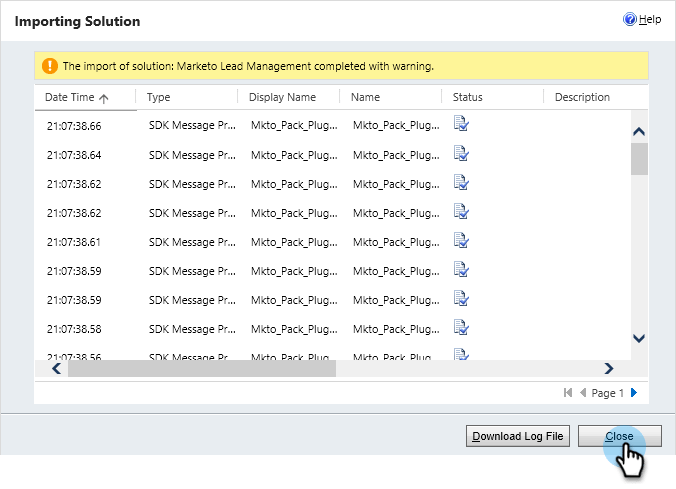
-
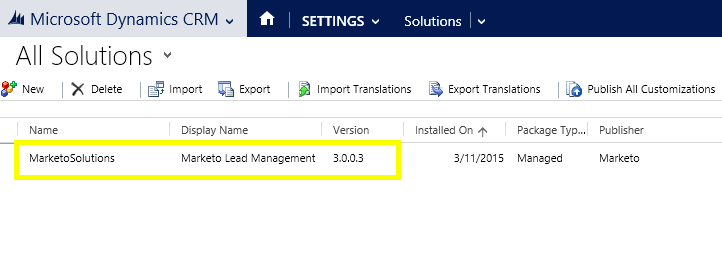
Marketo潜在客户管理现在将显示在 All Solutions 页面上。
-
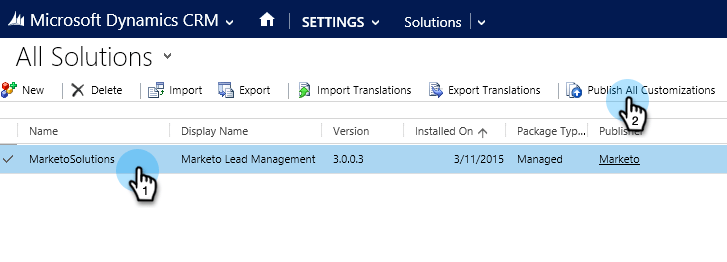
选择Marketo解决方案并单击 Publish All Customizations。
做得不错!安装完成。
note caution CAUTION 禁用任何Marketo SDK消息传递过程都将导致安装中断! related-articles Related Articles 为 Microsoft Dynamics 2015年内部部署安装Marketo第2步(共3步)