이 페이지에서: 웹 페이지에서 클라이언트측 개인화된 콘텐츠를 제공할 수 있도록 Adobe Experience Platform Web SDK으로 콘텐츠 카드를 가져오고 렌더링하는 샘플을 설정하고 실행합니다.
이 샘플은 Adobe Experience Platform을 사용하여 Adobe Journey Optimizer(AJO)에서 컨텐츠 카드를 검색하는 방법을 보여 줍니다. Adobe Experience Platform Web SDK을(를) 활용하여 개인화 콘텐츠를 가져와서 전적으로 클라이언트측에서 렌더링합니다.
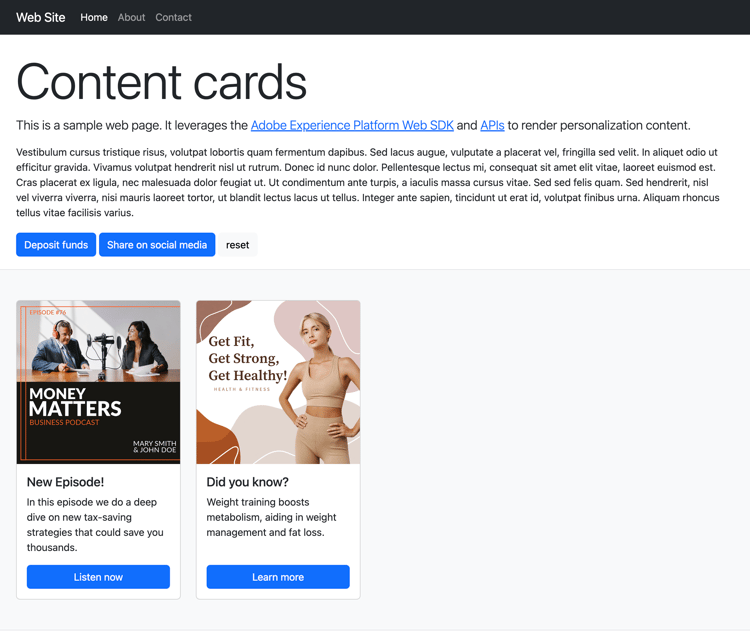
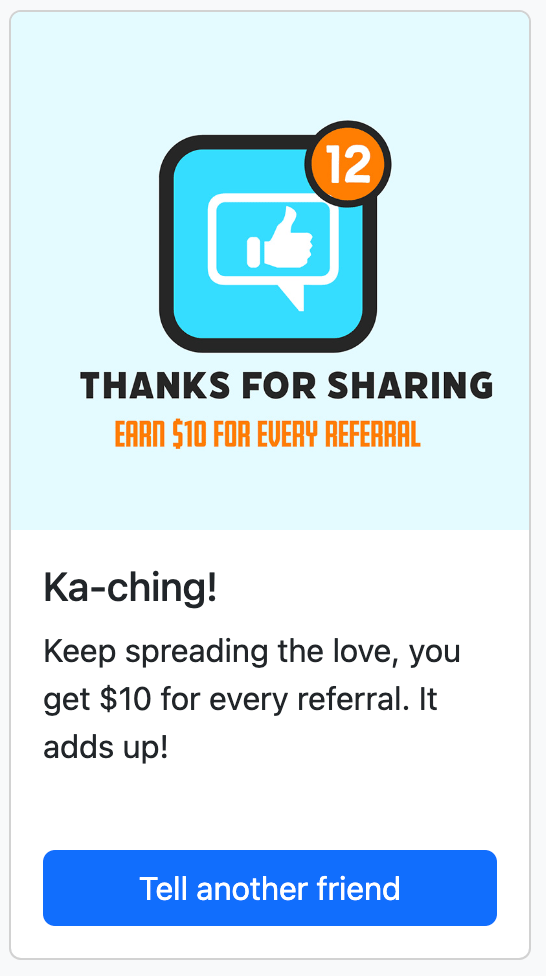
초기 페이지 로드 시 페이지에 기본 상태가 표시됩니다. 그러나 예금 또는 소셜 미디어에서 공유 단추와 상호 작용하는 경우 추가 콘텐츠 카드가 나타납니다. 이러한 카드는 클라이언트측 조건에 의해 트리거되므로 특정 작업을 수행할 때만 표시됩니다.
샘플 실행 run-sample
-
HTTPS에 대한 로컬 SSL 인증서를 설정합니다. 다음 샘플은 HTTPS를 통해 콘텐츠를 제공하기 위해 로컬로 서명된 SSL 인증서가 필요합니다.
-
컴퓨터에
mkcert을(를) 설치합니다. -
설치 후
mkcert -install을(를) 실행하여mkcert root인증서를 설치합니다.
-
-
로컬 컴퓨터에 저장소를 복제합니다.
-
터미널을 열고 샘플 폴더로 이동합니다.
-
npm install을(를) 실행하여 필요한 종속성을 설치하십시오. -
npm start을(를) 실행하여 응용 프로그램을 시작합니다. -
웹 브라우저를 열고
https://localhost(으)로 이동합니다.
작동 방식 setup
-
샘플 폴더에 있는
.env파일의 설정을 사용하여 페이지에서 웹 SDK을(를) 포함하고 구성하십시오.code language-none <script src="https://cdn1.adoberesources.net/alloy/2.18.0/alloy.min.js" async></script> alloy("configure", { defaultConsent: "in", edgeDomain: "{{edgeDomain}}", edgeConfigId: "{{edgeConfigId}}", orgId:"{{orgId}}", debugEnabled: false, personalizationStorageEnabled: true, thirdPartyCookiesEnabled: false }); -
sendEvent명령을 사용하여 개인화된 콘텐츠를 가져옵니다.code language-none alloy("sendEvent", { renderDecisions: true, personalization: { surfaces: ["web://alloy-samples.adobe.com/#content-cards-sample"], }, }); -
subscribeRulesetItems명령을 사용하여 특정 표면에 대한 콘텐츠 카드를 구독합니다. 규칙 세트를 평가할 때마다 콘텐츠 카드 데이터가 있는propositions을(를) 포함하는 콜백의 결과 개체를 처리합니다.code language-none const contentCardManager = createContentCardManager("content-cards"); alloy("subscribeRulesetItems", { surfaces: ["web://alloy-samples.adobe.com/#content-cards-sample"], schemas: ["https://ns.adobe.com/personalization/message/content-card"], callback: (result, collectEvent) => { const { propositions = [] } = result; contentCardManager.refresh(propositions, collectEvent); }, }); -
콘텐츠 카드 렌더링을 관리하고
script.js에 있는contentCardsManager개체를 사용하여interact및display이벤트를 보냅니다. 수신된 제안에서 콘텐츠 카드를 추출, 정렬 및 처리합니다.code language-none const createContentCard = (proposition, item) => { const { data = {}, id } = item; const { content = {}, meta = {}, publishedDate, qualifiedDate, displayedDate, } = data; return { id, ...content, meta, qualifiedDate, displayedDate, publishedDate, getProposition: () => proposition, }; }; const extractContentCards = (propositions) => propositions .reduce((allItems, proposition) => { const { items = [] } = proposition; return [ ...allItems, ...items.map((item) => createContentCard(proposition, item)), ]; }, []) .sort( (a, b) => b.qualifiedDate - a.qualifiedDate || b.publishedDate - a.publishedDate ); const contentCards = extractContentCards(propositions); -
각 캠페인에 대해 정의된 세부 사항을 기반으로 콘텐츠 카드를 렌더링합니다. 각 카드에는
title,body,imageUrl및 기타 사용자 지정 데이터 값이 포함되어 있습니다.code language-none const renderContentCards = () => { const contentCardsContainer = document.getElementById(containerElementId); contentCardsContainer.addEventListener("click", handleContentCardClick); let contents = ""; contentCards.forEach((card) => { const { id, title, body, imageUrl, meta = {} } = card; const { buttonLabel = "" } = meta; contents += ` <div class="col"> <div data-id="${id}" class="card h-100"> <img src="${imageUrl}" class="card-img-top" alt="..."> <div class="card-body d-flex flex-column"> <h5 class="card-title">${title}</h5> <p class="card-text">${body}</p> <a href="#" class="mt-auto btn btn-primary">${buttonLabel}</a> </div> </div> </div> `; }); contentCardsContainer.innerHTML = contents; collectEvent( "display", contentCards.map((card) => card.getProposition()) ); }; -
subscribeRulesetItems콜백이 호출되면collectEvent(이)라는 편의 함수도 제공됩니다. 이 함수는 상호 작용, 디스플레이 및 기타 사용자 작업을 추적하기 위해 Experience Edge 이벤트를 전송하는 데 사용합니다. 이 샘플에서 collectEvent 는 콘텐츠 카드를 클릭할 때 추적합니다. 또한 콘텐츠 카드의 단추를 클릭하면 브라우저가 캠페인에서 지정한actionUrl(으)로 이동합니다.code language-none const handleContentCardClick = (evt) => { const cardEl = evt.target.closest(".card"); if (!cardEl) { return; } const isAnchor = evt.target.nodeName === "A"; const card = contentCards.find((card) => card.id === cardEl.dataset.id); if (!card) { return; } collectEvent("interact", [card.getProposition()]); if (isAnchor) { evt.preventDefault(); evt.stopImmediatePropagation(); const { actionUrl } = card; if (actionUrl && actionUrl.length > 0) { window.location.href = actionUrl; } } };
주요 관찰 key-observations
personalizationStorageEnabled
configure 명령에서 personalizationStorageEnabled 옵션이 true(으)로 설정되어 있습니다. 이렇게 하면 이전 자격을 갖춘 콘텐츠 카드가 저장되고 사용자 세션 간에 계속 표시됩니다.
트리거
콘텐츠 카드는 클라이언트측에서 평가되는 사용자 지정 트리거를 지원합니다. 트리거 규칙이 충족되면 추가 콘텐츠 카드가 표시됩니다. 이 샘플은 각 콘텐츠 카드에 대해 하나씩, 동일한 표면을 공유하는 네 개의 서로 다른 캠페인을 사용합니다. web://alloy-samples.adobe.com/#content-cards-sample. 아래 표는 각 캠페인에 대한 트리거 규칙과 이를 충족하는 방법을 간략하게 설명합니다.
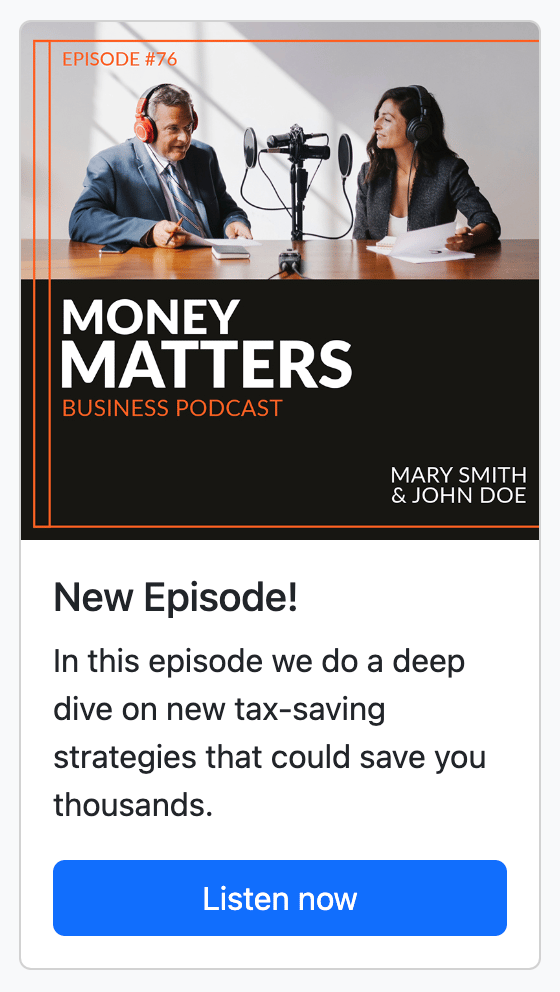

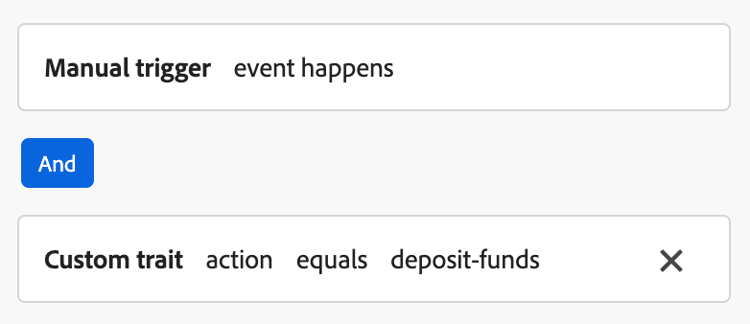
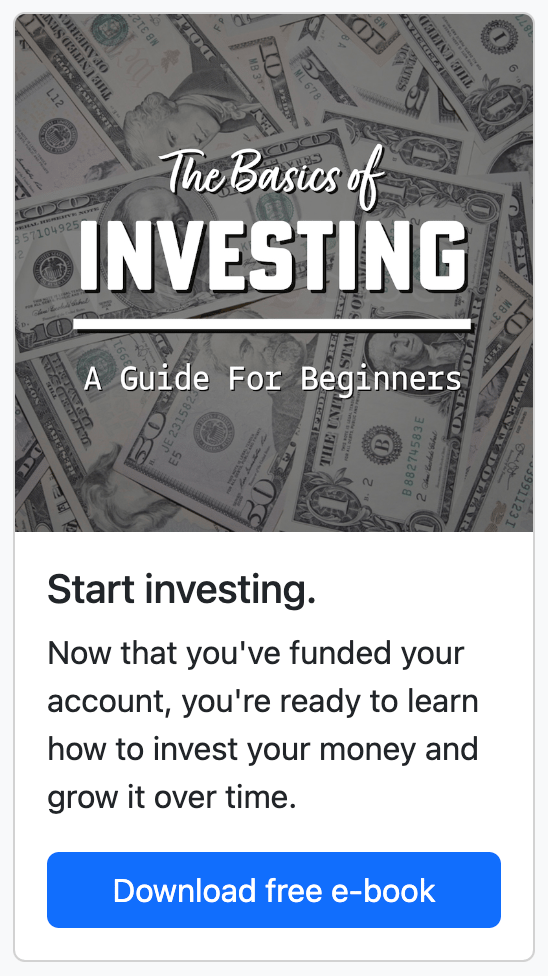
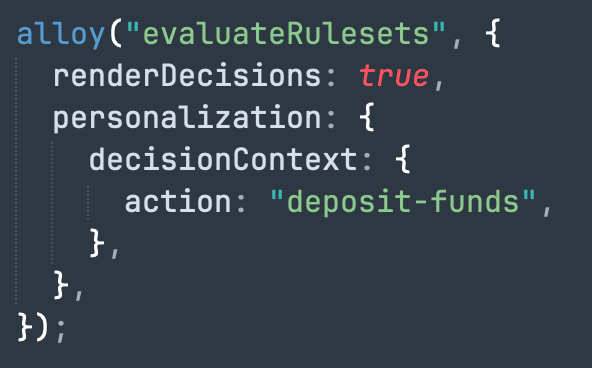

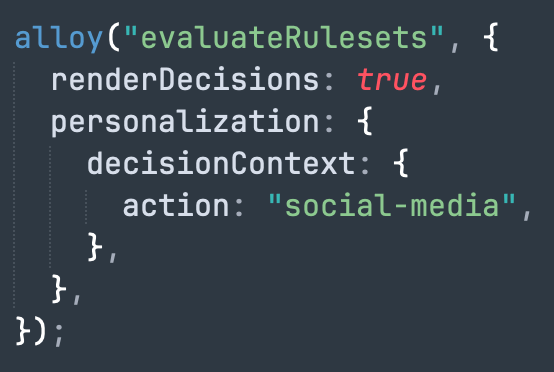
evaluateRulesets 명령은 “기금 예금” 및 “소셜 미디어에서 공유” 단추를 클릭할 때 트리거됩니다. 각 단추는 각 캠페인에 대해 정의된 규칙을 충족하도록 관련 decisionContext을(를) 지정합니다.
document.getElementById("action-button-1").addEventListener("click", () => {
    alloy("evaluateRulesets", {
        renderDecisions: true,
        personalization: {
            decisionContext: {
                action: "deposit-funds",
            },
        },
    });
});

document.getElementById("action-button-2").addEventListener("click", () => {
    alloy("evaluateRulesets", {
        renderDecisions: true,
        personalization: {
            decisionContext: {
                action: "social-media",
            },
        },
    });
});
This section contains structured knowledge intended to support interpretation, retrieval, and question answering related to this topic.
For complete understanding, this information should be combined with the documentation on this page. Neither source is intended to stand alone; the page describes the feature, while this section provides additional context that helps disambiguate terminology, intent, applicability, and constraints.
- TL;DR: This page walks through a sample that uses the Adobe Experience Platform Web SDK to fetch and render Adobe Journey Optimizer content cards entirely on the client side of a web page.
Intents:
- Set up and run the Web SDK content card sample locally over HTTPS
- Configure the Web SDK (alloy) on a page and fetch personalized content with the sendEvent command
- Subscribe to content cards for a surface using the subscribeRulesetItems command
- Render content cards and send display and interact events
- Trigger additional content cards client side using evaluateRulesets and a decisionContext
- Persist qualified content cards across user sessions with personalizationStorageEnabled
Glossary:
- Surface: The identifier a content card subscription and events are scoped to, for example
web://alloy-samples.adobe.com/#content-cards-sample(product-specific) - subscribeRulesetItems: The Web SDK command used to subscribe to content cards for a surface; its callback returns propositions containing content card data (product-specific)
- evaluateRulesets: The Web SDK command triggered on client-side actions to evaluate rulesets using a decisionContext (product-specific)
- decisionContext: The context passed with evaluateRulesets that supplies the values needed to satisfy a campaign’s client-side trigger rules (product-specific)
- collectEvent: A convenience function provided in the subscribeRulesetItems callback used to send Experience Edge events to track displays, interactions, and other user actions (product-specific)
- personalizationStorageEnabled: A configure option that, when set to true, stores previously qualified content cards so they continue to be displayed across user sessions (product-specific)
- Trigger rule: A client-side condition that, when met, causes additional content cards to be displayed (product-specific)
Guardrails:
- To use disqualification rules with content cards, Web SDK version 2.28.0 or later is required.
- You need to install node and npm to run the sample.
- The samples require locally signed SSL certificates to serve content over HTTPS.
- In this sample, four campaigns are used, one per content card, all sharing the same surface
web://alloy-samples.adobe.com/#content-cards-sample.
Terminology:
- Canonical name: Configure content cards support in Web SDK — Acronym: SDK — variants: Web SDK content card sample, Content cards configuration Web SDK
- Synonyms: “Web SDK” = “alloy”
- Do not confuse: “sendEvent” (fetch personalized content) ≠ “subscribeRulesetItems” (subscribe to content cards for a surface) ≠ “evaluateRulesets” (evaluate rulesets on a client-side action)
- Do not confuse: “display” event (content card shown) ≠ “interact” event (content card clicked)
FAQ:
- Q: What Web SDK version is needed for disqualification rules? — Web SDK version 2.28.0 or later is required to use disqualification rules with content cards.
- Q: Why do the samples require SSL certificates? — The samples serve content over HTTPS, so they require locally signed SSL certificates; the page uses
mkcertto create and install them. - Q: How are qualified content cards kept across sessions? — Setting
personalizationStorageEnabledto true in the configure command stores previously qualified content cards so they continue to be displayed across user sessions. - Q: How are additional content cards triggered? — Content cards support custom triggers evaluated on the client side; the sample calls
evaluateRulesetswith adecisionContextwhen the Deposit Funds or Share on social media buttons are clicked. - Q: What happens when a content card button is clicked? — The
collectEventfunction tracks the interaction, and if the button is an anchor, the browser is directed to theactionUrlspecified by the campaign.