Create Tag property
In the second part of this tutorial, you will learn how to trigger push notifications in real time by manually sending a custom price.drop event. This approach uses AEP Data Collection (Tags) to capture the event from the web page and send it to Adobe Experience Platform. Once the event is ingested, it triggers a journey in Adobe Journey Optimizer, allowing you to send push notifications on demand based on user actions or business events.
This property is configured with the AEP Web SDK, which is connected to the WebPushDataStream created earlier in the tutorial. The tag property listens for the price.drop event on the Adobe Data Layer and maps the relevant product details by updating the ProductListItems data element. Once the data is prepared, a rule in the tag property fires and sends the price.drop event to AEP through the Web SDK. This event then serves as the entry point for a journey in Adobe Journey Optimizer, enabling immediate delivery of push notifications based on the price drop.
Tag elements
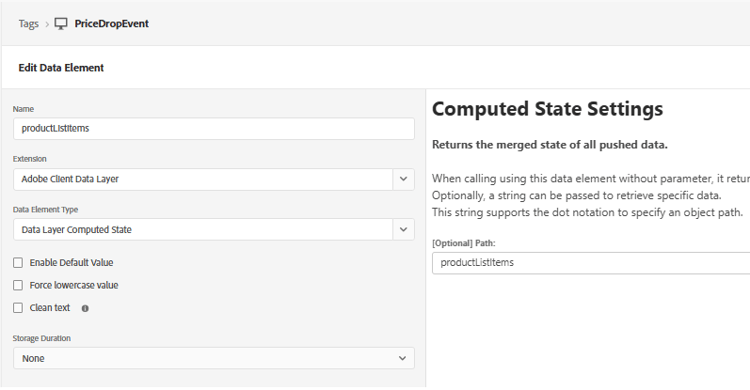
ProductListItems to hold product details
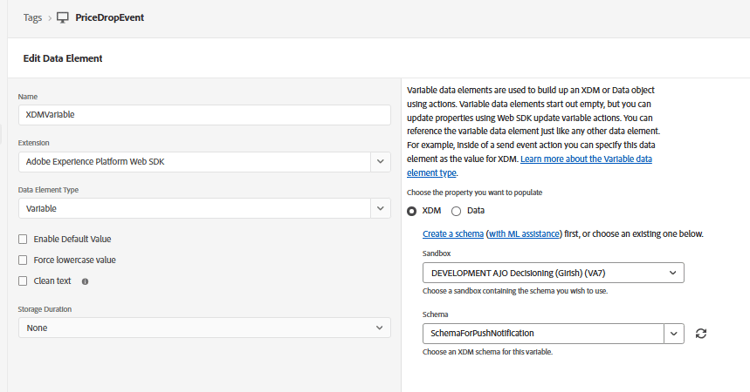
xdmvariable mapping to the schemaForPushNotification
Create Rule
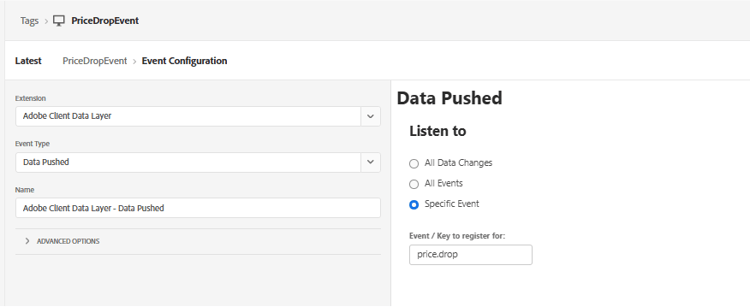
Listen to the price.drop event
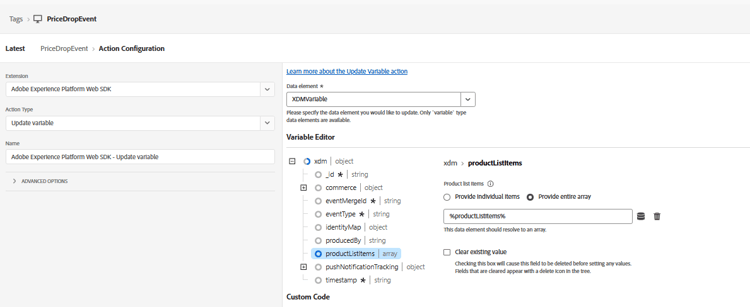
Update the productListItems using the update variable
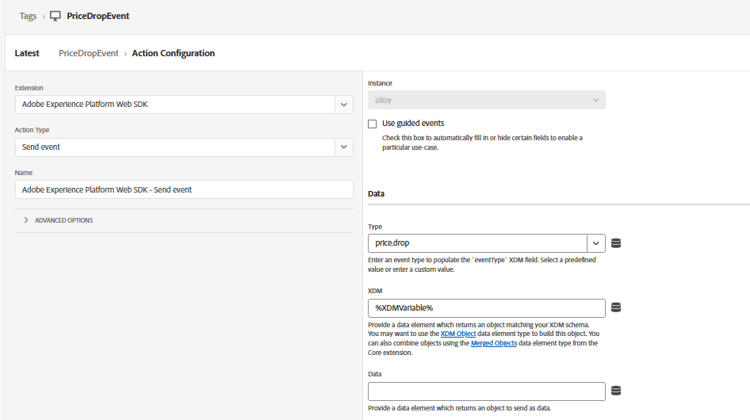
Finally send the price.drop event to AEP with the updated xdmvariable
The following javascript code sends the price.drop event to AEP Tags from the web page
 <script>
      window.adobeDataLayer.push({
        event: "price.drop",
        productListItems: productListItems
      });
  </script>