Object permissions and access level overview for the Adobe cloud storage model
Adobe cloud storage is a cloud-based storage solution that serves as the central storage repository for assets across Adobe enterprise products. Workfront environments that use Adobe cloud storage have slightly different object permissions and access level behaviors than those using legacy Workfront document storage.
Access levels
Workfront access levels apply only within Workfront. Project and Document restrictions within Workfront don’t always apply in other Adobe applications.
Environments using both Adobe cloud storage and legacy Workfront storage
Document access behaves differently depending on whether the project is on Adobe cloud storage or legacy Workfront storage:
-
Legacy Workfront storage: Projects, programs, portfolios, and templates that use legacy Workfront storage follow standard Workfront access level logic for document access. When an access level has No access selected for documents, they are unable to see documents in Workfront or other Adobe products like Frame.io or Creative Cloud.
-
Adobe cloud storage: Projects, programs, portfolios, and templates that use Adobe cloud storage follow Adobe cloud storage access level logic for other Adobe products.
- Projects, programs, portfolios, and templates object permissions: When an access level has No access selected for projects, programs, portfolios, and templates but the object is shared with them, users are unable to see the object in Workfront, but they can still view the object name and any associated documents in other Adobe tools, such as Frame.io and Adobe Creative Cloud.
- Documents permissions: When an access level has No access selected for documents, users are unable to see documents on projects in Workfront, but they can still view and manage documents for projects shared with them in other Adobe tools, such as Frame.io and Adobe Creative Cloud. This is because document access is determined by project-level permissions in Adobe cloud storage, rather than Workfront access levels alone.
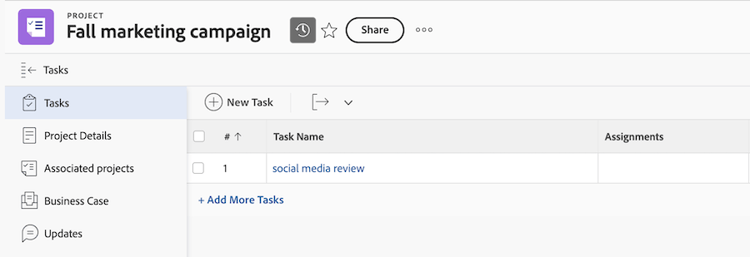
If you have Adobe cloud storage enabled in your Workfront environment, you can create both Adobe cloud storage projects and legacy Workfront storage projects. Legacy Workfront storage projects show an icon next to the project name wherever it displays in Workfront. Adobe cloud storage projects do not show an icon.
Environments using only Adobe cloud storage
You cannot modify document permissions at the access level for projects, programs, and portfolios that use Adobe cloud storage.
All access levels have edit access to documents. Project-level permissions determine document access in other Adobe tools.
You cannot restrict document inheritance access.
Environments using only legacy Workfront storage
No changes to document access levels or behavior.
Object permissions
Object permissions determine what you can see and do with projects, tasks, issues, and documents in Workfront. Permissions are assigned when someone shares an object with you.
How document permissions work
Document permissions are driven by the object the document is linked to. You can’t set permissions on individual documents.
When you upload a document to a task or issue, a system-generated folder is created using the task or issue name. This folder is linked to the task or issue and inherits its permissions.
You can create subfolders within the system-generated folder to organize documents further. All subfolders inherit permissions from the parent folder. At the project level, you can upload documents outside of a folder, but only users with project-level access can see them.
At the project level, system-generated folders display a linked object. This is usually the task or issue name and is how the system knows which task or issue the folder should be seen on.
Project permissions
When you have project-level permissions, you can view and manage documents for that project in Workfront and other Adobe products like Frame.io and Adobe Creative Cloud. The project name is also visible in those tools. Other project data isn’t visible outside of Workfront.
Task and issue permissions
Tasks and issues inherit permissions from the project. When you have task or issue level permissions, you can view and manage documents linked to that task or issue in Workfront and other Adobe products like Frame.io and Adobe Creative Cloud.
System-generated folders
- Removing users from a task or issue doesn’t automatically remove their folder access. They may still have access through project-level permissions.
- Subtasks don’t inherit system-generated folder permissions from parent tasks. You must be added directly to a subtask to access its system-generated folder.
- Adding users to a task or issue shares that object’s system-generated folder with them.
Moving and renaming system-generated folders:
- System-generated folders can be renamed and moved.
- If a system-generated folder is moved to another location, its linked object is updated to the new object. Permissions are then inherited from the new parent object.
Requests follow the same behavior as tasks and issues.
Approvals
When you’re added to a document approval workflow, you can see the following regardless of project permissions:
- Project name
- Document name
- Document thumbnail
Permission mapping to Frame.io
As part of the integration, user permissions are controlled in Workfront and flow down to Frame.io. This means you cannot invite a user to a project in Frame.io or modify user permissions in Frame.io. These actions need to be done via the Project Share modal in Workfront.
The following table shows how Workfront permissions map to Frame.io permissions: