Vray Next - Substance Painter

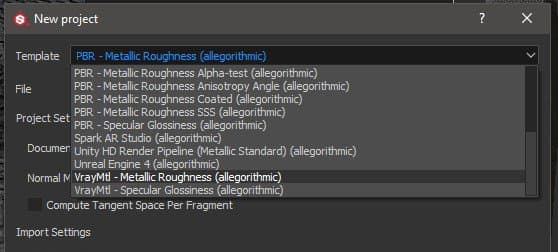
Substance Painter 2020.1 (6.1.0) ships with VrayMtl shaders for both metallic and specular workflows. You can setup your Substance Painter project using the VrayMtl template, which will configure your viewport shader.
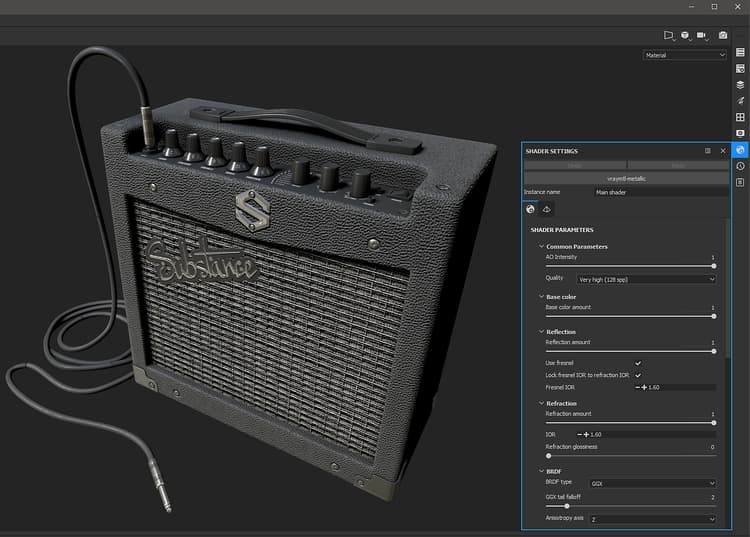
Under the Shader Settings, you can configure the Vray shader for working with VrayMtl.
NOTE
If your project was setup to use UV Tile UDIM Legacy. Use the Vray Next UDIM output template.

{width="800px"}

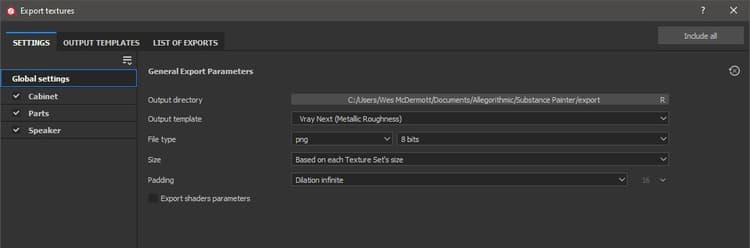
To export textures for rendering in Vray Next, choose the Vray Mtl Output template.
{width="800px"}

Vray Material (Vray Next - Metallic/Roughness)

Substance Painter Export
VRayMtl
BaseColor
(Maya) Diffuse Color (Amount = 1.0) (3ds Max) Diffuse
Roughness
(Maya) Reflection / Roughness (BRDF = GGX) + (Use Roughness enabled)(3ds Max) Roughness → BRDF/ Use GGX and enable Use roughness
Metallic
(Maya) Reflection/ Metalness (3ds Max) Metalness
Normal
(Maya) Bump and Normal Mapping / Map (Map Type = Normal in Tangent Space)(3ds Max) Bitmap → Normal
Height
(Maya) Displacement Shader / displacement (3ds Max) Object modifier → VrayDisplacementMod → Tex Map
Emissive
Self-Illumination
Transmissive
(Maya) Subsurface Scattering / Translucency Color (3ds Max) Translucency → Back-side color
AnisotropyAngle
(Maya) Anisotropy / Anisotropy Rotation (3ds Max) BRDF / Rotation
AnisotropyLevel
(Maya) Anisotropy / Anisotropy (3ds Max) BRDF / Angle

Vray Material (Vray Next - Specular/Glossiness

Substance Painter Export
VRayMtl
Diffuse
(Maya) Diffuse Color (Amount = 1.0) (3ds Max) Diffuse
Specular
(Maya) Reflection / Reflection Color (Amount = 1.0) (3ds Max) Reflect
Glossiness
(Maya) Reflection / Roughness (BRDF = GGX) + (Use Roughness enabled)(3ds Max) Glossiness → BRDF / Use GGX and enable Use glossiness
Normal
(Maya) Bump and Normal Mapping / Map (Map Type = Normal in Tangent Space)(3ds Max) Bitmap → Normal
Height
(Maya) Displacement Shader / displacement (3ds Max) Object modifier → VrayDisplacementMod → Tex Map
Emissive
Self-Illumination
Transmissive
(Maya) Subsurface Scattering / Translucency Color (3ds Max) Translucency → Back-side color
AnisotropyAngle
(Maya) Anisotropy / Anisotropy Rotation (3ds Max) BRDF / Rotation
AnisotropyLevel
(Maya) Anisotropy / Anisotropy (3ds Max) BRDF / Angle
NOTE
Maps that represent data will need to be interpreted correctly. Please see the Color Managementpage for more information.

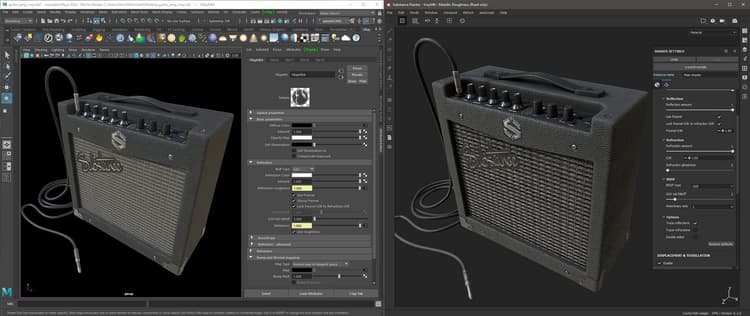
This example show the Substance Painter viewport using the Vray Metallic/Roughness shader and the Vray render using Maya.
{width="800px"}

recommendation-more-help
substance-3d-help-substance-3d-integrations