Toolbag
This page show how to use the roughness/metallic outputs for Toolbag 2.
Toolbag supports both the specular/glossiness and metallic/roughness workflows.
Substance 3D Painter uses the metallic PBR shader as default, however, you can also use with specular/glossiness shader. This workflow will show how to use the metallic outputs for Toolbag 2. Toolbag supports the metallic workflow.
Export from Painter
-
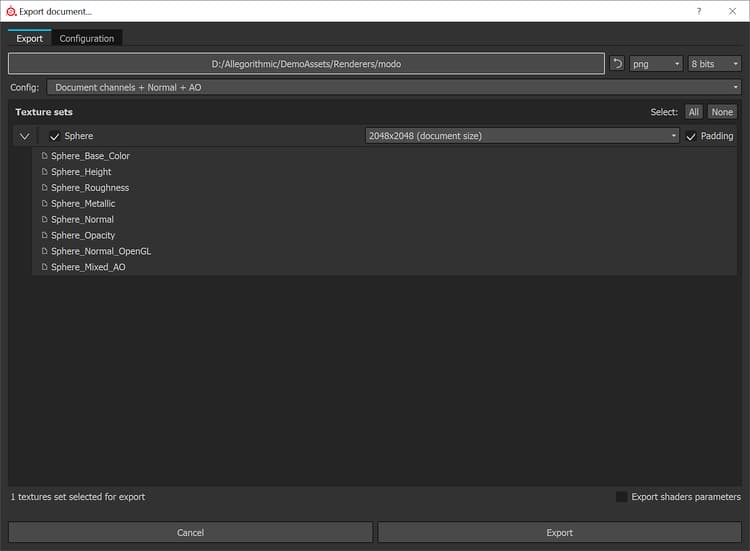
When using the default metallic PBR shader, we can export using the default Document channels + Normal + AO export preset. *Document channels exports Normal Map based on Project Configuration. Toolbag requires OGL Normal map. You can switch the Normal Format in the Project Configuration.
-
Alternatively, you can create a custom export config that uses glossiness
-
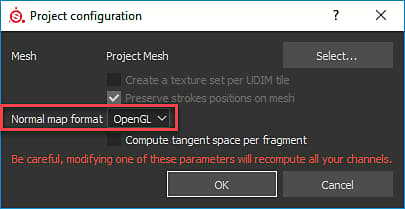
You can change the Normal Format to OpenGL before exporting. Edit>Project Configuration
Material Setup
-
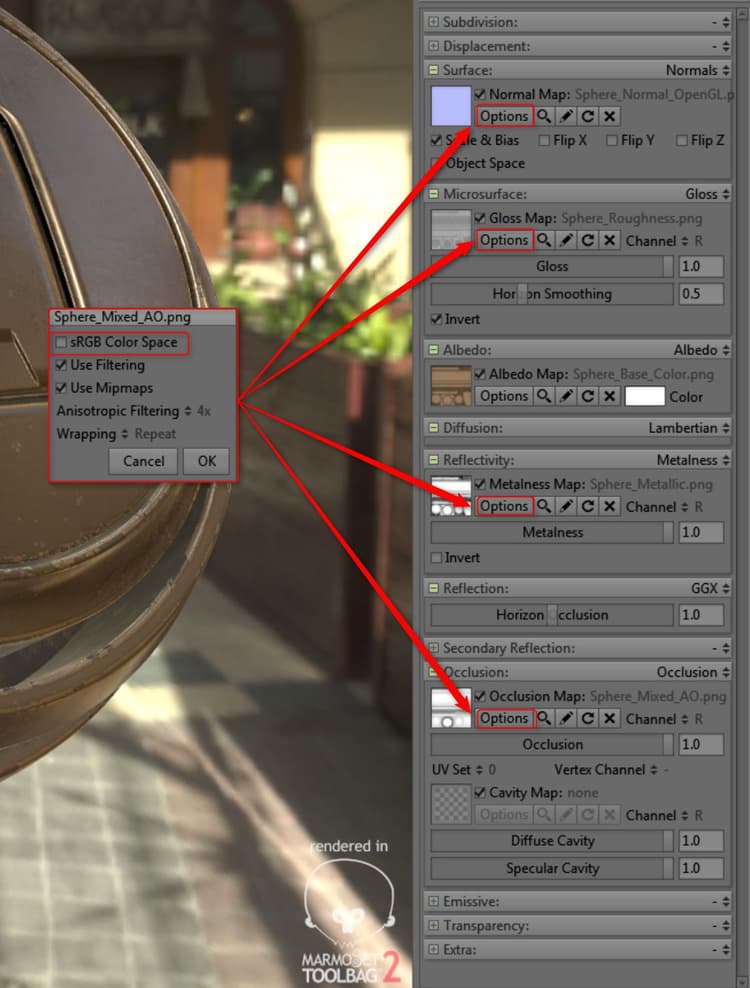
Set Reflectivity to Metalness
-
Set Reflection to GGX
-
Add the textures to the appropriate channels as shown in the following chart:
table 0-row-3 1-row-3 2-row-3 3-row-3 4-row-3 5-row-3 Substance 3D Painter Texture Colorspace Toolbag Material Base Color sRGB Albedo Roughness sRGB Off Microsurface - Gloss - Click Invert Metallic sRGB Off Reflectivity - Metalness Map Normal sRGB Off Normal Ambient Occlusion sRGB Off Occlusion