Substance SBSAR Integration
You can easily****bring SBSAR files created in Substance Designer or Substance Alchemist to Maverick following either of these 2 methods**:**
Method 1:
-
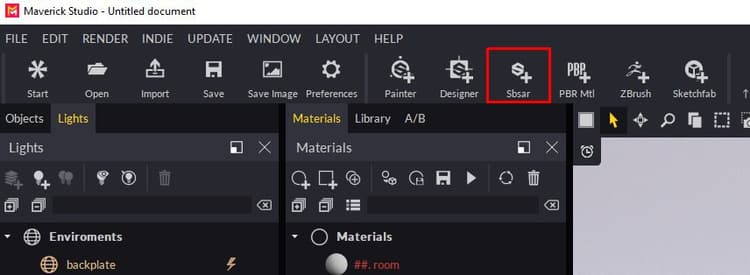
Use the SBSAR icon and select your SBSAR file.
-
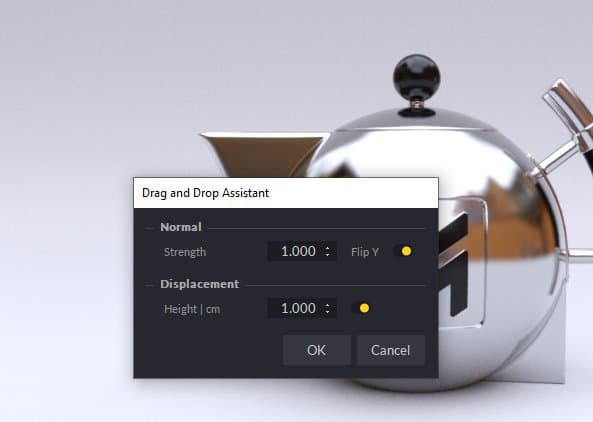
In the Import dialog you can set some material parameters:
-
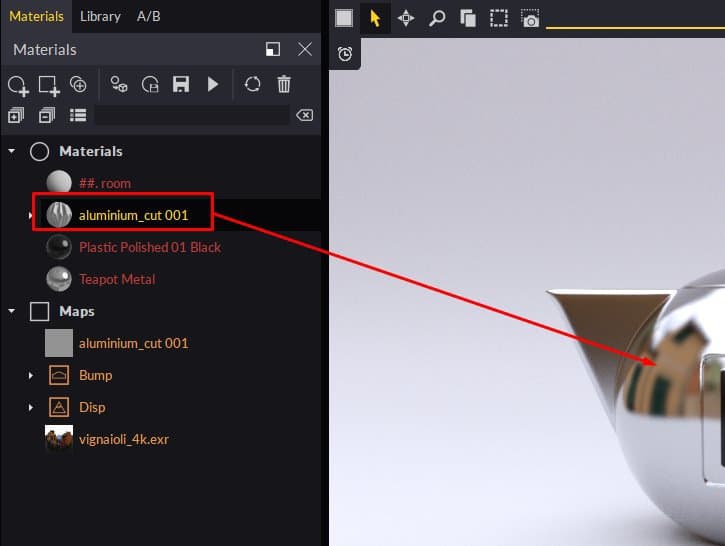
Proceed and you will see your material appear in the Materials panel, ready to be used in your scene:
Method 2**:**
-
Simply drop your SBSAR file from the Windows Explorer to any object in the scene. You can drop SBSAR files on the Material panel too.
-
In the Import dialog you can set some material parameters:
-
The material will be applied to the object you dropped on.
Tips & Tricks :
-
You can edit the SBSAR parameters by selecting the Substance node in the Materials panel or by clicking on one of the material’s channel plugs.
-
We recommend that you edit the material at a resolution of 512 or 1024 to make editing more fluid. For final renders you can increase the resolution to 2048 or 4096.
-
If you want to use the same SBSAR but with different parameters on another object in the scene, duplicate it and apply it to the new object. Maverick will automatically create a new material that you can edit independently.
-
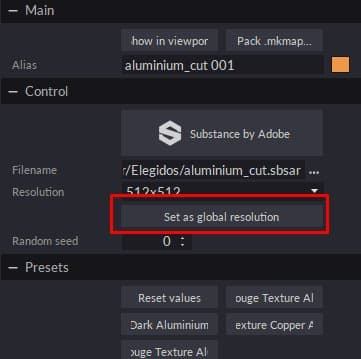
If you have several SBSARs on scene you can use the button “Set as global resolution” in any of them to control the resolution of all of them at once.
-
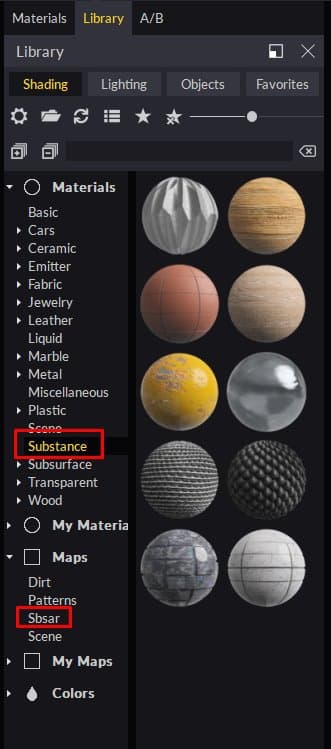
Maverick includes 10 Materials and SBSARs that you can find in the Shading library under the Materials/Substance and under Maps/Sbsar folders:
-
If you want to make your own SBSARs available to Maverick, create a sub-folder to place them in
“C:\Users\User\Documents\RandomControl\library\Shading\My Maps”.
Then, you can simply drop them over your objects so that Maverick can create the corresponding wrapper material.
You can see an introduction video for SBSAR in Maverick here: https://youtu.be/HosZOoMRfcM
You can see a practical example using SBSAR in Maverick here: https://youtu.be/ebVI5jJD71A
Support Links:
Mail to gorilla@maverickrender.com
Chat in Maverick website www.maverickrender.com