Plugin Overview - UE5
Importing a Substance
- In the Content Browser, click the Import Button and browse for the Substance .sbsar file.
- In the Substance Import options, you can set the INST and Material name that will be created. The import will create a Substance INST and Factory along with the generated textures. A UE4 material will be created with the Substance textures as input to the material channels.
Changing Parameters
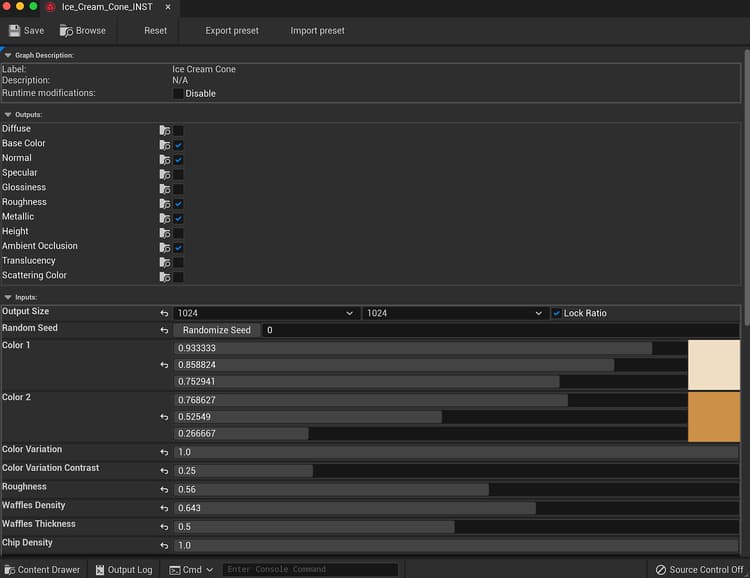
- Double-click the Substance INST item to open the Parameters window.
- The Reset button will reset the substance parameters to default. The Export and Import preset will export a Substance Preset file (.sbspr) using the values set in the editor. You can import a preset as well.
- In the Outputs, you can disable and enable outputs which generate textures.
- Output size will allow you to change the texture size.
- Random Seed will change the seed value to generate the textures. This is good for randomizing materials.
- The Parameters section allows you to tweak the material.
recommendation-more-help
substance-3d-help-substance-3d-integrations