Unity Plugin Overview
Unity Version Support
The Adobe Substance 3D for Unity Plugin version 3.0.0 currently supports Unity 2020 LTS and higher.
Downloading the Substance Package
- The Plugin can be downloaded from the Unity Asset Store: https://assetstore.unity.com/packages/tools/utilities/substance-3d-for-unity-beta-213208
Importing a Substance Material
-
Right-click in the Project window and choose Import Asset, or drag the Substance Material you wish to import into the project view panel.
-
Browse for the Substance Material you would like to import. Substance Materials have the “.sbsar” file extension.
-
The Substance material will be imported into your Unity project.
- The sbsar asset will create a main import file and a folder containing the output textures and a generated Unity material.
-
You can then drag and drop the material on a mesh in the Scene view and then edit the parameters in the Inspector.
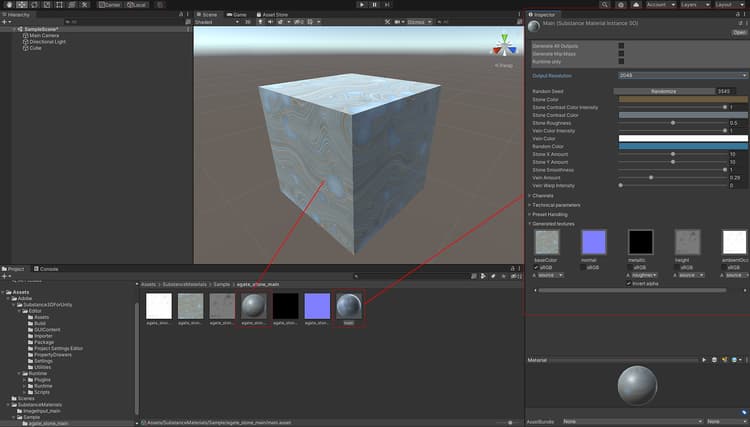
Changing Parameters
Parameters and resolutions can be set in the Inspector window. Please see Changing Parameters.
Unity Render Pipeline Support
The Substance 3D plugin supports HDRP and URP. More information will be available soon.