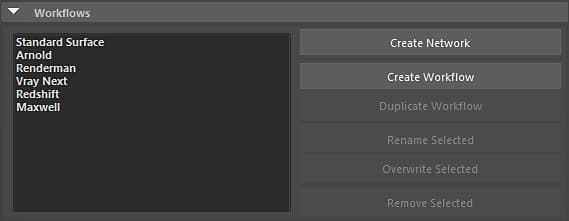
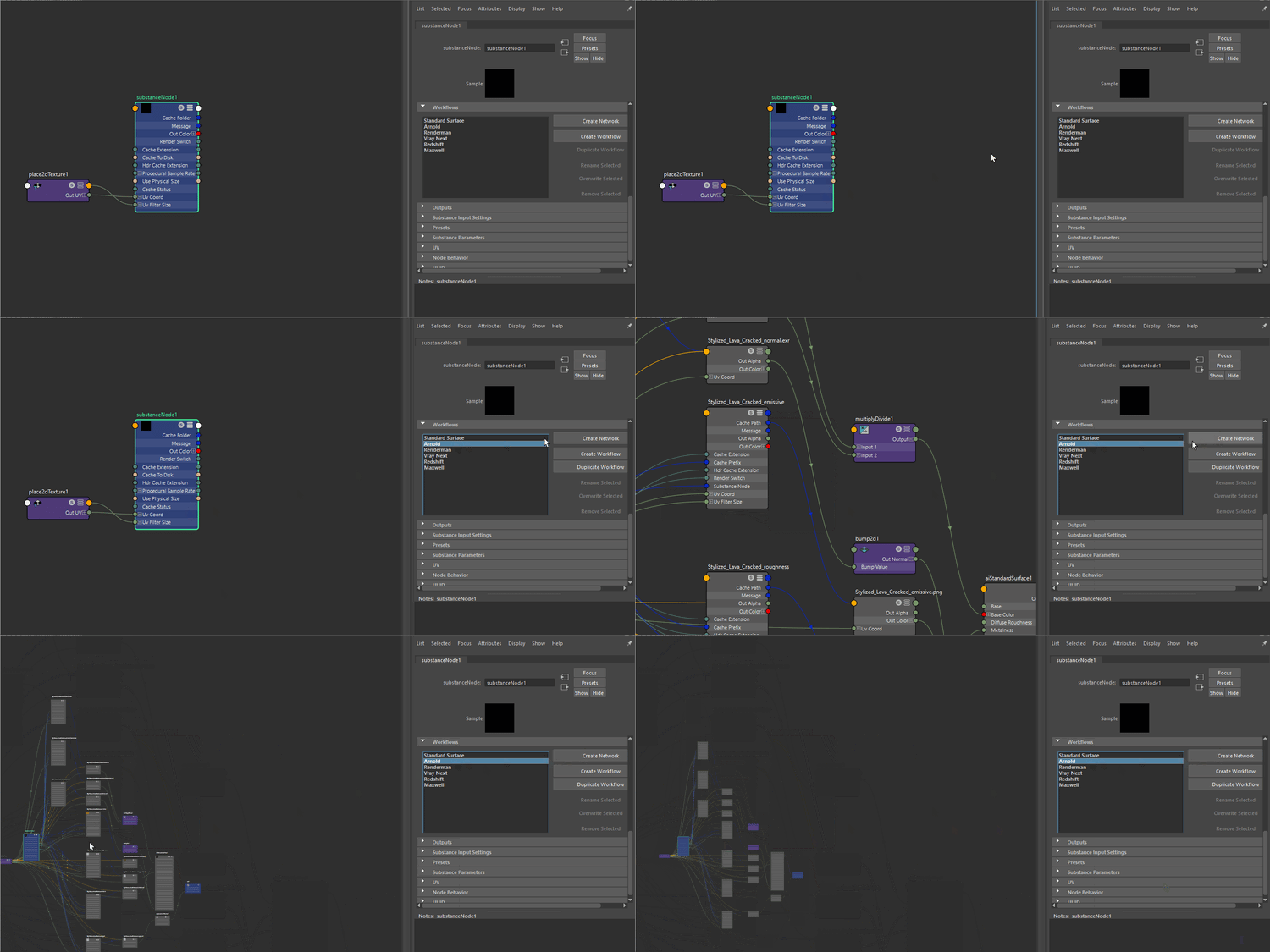
Under Workflows, you can choose or create render presets for Substance outputs. These presets are shader networks for a renderer such as Arnold or Vray.
To use a Workflow, simply choose the preset from the drop-down list and then click the Create Shader Network button.
Creating a Workflow
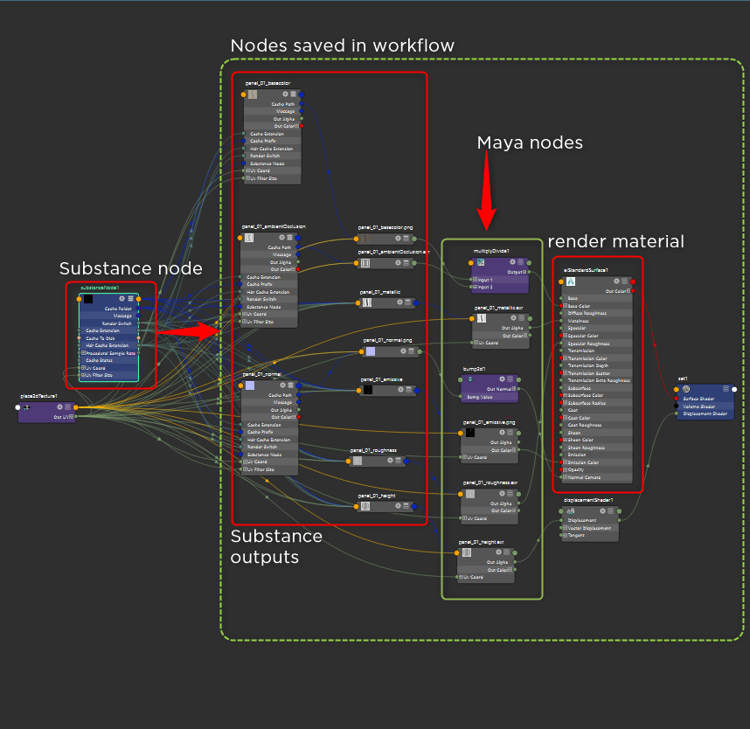
You can create your own workflow and add it to the Renderer Workflow list. When adding a new workflow, any nodes created after the Substance node will be saved in the workflow. This allows you to create any number of shading nodes to build a complete custom shader network that can be saved as a preset workflow.
Managing Workflows
Saving Custom Workflows
Manually create Substance outputs and connect them to a material such as aiStandardSurface.
You can use any Maya or render specific nodes to build the shader network.
Click the Create Workflow button and enter a name for the workflow preset.
Duplicating Workflows
You can duplicate a workflow by clicking the Duplicate Workflow button.
Rename and Overwriting Workflows
You can rename existing workflows as well as overwrite workflows with updated data using the Rename and Overwrite selected buttons.
Removing Workflows
You can remove existing workflows by using the Remove workflow button.