Uninstalling the Add-on
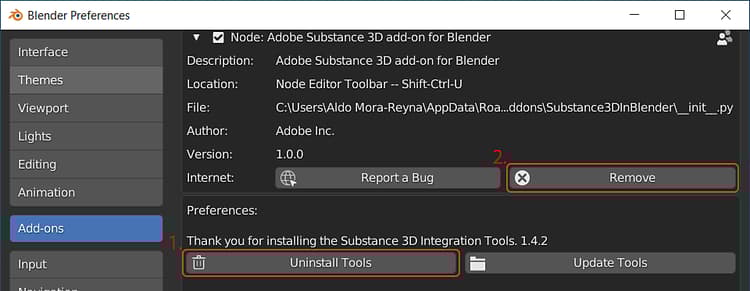
To uninstall the add-on, navigate to Edit > Preferences > Add-ons and expand the section for the add-on.
- First remove the integration tools with the Uninstall Tools button.
- Then remove the add-on files with the Remove button
NOTE
If the Substance Integration Tools need to be removed manually, delete the Substance3DIntegrationTools folder from the following directory
- Windows: C:\Users(username)\AppData\Roaming\Adobe
- Mac: /Users/(username)/Library/Application Support/Adobe/Substance3DIntegrationTools
- Linux: /home/(username)/Adobe/Substance3DIntegrationTools
recommendation-more-help
substance-3d-help-substance-3d-integrations