Version 3.2
Substance 3D Sampler 3.2 introduces an end-to-end material digitization workflow that captures and processes the material physical size, new filters as Cloth Weave and Channel Switch and the ability to create custom metadata.
Release date: 25 January, 2022
Major Features
Physical Size
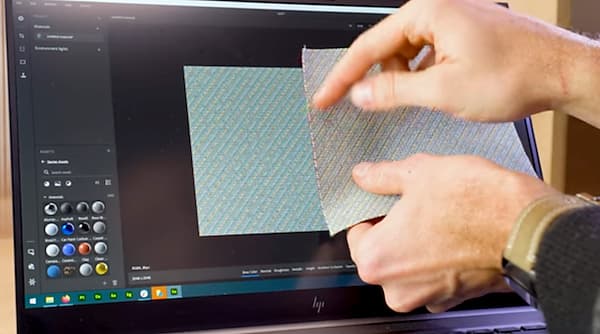
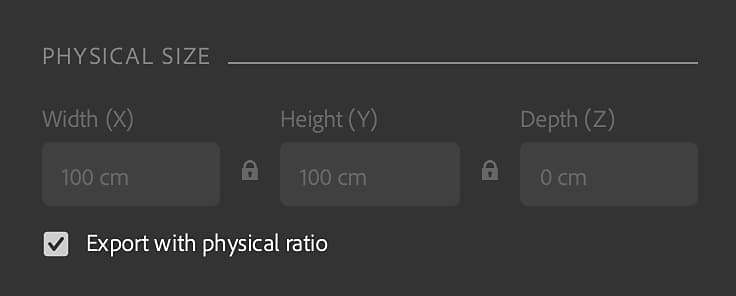
A new material scanning workflow that captures and processes the physical size of materials is introduced in this release.
Match the actual physical size of your samples/images in a digital context to create physically accurate materials in any software.
Cloth Weave
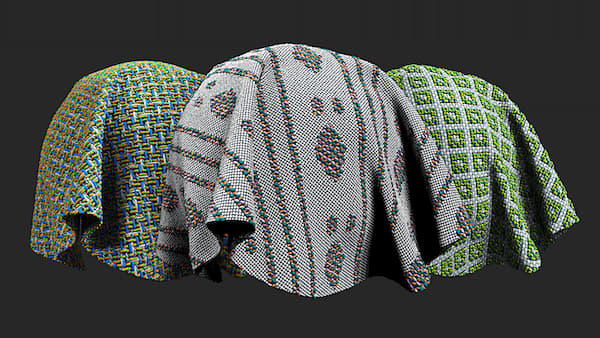
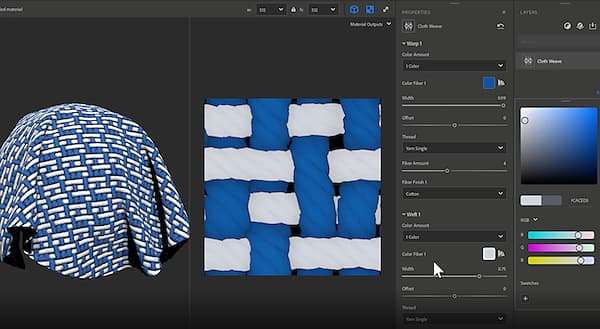
Brand new Generator is added in this release. The Cloth Weave allows you to create and design cloth fabrics with custom weave patterns.
Custom Metadata
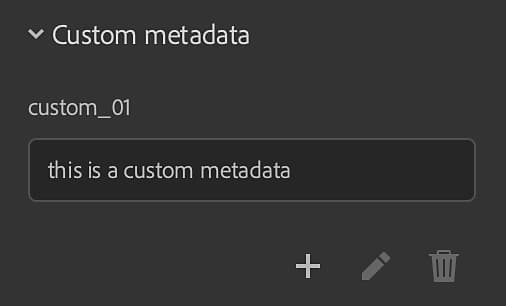
Add custom metadata to your materials. All custom metadata will be included in the material file (SBSAR) to ensure a more efficient workflow for sharing digital materials across applications.
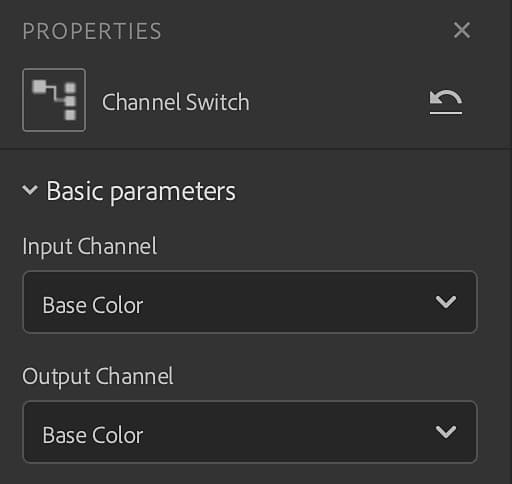
Channel Switch
With Channel Switch you can now switch the channels of the output maps of the material.
Export
New export features has been added to this release.
-
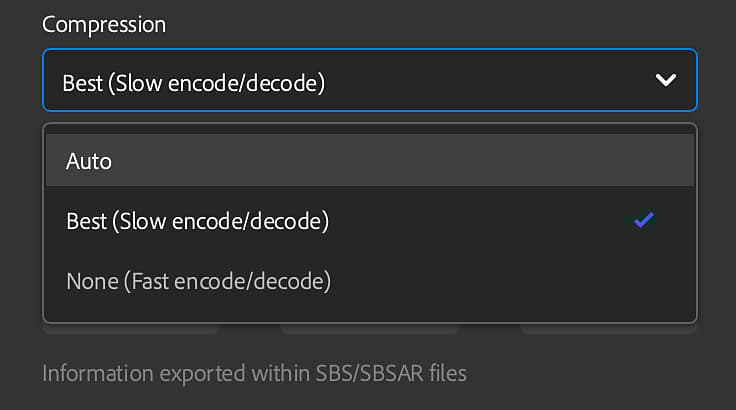
Set .sbsar file compression setting
-
Set the graph type when exporting a .sbs(ar) file
-
Keep physical ratio for EXR, JPEG, PNG, TARGA, TIFF
Release Notes
3.2.0 Yakitori
(Released 25 January, 2022)
Added:
- [Physical Size] New Physical Size panel
- [Physical Size] Add Physical Size options to the Material Creation Template window
- [Physical Size] Add Physical Size measurement tool
- [Physical Size] Add Physical Size auto-measurement tool
- [Physical Size] Add Physical Size diagnostic tool
- [Physical Size] Allow setting the z value of the Physical Size
- [Physical Size] Dropdown widget to set the level of zoom in the 2D view
- [Physical Size] New “Display with physical ratio” option in the level of zoom dropdown
- [Physical Size] New “Fit to physical size” option in the level of zoom dropdown
- [Physical Size] Display the Physical Size in the 2D view
- [Physical Size] Display the Physical Size in the 3D viewport
- [Physical Size] In the image import dialog, show physical size depth if there is an imported height map
- [Physical Size] Show the Physical Size in the asset contextual menu
- [Physical Size] Set the length unit in the Preferences
- [Physical Size] Export textures respecting the physical ratio
- [Metadata] Ability to add custom metadata to a user-authored asset
- [Export] Export custom metadata to .sbs(ar) files
- [Export] Export description, category, author, and tags metadata to .sbs(ar) files
- [Export] Export the Physical Size to .sbs(ar) files
- [Export] Set .sbsar file compression setting
- [Export] Export the asset thumbnail to .sbs(ar) files
- [Export] Set the graph type when exporting a .sbs(ar) file
- [Application] Realtime Engine 2021 is no longer available
- [Application] Undo/Redo now supports Tiling (U,V) and height scale slider changes
- [Rendering] Generate disk cache when the authored asset is saved
- [Assets] Use Ctrl+click to enable multiple asset type filters in the Resources panel
- [UI] Ability to lock the Tiling (U,V) sliders
- [UI] Add a contextual menu with “Copy”, “Cut”, “Paste”, “Copy all” and “Cut all” in text fields
- [UI] Length unit (meters, inches, parsecs, …) support in labels and text fields
- [UI] The user can set the decimal precision used to display numbers
- [UI] Use units in measure popups everywhere it’s relevant
- [Localization] Default new asset name is now localized
- [Content] New Cloth Weave generator
- [Content] New Channel Switch filter
- [Content] All relevant filters are now aware of the Physical Size
- [Content] New icons for Wood Finish
- [Content] All filters are now compatible with Adobe Standard Materials (ASM) channels
- [Content] Filters can now have an “environment” variation
Fixed:
- [2D View] Channel remains in the list when removed
- [Application] Cannot duplicate an asset loaded from the operating system file explorer
- [Application] Crash at exit
- [Application] Crash sometimes when clicking “Starter Assets” in the Assets panel
- [Application] Crash when deleting a material
- [Application] Environment variable “SUBSTANCE_DISABLE_SPECIFIC_FEATURES” is still active when set to “0” or “”.
- [Application] Freeze while saving a project with multiple materials
- [Application] Importing an image can lead to a crash
- [Application] Missing some starter assets on first launch
- [Export] Exporting an asset sometimes leads to a crash
- [Layers] Cannot import images when the layer panel is closed or invisible
- [Layers] Changing the language causes the current asset to recompute
- [Layers] Changing the usage of an imported image does not upate which filter variation to use
- [Layers] Image to Material (AI) is sometimes not computed when tweaking layers below it
- [Layers] Image to Material (AI) sometimes recomputes when not needed
- [Layers] No update is suggested when a custom filter is updated on the disk
- [Layers] Normal channel sometimes has the wrong pixel format
- [Layers] Some layers are still computed even when not visible
- [Layers] The 2D view tools may be broken when toggling a layer visibility
- [Layers] The UI freezes when using Image to Material (AI)
- [Layers] Toggling the visibilty of the Transform filter layer breaks the 2D view tool and may lead to a crash
- [Layers] Too many recomputations when removing a layer from the layer stack
- [Layers] When a compound filter contains an unusual or custom input/output, Sampler doesn’t compute it
- [Performance] Asset panel is slow to open
- [Performance] Avoid some unnecessary recomputations of the layer stack
- [Performance] Loading project assets takes too much time
- [Performance] Render cache on disk may not be used
- [Performance] Switching between layers is slow
- [Performance] Tweaking a material or a filter is slow
- [Project] Saving a project when exiting may lead to a crash
- [Rendering] Removing an image may remove all outputs
- [Rendering] The rendering time displayed in the viewport is wrong when tweaking
- [UI] Can’t scroll vertically in the export popup when needed
- [UI] It is possible to open the export popup when there is nothing to export
- [UI] Some popups do not scroll if their content overflows
- [UI] Text fields are not selected when clicking on it or opening a menu
- [UI] The name of the blend mode in the properties panel is sometimes not correct
- [UI] The Save option in the File menu is sometimes grayed out
- [UI] The text field doesn’t go away after renaming two materials
- [UI] Typo in the preference popup
Known Issues:
- [Color Picker] Picking a color on a second monitor with a different resolution may not work