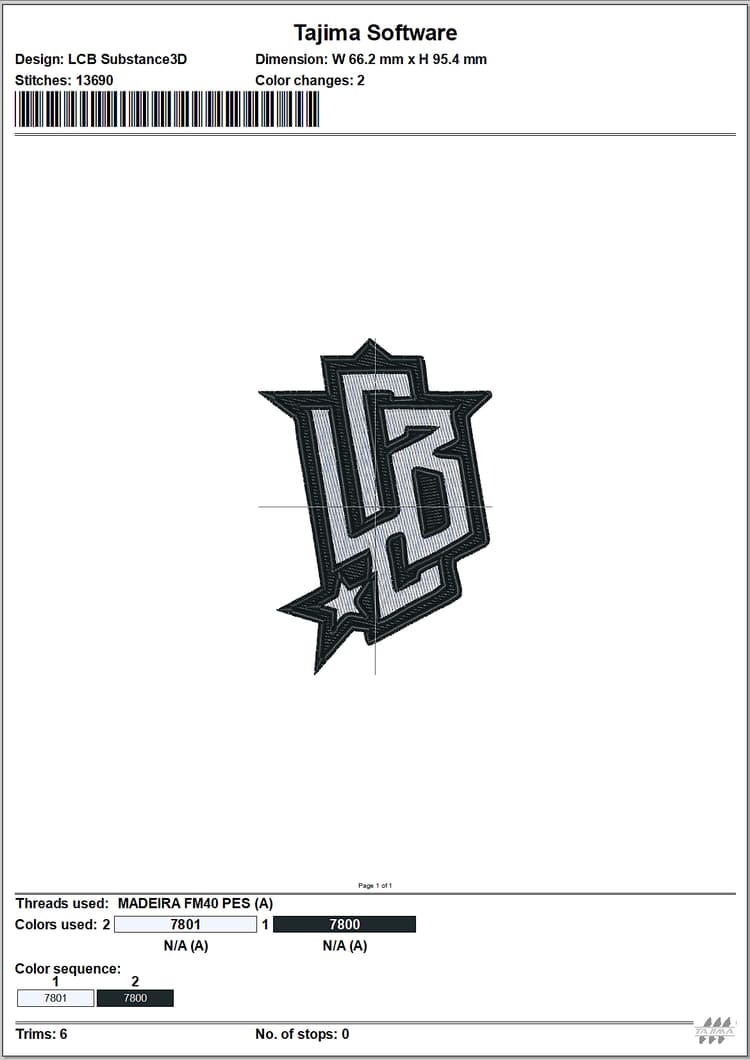
Tajima Exporter plugin of Embroidery files
With this first proof of concept, you can now transfer their digitally embroidered designs from Adobe Substance 3D directly into Tajima DG17 embroidery software—eliminating the need for time-consuming manual digitization.
Let’s see step by step how to use it.
Download
Download the Sampler Tajima plugin here:
Installation
From Sampler UI:
Go to the Preferences > Plugins & Scripts > Add a plugin
Select the unzip folder of the download
From your file explorer:
Go to Documents > Adobe > Adobe Substance 3D Sampler > Plugins
Copy/paste here the unzip folder of the download
Installation
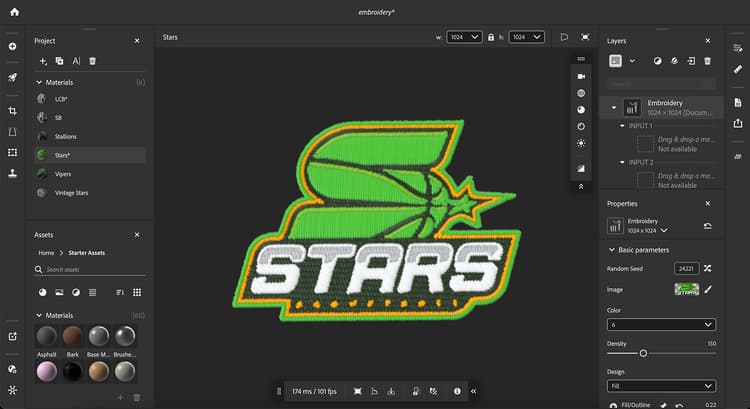
Open your Sampler (5.0.3 or after) project with an Embroidery material.
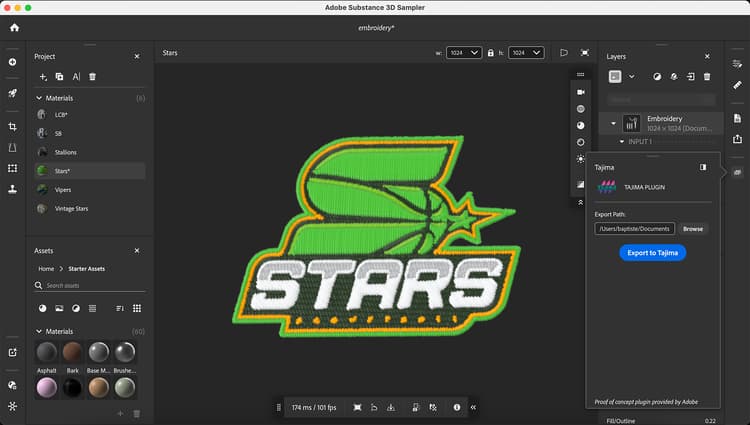
Open Tajima plugin and export to the location of your choice
Tajima software
1- Launch the Substance 3D Wizard
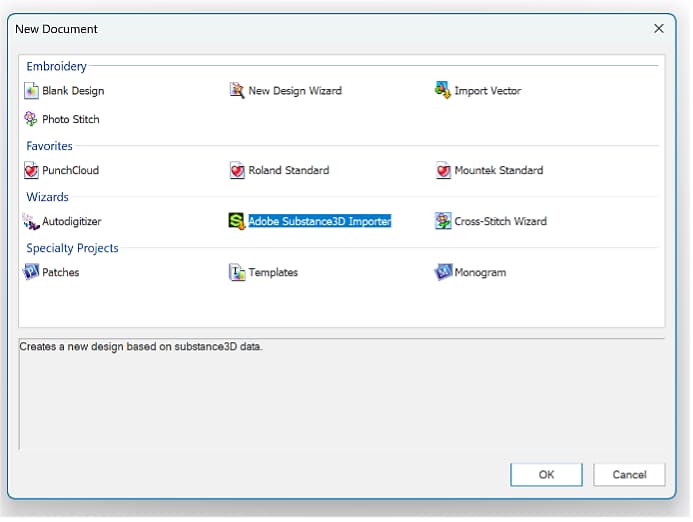
2- Select the appropriate data folder (Sampler export folder)
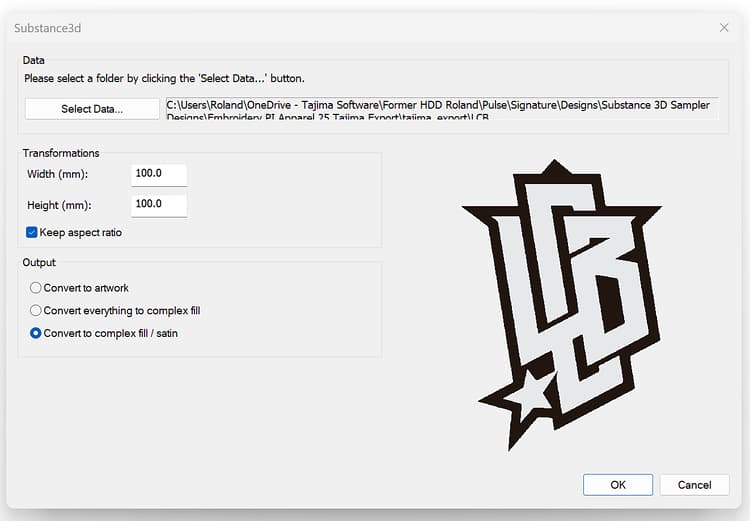
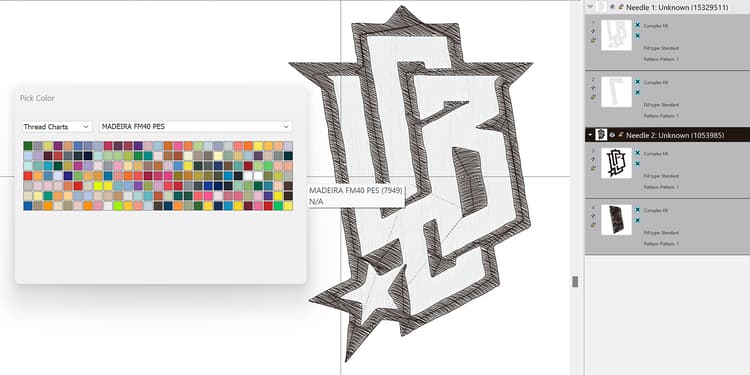
3- Choose the Embroidery thread chart
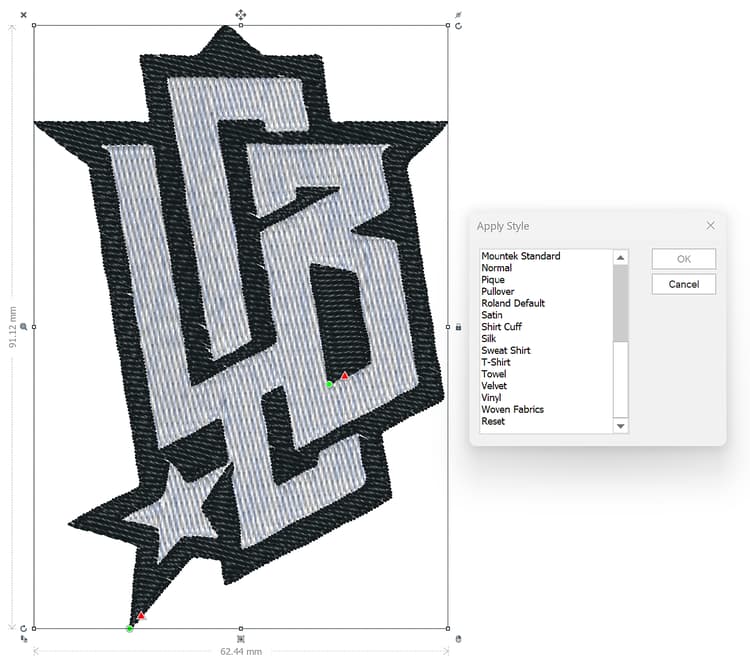
4- Apply a style preset for optimal fabric settings
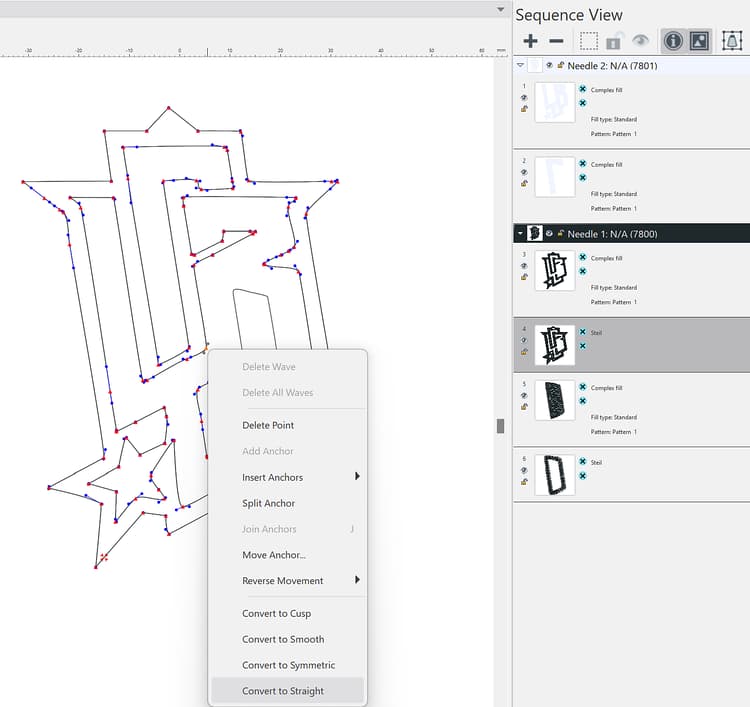
5- Edit shapes as needed to achieve the best results

6- Preview the design worksheet, complete with a machine-scannable barcode