Metadata panel
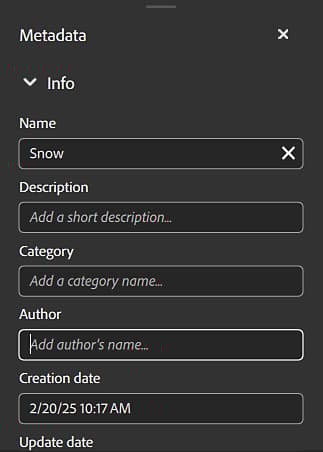
In the metadata panel, you can access and modify the metadata of your asset.
Name: The name of the asset.
Description: Description of your asset or description embedded in the Substance material
Category: Category of your asset or category embedded in the Substance material
Author: Author of your asset or author embedded in the Substance material. By default, the author’s name is the name of your OS account.
Creation date: Creation date of your asset in Sampler or the date of import to Sampler. (This cannot be edited)
Update date: The last date your asset was updated. (This cannot be edited)
Tags: Tags of your asset or tags embedded in the Substance material.
Physical size: X, Y, and Z size of your asset.
Rating: Rating of your asset.
Custom Metadata
All custom metadata will be included in the material file (SBSAR) to ensure a more efficient workflow for sharing digital materials across applications.
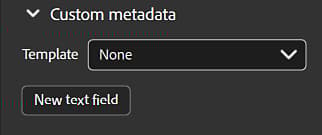
New text field (add a custom field for metadata):
- Insert name. The name of a custom metadata must be a valid XML element name (i.e. : no spaces or special characters, does not start with a number…)
- Insert description/note
Modify custom metadata fields by hovering your cursor over the field and selecting either the edit or delete button that appears.