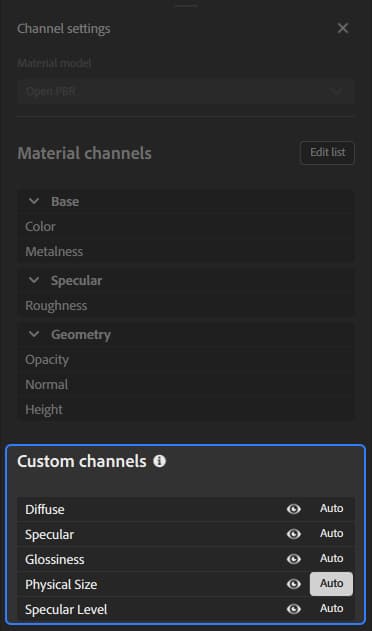
Channel Settings panel
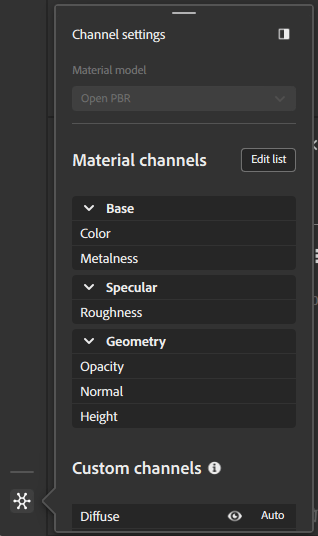
Material model
Use this dropdown to select the shader framework used to render your material. Options in the Channel settings panel will change based on the selected material model.
When you change the material model, your layer stack will need to be recalculated for the new model, and different channels will be made available. Sampler tries to minimize data loss in the conversion; however it is possible that the change will result in subtle differences in appearance with a new material model.
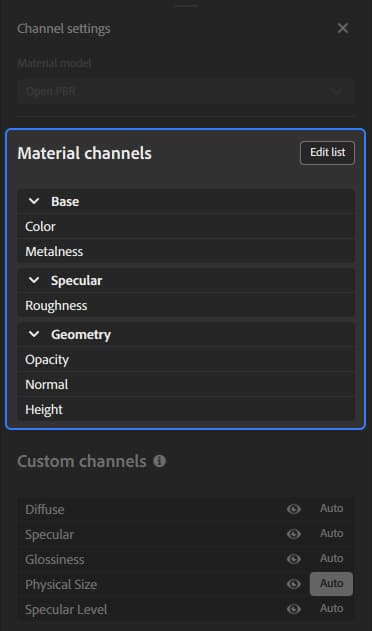
Material channels
This section displays the list of channels that are computed by default based on the workflow.
You can use the Edit list button to open Channel selection and change which channels are computed for your material.
Channel selection
The Channel selection window lets you add or remove channels from your material.
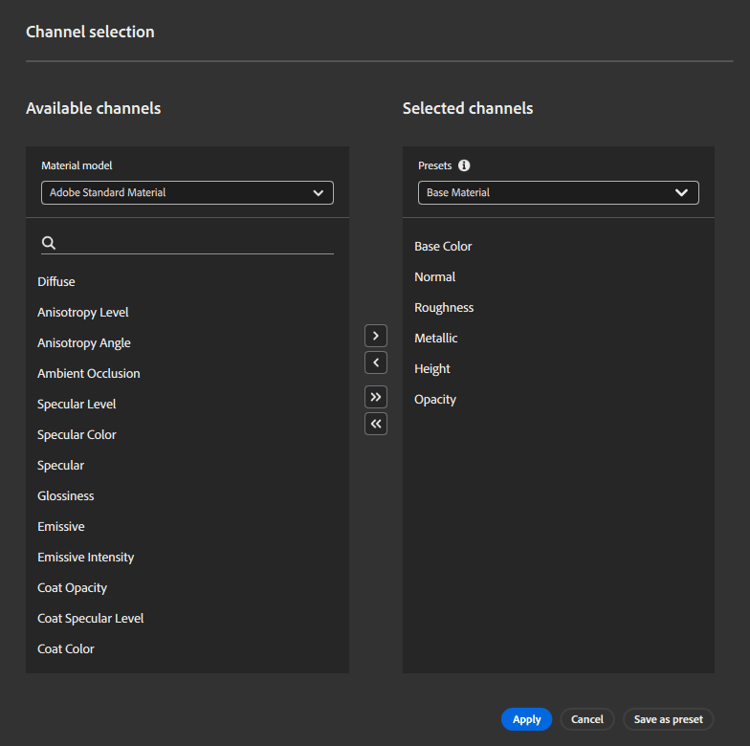
To add a channel to your material, select an available channel and use the > button.
To remove a channel from your material, select the channel from the Selected channels list and use the < button.
You can add all available channels to your material with the ≫ button or remove all channels from your material with the ≪ button.
You can also use presets to quickly select a list of channels for your material. By default, Sampler includes a number of presets, but you can also create your own:
- Add the desired channels to your material.
- Use the Save as preset button.
- Name your preset.
Custom channels
Toggle additional channels that are not included with the selected workflow by default.
Each custom channel has two options that you can use to control it:
-
Use the Visibility toggle to show or hide the channel in the 2D View.
-
Use the Auto button to toggle whether the channel is automatically computed.
- When turned on, the channel will be computed if a layer above it in the stack requests it.
- When turned off, the channel is always computed.