Report a bug
You can report bugs from within Sampler.
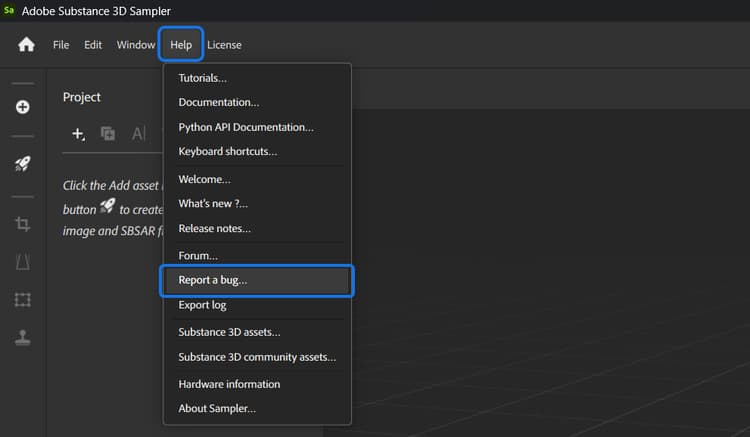
Open the Help menu, then select Report a bug:
Fill the following form:
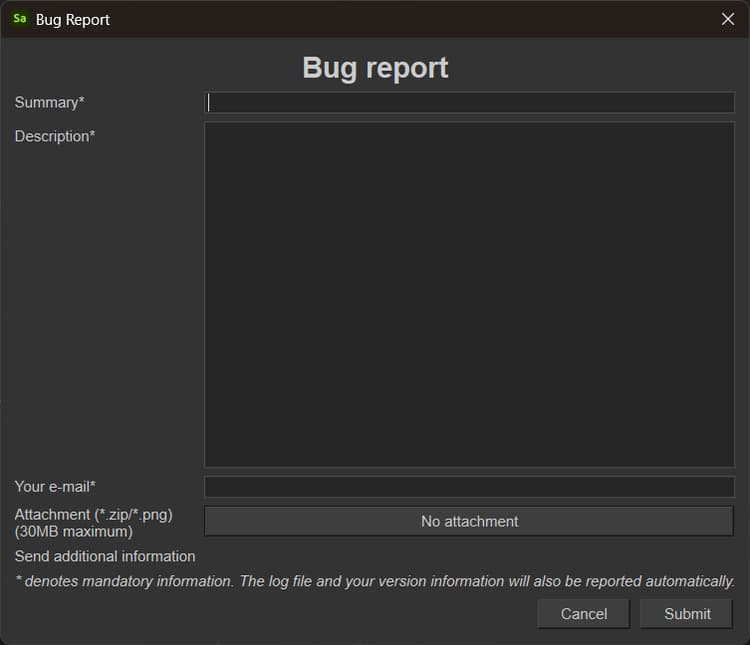
Then hit submit. The information that you’ve entered will be shared directly with the Sampler development team.
recommendation-more-help
substance-3d-sampler-help-guide