Rust

In: Wear and Finish
Description
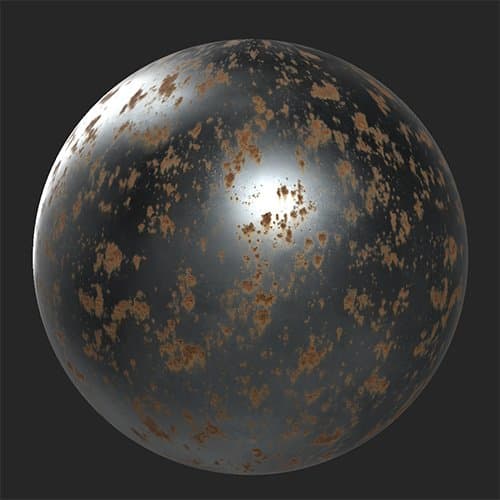
Use the Rust filter to add a layer of oxidized metal to your material.
In the images below you can see a metal material before and after adding the Rust filter.
Parameters
Basic parameters
- Random Seed:
The random seed determines the random values of other parameters that use randomness in this filter. - Rust Spread: 0-1
Control the spread or amount of rust. - Edge Influence: 0-1
Adjust how rust interacts with edges based on the curvature map. - Spread Smoothness: 0-1
Increase this to make the rusted areas more blobby or decrease it to make them more detailed. - Affect Metal Only: toggle
When enabled, the Rust filter will only impact areas that have a metallic value greater than 0.
Rust
- Rust Shape:
Change the pattern on which the rust is based. - Rust Intensity: 0-1
Modify the strength of the rust effect. Increasing this value makes the rust appear older and stronger.
Peel
- Peel Scale: 0-1
Change the scale of the peeling rust. - Peel Normal Intensity: 0-1
Adjust the visibility of the peel’s normals. - Peel Height Intensity: 0-1
Adjust the impact of the peels on the height map.
Drips
- Drips Intensity: 0-1
Change the strength of the drip effect. - Drips Orientation: 0-1
Orient the drips to match gravity or wind. - Drips Length: 0-1
Adjust how far the drips extend from the source.
Mask
-
Use Mask: toggle
Enable or disable the use of a custom mask. If enabled the following parameters appear:- Mask: image/brush
Select an image to use as a mask or use the brush to paint a custom mask directly in the 2D view. - Custom Mask - Blur: 0-1
Blur the mask. - Custom Mask - Invert: toggle
Invert the mask.
- Mask: image/brush
recommendation-more-help
substance-3d-sampler-help-guide