Oxidate

In: Wear and Finish
Description
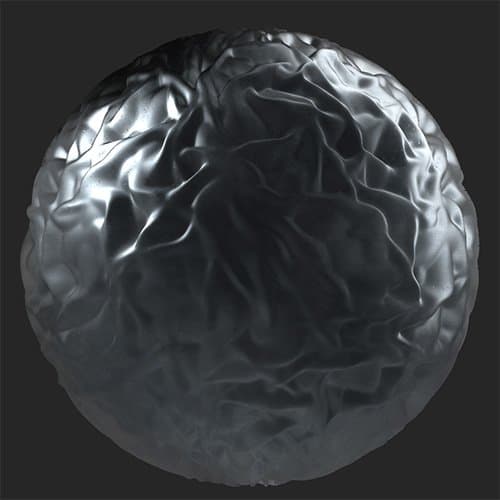
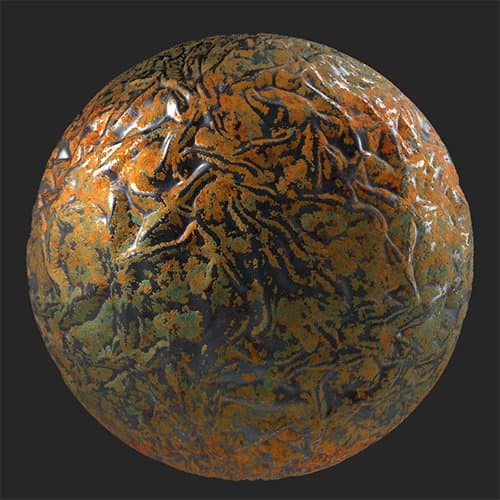
Add a layer of oxidation over the top of your material.A wrinkled surface has the Oxidate filter applied.
| table 0-row-2 0-border-0 1-border-0 2-border-0 html-authored no-header | |
|---|---|
|
|
Parameters
Basic parameters
-
Random Seed:
The random seed determines the random values of other parameters that use randomness in this filter. -
Target Areas: toggle
Enable to change how the oxidization effect is applied across the material. When enabled, the following control will appear:- Target Areas Strength: 0-1
Adjust the spread of the target areas effect. - Spreading: 0-1
Adjust how far the oxidizing spreads.
- Target Areas Strength: 0-1
-
Color: color select
Select the base color of the filter. The base colors modifies the hue of all the colors that make up the oxidizing effect. -
Color Variations: 0-1
Adjust the scale of the color variation effect. -
Density: 0-1
Change the coverage density of the effect. -
Edge Bleed: 0-1
Modify how the edges of the oxidization effect bleed into non-oxidized areas. -
Patches: 0-1
This is a separate control to modify the mask between oxidized and non-oxidized areas. Combine it with the density and other controls to fine tune the edges of the oxidized areas. -
Chipping: 0-1
Chip away at the oxidized area to reveal the underlying material. -
Stains: 0-1
Adjust the amount of staining overlaid on top of the material. -
Corrosion Roughness: 0-1
Adjust the roughness of the oxidized areas. -
Corrosion Metallic: 0-1
Adjust the metallic values of the oxidized areas. -
Noise Strength: 0-1
Mask
-
Use Custom Mask: toggle
Enable or disable the use of a custom mask. If enabled the following parameters appear:- Mask: image/brush
Select an image to use as a mask or use the brush to paint a custom mask directly in the 2D view. - Custom Mask - Blur: 0-1
Blur the mask. - Custom Mask - Invert: toggle
Invert the mask. - Custom Mask Opacity: 0-1
Adjust the opacity of the mask.
- Mask: image/brush
Technical Parameters
The following parameters allow you to adjust the named value for the whole material without adding an adjustment layer such as Brightness/Contrast or Hue/Saturation
- Luminosity: 0-1
- Contrast: -1 to 1
- Hue Shift: 0-1
- Saturation: 0-1
- Normal Intensity: 0-1
- Height Range: 0-1
- Height Position: 0-1
- Ambient Occlusion Intensity: 0-1