Discarded Gums

In: Wear and Finish
Description
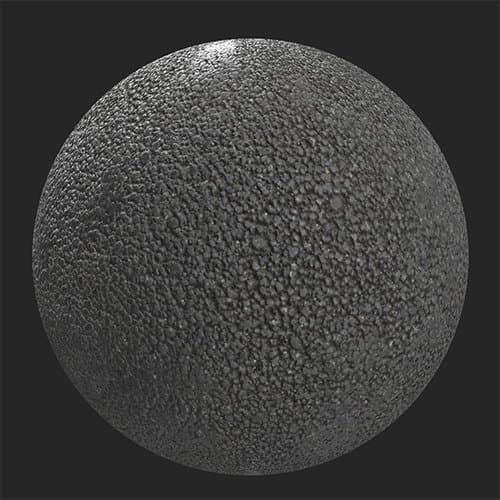
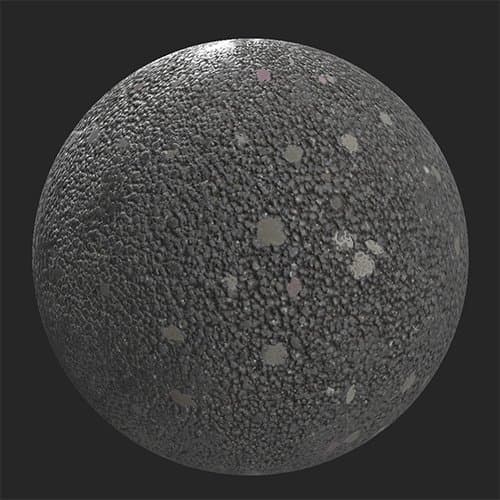
Add discarded chewing gum to your material. This filter is great for creating pavements or other materials for public walking areas.Before and after using the Discarded Gums filter on an asphalt material.
| table 0-row-2 0-border-0 1-border-0 2-border-0 html-authored no-header | |
|---|---|
|
|
Parameters
Basic parameters
- Random Seed:
The random seed determines the random values of other parameters that use randomness in this filter. - Gum Density: 0-1
Adjust how many spots appear. - Gum Size: 0-1
Adjust the scale of the spots. - Gum Color 1: color select.
Modify the color of the spots. - Gum Color 2: color select
Modify the color of the spots. - Gum Color Distribution Balance: 0-1
Adjust the relative frequency of each color’s appearance. - Gum Aging: 0-1
Change the appearance of spots to make them appear older or younger. When this value is set to 0, the Gum Aging Variation slider will disappear. - Gum Aging Variation: 0-1
Randomly vary the age of spots - Gum Aging Darkening: 0-1
Adjust how much the spots are darkened due to age. - Gum Dirt: 0-1
Control how dirty the spots appear. - Gum Dirt Color: color select
Select the color of the dirt overlaid on the spots. - Gum Dirt Variation:
Adjust how much the dirt varies across spots. - Custom Mask: toggle
Enable or disable the use of a custom mask. The following control will appear if Custom Mask is enabled:- Mask: image/brush
Select an image to use as a mask or use the brush to paint a custom mask directly in the 2D view.
- Mask: image/brush
Advanced Parameters
- Gum Height Range: 0-1
Control how far the spots extend above the underlying surface. - Gum Normal Intensity: 0-1
Adjust the strength of the normal impact due to the spots.
recommendation-more-help
substance-3d-sampler-help-guide