Cracks

In: Wear and Finish
Description
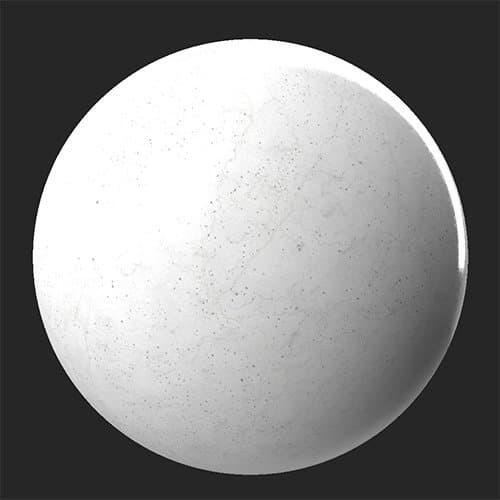
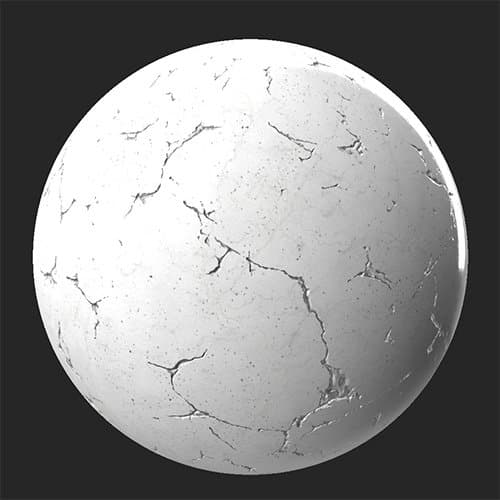
Use the Cracks filter to age and damage your material by adding a network of cracks and crevices to it.
The Cracks filter applied to a clean marble material.
| table 0-row-2 0-border-0 1-border-0 2-border-0 html-authored no-header | |
|---|---|
|
|
Parameters
Basic parameters
- Random Seed:
The random seed determines the random values of other parameters that use randomness in this filter. - Cracks Spread: 0-1
Adjust how far the cracks spread - this modifies both crack width and length. - Cracks Amount: 0-1
Change how many cracks appear.
Mask
-
Use Custom Mask: toggle
Enable or disable the use of a custom mask. If enabled the following parameters appear:- Mask: image/brush
Select an image to use as a mask or use the brush to paint a custom mask directly in the 2D view. - Custom Mask - Invert: toggle
Invert the mask.
- Mask: image/brush
Cracks
- Cracks Color: color select
Change the color of the interior surface revealed by the cracks. - Cracks Roughness: 0-1
Adjust the roughness value of the cracks. - Cracks Roughness Opacity: 0-1
Adjust how much the Cracks Roughness value impacts the roughness map - Cracks Metallic: 0-1
Modify the metallic value of the cracks. - Cracks Metallic Opacity: 0-1
Adjust how much the Cracks Metallic value impacts the metallic map - Cracks height Intensity: 0-1
Adjust the depth of the cracks. This impacts both the height map and the normal map results of the filter.
Advanced Parameters
- Normal Intensity: 0-1
Adjust the strength of the crack’s normals. - Height Range: 0-1
Modify the height range of the full material. To adjust the height of the cracks, use Cracks > Cracks Height Intensity. - Height Position: 0-1
Offset the height map of the full material.
recommendation-more-help
substance-3d-sampler-help-guide