Height to Normal

In: Tools
Description
Generate Normal channel data based on the height channel.
In the images below you can see the Height to Normal filter in action.
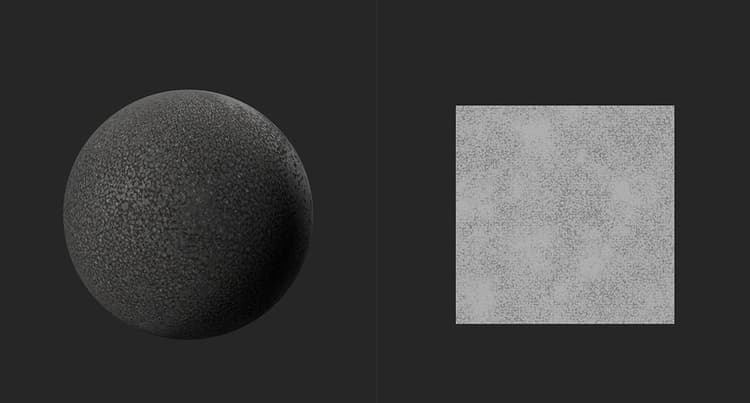
In the image above, there is no normal data from the material. Only the height map is available, and shown in the 2D view.
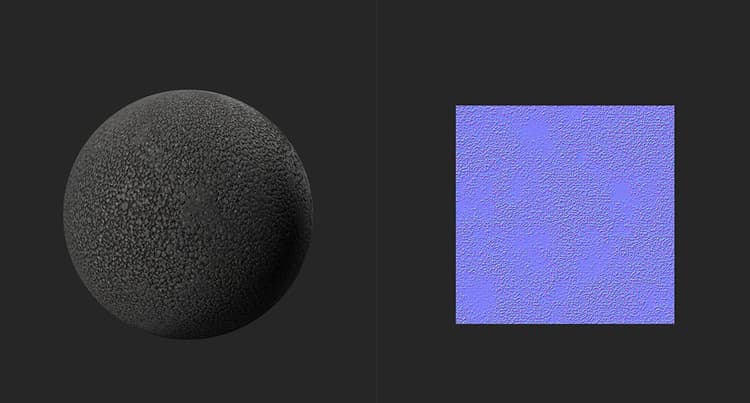
With the Height to Normal filter, normal data is generated from the height map shown in the top image. Light bounces more realistically off the material in the second image thanks to the generated normal map.
Parameters
Basic parameters
-
Use World Units: toggle
Change whether parameters are measured using real world units or not. This modifies which parameters are available.-
If Use World Units is enabled:
- Surface Size (cm): 0-500
Set the size of the UV space in world units - Height Depth (cm): 0-10
Set the distance represented by the height map. If the height map represents a small distance, then a large difference in height map values can have a small impact on the normal angle. If the height map represents a large distance, then a small difference in height map values can represent a large angle on the normal map.
- Surface Size (cm): 0-500
-
If Use World Units is disabled:
- Intensity: 0-3
Adjust the steepness of the normal angles
- Intensity: 0-3
-
-
Combine Bottom Normal: 0-1
Add the existing normal map to the results of this filter.
Mask
-
Custom Mask: toggle
Enable or disable the use of a custom mask. If enabled the following parameters appear:- Mask: image/brush
Select an image to use as a mask or use the brush to paint a custom mask directly in the 2D view - Custom Mask - Blur: 0-1
Blur the mask - Custom Mask - Invert: toggle
Invert the mask
- Mask: image/brush