HDR Merge

In: HDRI Tools
Description
The HDR Merge filter lets you merge a collection of SDR (Standard Dynamic Range) images to create an HDR image.
The images below show the results of the HDR Merge.
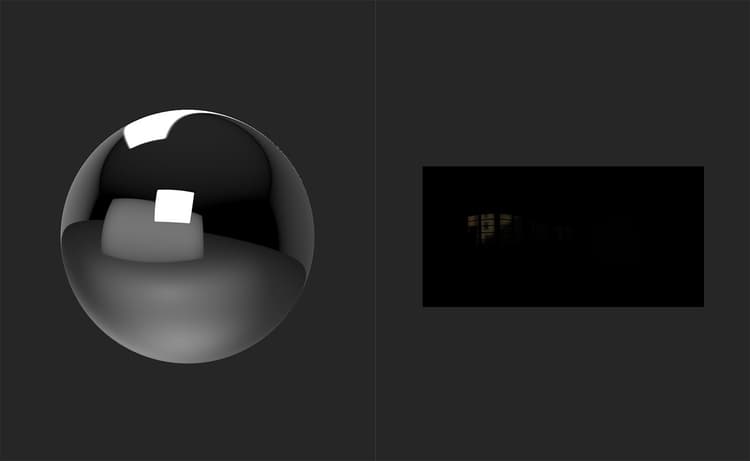
Before the HDR Merge is done, the sphere in the 3D view reflects the default environment light. The 2D view displays the imported image data for the first scan image by default, which in this case is the lowest exposed image.
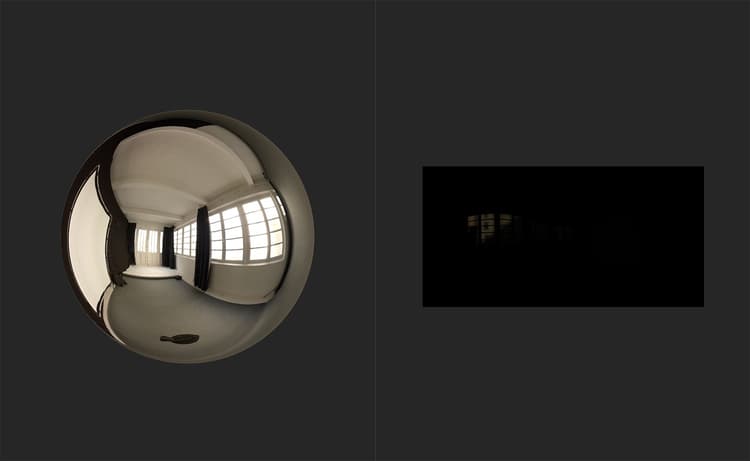
After the HDR Merge filter is added, the sphere reflects a new environment light - the HDR image generated from the input images.
TParameters
Basic parameters
- Input Exposure Delta (EV): 0-2
Set the exposure difference between the highest and lowest input exposures. A high exposure delta will increase the resulting contrast of the merge operation. - Output Auto Exposure: toggle
Enable or disable automatic exposure adjustment. - Output Exposure Offset (EV): -5 to 5
Offset the exposure.
Usage Guide
Watch this to find out how to use the HDR Merge filter as well as other filters that can help in converting SDR images into an HDR environment light.
The basic steps to use the HDR Merge filter are as follows:
- Import the set of images to be merged to the layer stack.
- Add the HDR Merge filter to the layer stack.
- Modify the parameters to ensure that exposure values are correct.