Quilt Stitch

In: Generators
Description
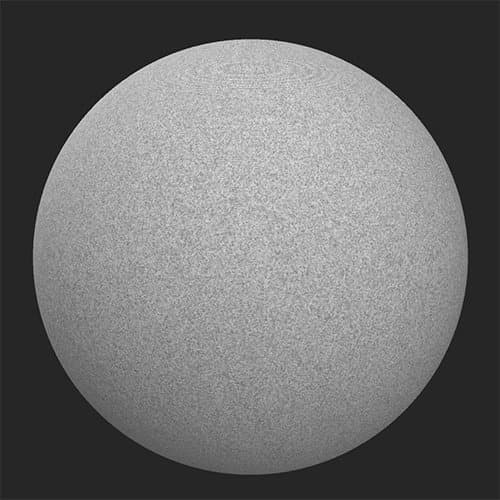
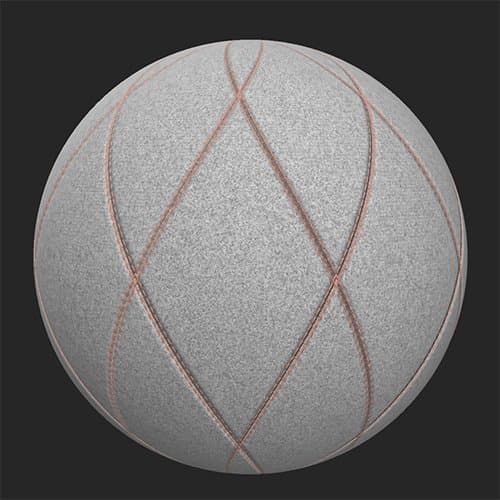
Emulate a stitched quilt pattern in your materials with this filter.
Before and after applying the Quilt Stitch filter.
| table 0-row-2 0-border-0 1-border-0 2-border-0 html-authored no-header | |
|---|---|
|
|
Parameters
Basic parameters
- Random Seed:
The random seed determines the random values of other parameters that use randomness in this filter. - Pattern Selection:
Select the style of pattern for the stitching/quilt to follow - Amount: 1-5
Control the amount of tiling of the pattern - Rotation:
Rotate the pattern - Topstitch: toggle
Enable to add a topstitch and see relevant parameter section - Seam: toggle
Enable to add a seam and see relevant parameter section - Quilt: toggle
Enable to add quilting and see the relevant parameter section - Edge Paint: toggle
Enable to pain the edge between quilted sections and see the relevant parameter section - Advanced: toggle
Enable to see the Advanced parameters
Topstitch
- Topstitch Color: color select
Set the color of the thread used for the topstitch - Topstitch Offset: 0-1
Offset the topstitch from the edges of the quilted area - Topstitch Rotation: 0-1
Change the orientation of the stitches that make up the topstitch - Topstitch Scale: 0-1
Adjust the size of the topstitch in each dimension - width, length, and height - Puncture Intensity: 0-1
Adjust the indentation into the quilting caused by the topstitch - Topstitch Roughness: 0-1
Adjust the roughness of the thread - Topstitch Metallic: 0-1
Adjust the metallic value of the thread
Seam
- Seam Selection:
Select the style of seam to use - Seam Intensity: 0-1
Modify the normal and height intensity of the seam - Stretch Intensity: 0-1
Adjust how much of an impact the stretch of the fabric has on the seam. This effect is quite subtle.
Quilt
- Quilt Type:
Select the style of quilting to use - Quilt Intensity:
Adjust the normal and height intensity of the quilting effect
Edge Paint
- Edge Selection:
Select whether the pain overrides the normal and height details of the underlying material or not - Edge Color: color select
Select the paint color - Edge roughness: 0-1
- Edge Metallic: 0-1
Advanced
- Base Material Height: 0-1
Adjust the strength of the height map from the underlying material - Normal Intensity: 0-1
Adjust the strength of the normal map changes due to the Quilt Stitch filter. This does not impact the normal of the underlying material.
recommendation-more-help
substance-3d-sampler-help-guide