Cloth Weave
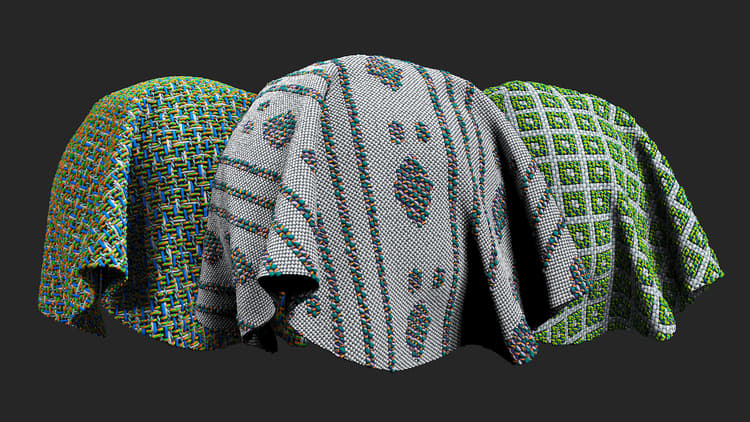
Description
Design cloth fabrics with custom weave patterns.
Parameters
Basic parameters
- Draw Custom Weave: Draw the weaves on your 2D viewport.
- Color Custom Weave: Draw colors on 2D viewport to tint the weaves.
- Weave Pattern: Set the weave pattern.
- Pattern Size: Set the size of the pattern manipulating the Warp (vertical fibers) and the Weft (horizontal fibers).
- Size Multiplier: Multiply the fibers only (masks will not be multiplied).
- Lock Weave to Size Multiplier: Toggle
Apply the Size Multiplier to the weave and open color and mask constrains. - Lock Custom Color to Size Multiplier: Toggle
Apply the Size Multiplier to the Custom Color. - Lock Mask to Size Multiplier: Toggle
Apply the Size Multiplier to the Custom Mask. - Fibers Tension: Warp 0-1, Weft 0-1
Set the tension of the fibers. - Color Mode Warp: Set between Unicolor, Bicolor or None.
- Color Mode Weft: Set between Unicolor, Bicolor or None. Add image to illustrate result.
Warp 1
- Color Amount: 1 to 4
Set the number of color used in thread. - Width: 0-1
Set the Width of the wrap threads. - Offset: 0-1
Offset the grunge map in the X and Y axes. - Thread: Set the type of thread.
- Fiber Amount: 0-8
Set the number of fibers the thread contains. - Fiber Finish: Set the quality of the fibers.
Weft 1
- Color Amount: 1 to 4
Set the number of color used in thread. - Width: 0-1
Set the Width of the wrap threads. - Offset: 0-1
Offset the grunge map in the X and Y axes. - Thread: Set the type of thread.
- Fiber Amount: 0-8
Set the number of fibers the thread contains. - Fiber Finish: Set the quality of the fibers.
Advanced
- Blending Mode**:** Select the blending mode for the basecolor channel. Changing the blending mode can substantially change the appearance of the cloth Weave.
- Imperfection Intensity: 0-1
Set the intensity of threads imperfections. - Normal Intensity: 0-2
Adjust the strength of the normal map. - Height Position: 0-1
Offset the height of the full material.
Mask
- Use Custom Mask: toggle
Enable or disable the use of a custom mask. If enabled the following parameters appear: - Custom Mask – Blur: 0-1
Blur the mask. - Custom Mask – Invert: toggle
Invert the mask.
recommendation-more-help
cfc4e62b-a372-4470-ab96-9509c6c56b57