Hue/Saturation

In: Adjustments
Description
The Hue/Saturation filter lets you adjust the color of your base color and diffuse channels. You can also use a mask to specifically modify the colors for only parts of your image.
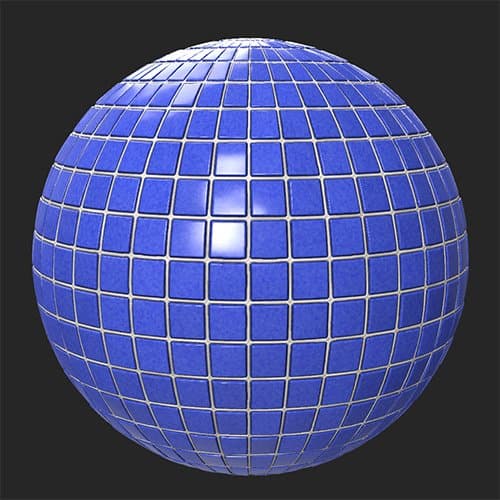
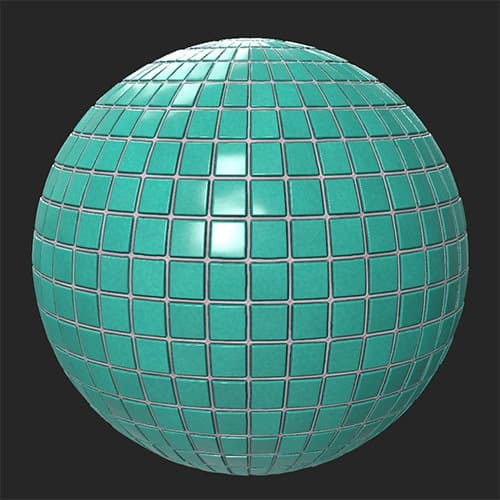
The images below show the Hue/Saturation filter used to adjust the Hue of a tile material.
| table 0-row-2 0-border-0 1-border-0 2-border-0 html-authored no-header | |
|---|---|
|
|
Parameters
Basic parameters
- Hue: -1 to 1
Adjust the hue of your image - this is useful for correcting colors in the Image to Material workflow. - Saturation: -1 to 1
Adjust saturation to make colors pop, or decrease color intensity. - Lightness: -1 to 1
Modify the lightness of your colors. - Colorize: toggle
When disabled the filter adjusts the colors that are already present. When enabled, the filter will replace colors based on the Hue, Saturation, and Lightness sliders while maintaining detail.
Mask
-
Use Custom Mask: toggle
Enable or disable the use of a custom mask. If enabled the following parameters appear:- Mask: image/brush
Select an image to use as a mask or use the brush to paint a custom mask directly in the 2D view - Custom Mask - Blur: 0-1
Blur the mask - Custom Mask - Invert: toggle
Invert the mask
- Mask: image/brush
recommendation-more-help
substance-3d-sampler-help-guide