Brightness/Contrast

In: Adjustments
Description
As the name suggests, the Brightness/Contrast filter allows you to adjust the brightness and contrast of your material. It’s important to note that you can use the Brightness/Contrast filter to target specific channels. For example, you can increase the contrast of the roughness channel, or the brightness of the emissive channel.
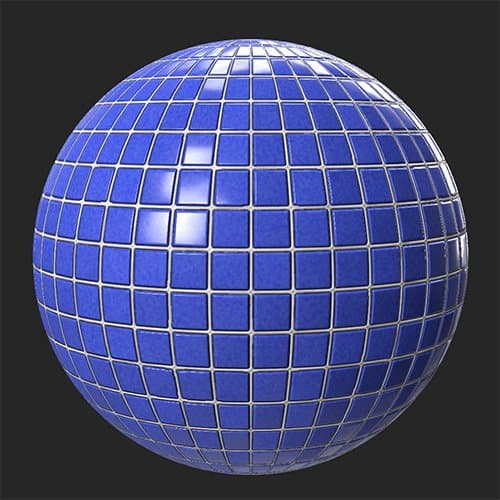
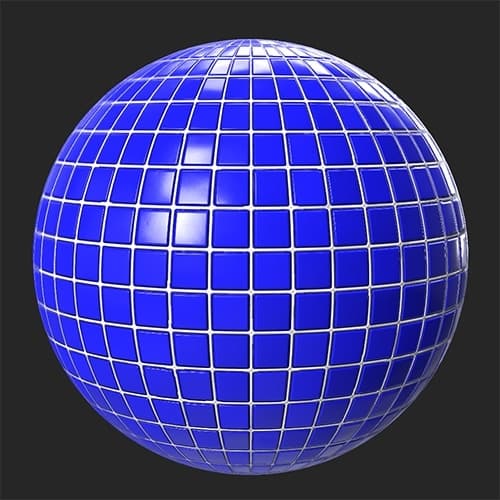
In the images below, the Brightness/Contrast filter has been used to increase the brightness and contrast of a tile material.
| table 0-row-2 0-border-0 1-border-0 2-border-0 html-authored no-header | |
|---|---|
|
|
Parameters
Basic parameters
- Channel Selection:
Select which channel the filter affects. Note: You cannot use the Brightness/Contrast filter to modify the Normal channel as it behaves differently from most channels. - Brightness: -1 to 1
Modify the brightness of the selected channel - Contrast: -1 to 1
Modify the contrast of the selected channel
Mask
-
Use Custom Mask: toggle
Enable or disable the use of a custom mask. If enabled the following parameters appear:- Mask: image/brush
Select an image to use as a mask or use the brush to paint a custom mask directly in the 2D view - Custom Mask - Blur: 0-1
Blur the mask - Custom Mask - Invert: toggle
Invert the mask
- Mask: image/brush
recommendation-more-help
substance-3d-sampler-help-guide