Exporting Brush Presets from Photoshop
ABR files (Photoshop Brush presets) can be created from Adobe Photoshop only. To create an ABR containing presets, simply follow the steps below:
-
Open Adobe Photoshop.
ABR files can only be created from within Photoshop.
-
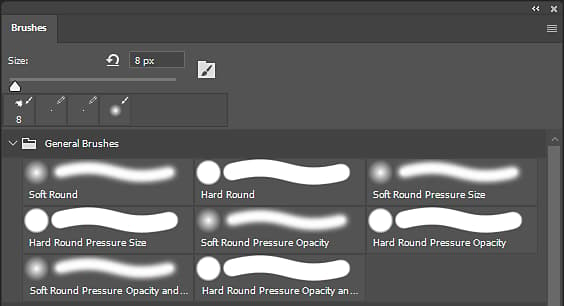
Open the Brushes panel.
Open the Brushes panel from Window > Brushes.
-
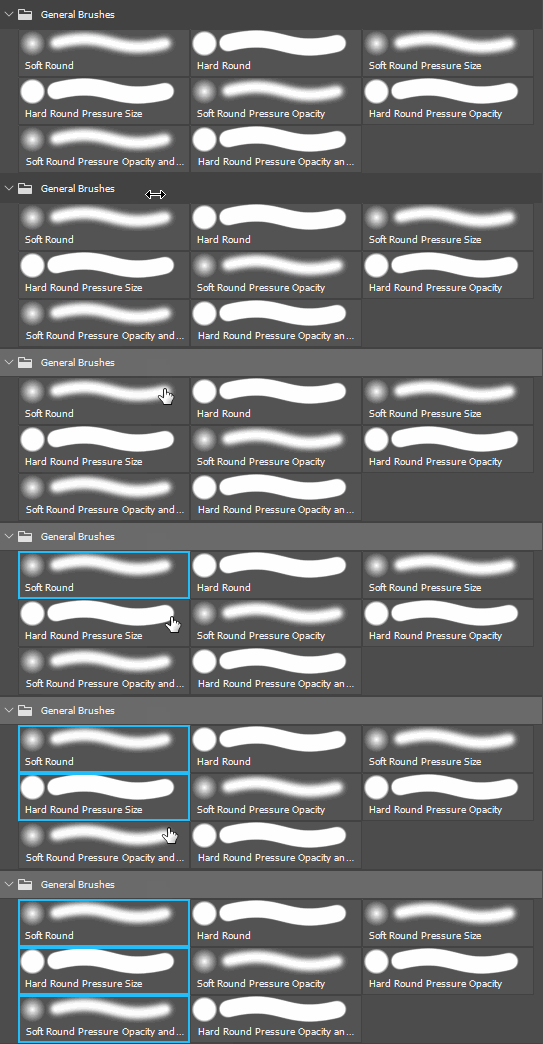
Select the Brush presets (or groups) to export.
Press and hold CTRL to select multiple brushes or presets.
-
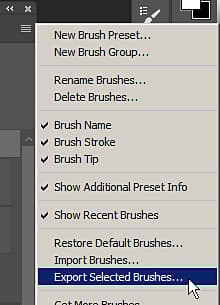
Export to an ABR file.
Open the settings menu of the Brush Window and select Export Selected Brushes.
A file dialog will appear asking for a filename and location to save the exported ABR file.