Window menu
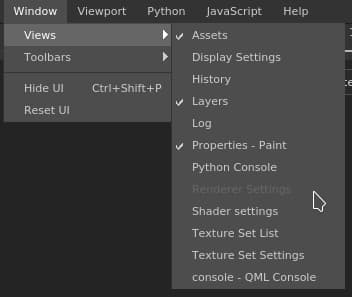
The window menu allows to display a list of the windows and if they are visible in the interface. You can also use the toolbar menu to hide some toolbars.
Action
Description
Views
Lists the windows available in the interface (the checkbox indicate if it is currently visible).
Toolbars
Lists the toolbars available in the interface (the checkbox indicate if it is currently visible, which allows to toggle them): Docks, Plugins & Tools.
Hide UI
Hides all the windows and docks of the interface and maximize the viewport(s).
Reset UI
Resets the current window layout to default.
recommendation-more-help
substance-3d-painter-help-guide