Sub-library tab
A sub-library is a new tab or window in Substance 3D Painter dedicated to a specific search.
There is no sub-library tab open by default, only the main Assets window. You can create sub-library tabs from the main Assets window using two methods:
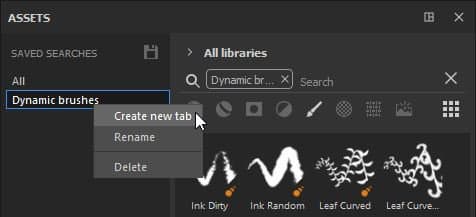
- By right-clicking on one of the saved searches and choosing Create new tab.
- By choosing or entering a search query (via asset types, breadcrumbs, text query or Filter by path) and then using the dedicated button at the bottom of the Assets window.
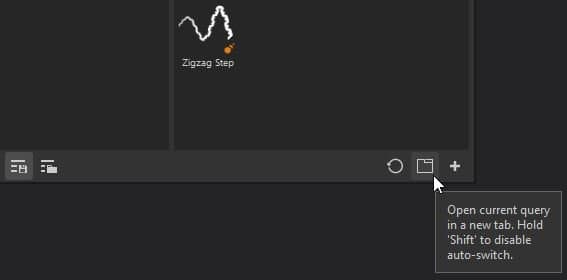
Creating a sub-library will automatically create a new tab and dock it in the interface within the same space as the main Assets window.
From there, the sub-library window can be docked anywhere else or left free-floating anywhere in the interface or on another screen.
NOTE
- A sub-library has the same features as the main Assets window, however when reset, it will revert back to its original search query.
- Unlike the main Asset window, if you close a sub-library, it will need to be recreated.
- If a saved search is removed, the sub-library window will continue to exist until closed.
recommendation-more-help
substance-3d-painter-help-guide