Lateral aberration
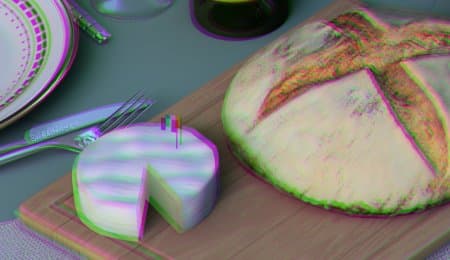
Simulates chromatic aberration by shifting color channels outward from the center of the image, reproducing the color fringing visible at the edges of real camera lenses.
Parameter
Description
—
—
Amount
Controls the intensity of the color fringing effect. Higher values produce more pronounced channel separation toward the edges.
Radius
Controls the size of the unaffected center region. Smaller values push the aberration effect closer to the center, affecting more of the image.
Softness
Controls the smoothness of the transition between the corrected center and the aberrated edges.
Ratio
Sets the aspect ratio of the affected region. A value of 1 creates a circular shape; values greater than 1 create a wider, elliptical pattern.
Center X
Horizontal position of the optical center from which the aberration radiates.
Center Y
Vertical position of the optical center from which the aberration radiates.
Achromatic aberrations
Switches the aberration colors from standard rainbow to green/violet tones.
recommendation-more-help
substance-3d-painter-help-guide