ZBrush to Painter Bridge

Starting with ZBrush 2026.2.0 (the Maxon One April 2026 update) and Substance 3D Painter 12.0.2 (Steam and CC version), it is possible to send models directly from ZBrush to Painter via a plugin installed automatically with the latest version of ZBrush.
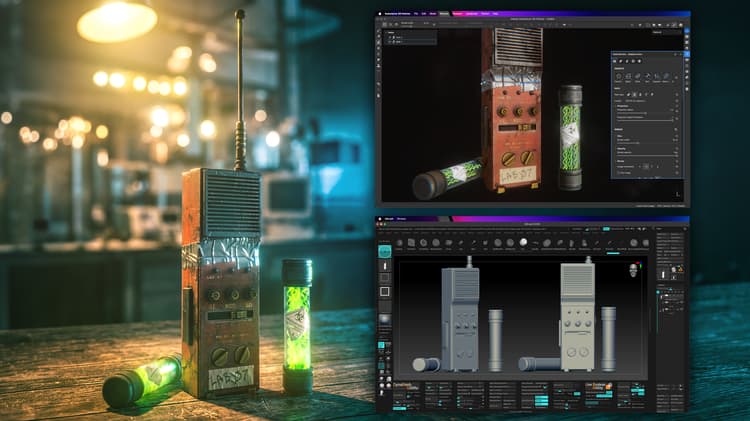
A promotional image showing an asset rendered while overlayed by the same asset in Zbrush and in Painter.

With the Substance Bridge plugin, there is no need to go through the lengthy process of exporting separate low-poly and high-poly files, importing them into Painter, and configuring and running bakes.

To start using the Zbrush to Painter bridge:

  1. Ensure that you have at least version 2026.2.0 of ZBrush installed.
  2. Enable the plugin inside Painter by ensuring that Python > zbrush_painter_plugin is checked.
  3. From ZBrush, Send to Painter is available inside Texture > Substance Bridge
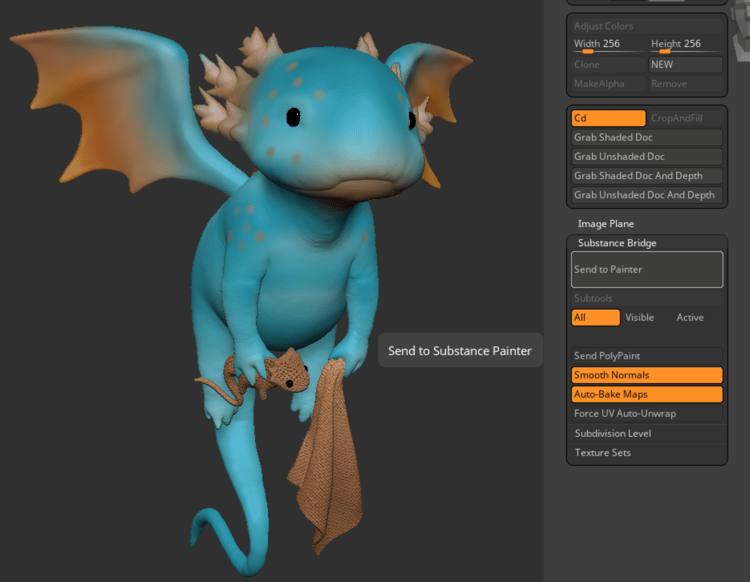
A picture of the Substance Bridge plugin in ZBrush

Configuration

You can configure the following settings for automatic project creation in Painter:

Setting
Description
Send to Painter
Sends the model to Substance 3D Painter with the current settings applied. Each click creates a new Substance project from scratch.
Subtools
All
Sends every SubTool regardless of visibility. Whether the eyeball is on or off, everything gets sent.
Visible
Sends only SubTools with the eye icon turned on in the SubTool list.
Active
Sends only the currently selected SubTool
Send PolyPaint
Converts PolyPaint into a texture map and applies it as a fill layer in Substance, where you can paint over it and blend with it.
Smooth Normals
Smooths tangent normals on export so faceted meshes appear smooth in Substance, matching how game engines render them. Turn off to see the actual faceting of the geometry.
Auto-Bake Maps
Runs Substance’s baking algorithms automatically after the model arrives, generating normal maps, ambient occlusion, curvature, and other detail maps from the high/low mesh comparison.
Force UV Auto-Unwrap
Triggers Substance’s UV unwrapping algorithm on every SubTool that arrives. Leave off if your model already has good UVs because this overwrites them.
Subdivision Level
Controls which subdivision levels are sent. Current sends only the displayed level. Low & High sends both the lowest and highest levels for baking and is the recommended option for most workflows.
Texture Sets
Controls how UV space is divided in Substance: Per SubTool (one texture set per SubTool) or Per PolyGroup (one texture set per PolyGroup within each SubTool).

When Painter receives the model, if Auto-bake is enabled, baking will be launched. The lowest subdivision of the model is the mesh imported as the low-poly mesh, and the highest subdivison is used as the high-poly to bake details. ZBrush can handle a much higher number of polygons than Painter, so make sure that the low poly mesh has an optimal working size (this will depend on the machine, but under 1 million is best).

Texture Sets in Painter represent material assignments. One Texture Set equals one UV space.

  • Per SubTool creates one Texture Set for each SubTool (all subtool parts would share the same UV space), which is the simpler option.
  • Per PolyGroup creates one Texture Set per PolyGroup within each SubTool, giving you finer control over material assignments.
NOTE
With the Steam version of Painter, Painter needs to be open to receive the ZBrush model.

Additional resources

Watch this video to see the Bridge in action, or access the ZBrush documentation for more information.

recommendation-more-help
substance-3d-painter-help-guide