MatFX Oil Paint
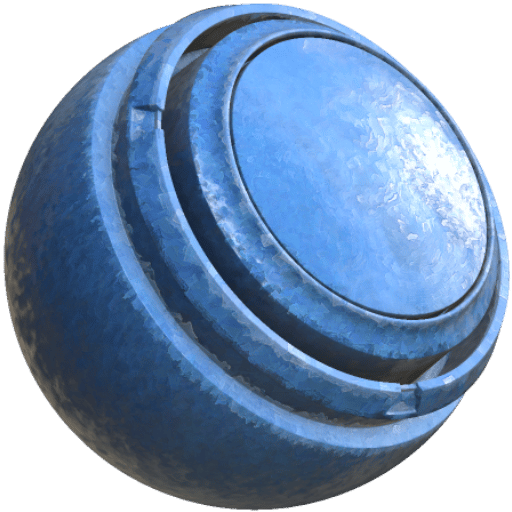
In: Effects/blur, grayscale
Description
The MatFX Oil Paint filter stylizes the source with an oil-paint appearance.
It is used on texture layers to create painterly strokes, color variation, and surface detail inspired by oil paint.
Inputs
Input name
Description
Image Input: Color
Use the image input.
Parameters
Presets are available and can quickly update multiple other parameters in the Filter to act as a starting point.
NOTE
When a preset is selected, it will set all parameters to a preset value - if you have made changes to the filter that you don’t want to lose, it may be worth creating a duplicate of the filter and toggling visibility before trying presets.
Parameter name
Description
Input Type:
Select the input type used by the effect.
Effect Intensity:
Adjust the overall intensity of the effect.
Fine Details:
Adjust the amount of fine detail preserved in the result.
Sharpness:
Adjust the sharpness of the result.
Roughness:
Adjust the roughness value.
Roughness Variation:
Adjust roughness variation across the result.
Roughness Details:
Adjust how much detail affects the roughness.
Normal Intensity:
Adjust the intensity of the normal effect.
Normal Strokes Direction Influence:
Adjust how strongly stroke direction affects the normal result.
Input Color Correction
Parameter name
Description
Input Image Contrast:
Adjust the contrast of the input image.
Input Image Hue:
Adjust the hue of the input image.
Input Image Saturation:
Adjust the saturation of the input image.
Input Image Luminosity:
Adjust the luminosity of the input image.
Strokes
Parameter name
Description
Global Scale Multiplier:
Adjust the global scale multiplier for the strokes.
Scale Random:
Adjust the amount of random scale variation.
Size:
Adjust the stroke size.
Size Random:
Adjust the amount of random size variation.
Random Color:
Adjust the amount of random color variation.
Strokes Hardness:
Adjust the hardness of the strokes.
Automatic Orientation Multiplier:
Adjust how strongly automatic orientation affects the strokes.
Orientation Smoothness:
Adjust the smoothness of the stroke orientation.
Highlights
Parameter name
Description
Enabled:
Toggle the highlights layer on or off.
Grid Subdivision:
Adjust the grid subdivision used for the highlights layer.
Strokes Size:
Adjust the stroke size used for the highlights layer.
Strokes Size From Details:
Adjust how much details affect the stroke size in the highlights layer.
Warp Intensity:
Adjust the warp intensity of the highlights layer.
Midtones
Parameter name
Description
Enabled:
Toggle the midtones layer on or off.
Grid Subdivision:
Adjust the grid subdivision used for the midtones layer.
Strokes Size:
Adjust the stroke size used for the midtones layer.
Strokes Size From Details:
Adjust how much details affect the stroke size in the midtones layer.
Warp Intensity:
Adjust the warp intensity of the midtones layer.
Shadows
Parameter name
Description
Enabled:
Toggle the shadows layer on or off.
Grid Subdivision:
Adjust the grid subdivision used for the shadows layer.
Strokes Size:
Adjust the stroke size used for the shadows layer.
Strokes Size From Details:
Adjust how much details affect the stroke size in the shadows layer.
Warp Intensity:
Adjust the warp intensity of the shadows layer.
Background
Parameter name
Description
Enabled:
Toggle the background layer on or off.
Grid Subdivision:
Adjust the grid subdivision used for the background layer.
Strokes Size:
Adjust the stroke size used for the background layer.
Warp Intensity:
Adjust the warp intensity of the background layer.
Contour
Parameter name
Description
Amount:
Adjust the contour amount.
Thickness:
Adjust the contour thickness.
Canvas
Parameter name
Description
Texture Intensity:
Adjust the intensity of the canvas texture.
Fibers Count:
Adjust the number of canvas fibers.
recommendation-more-help
substance-3d-painter-help-guide