MatFX Edge Damages
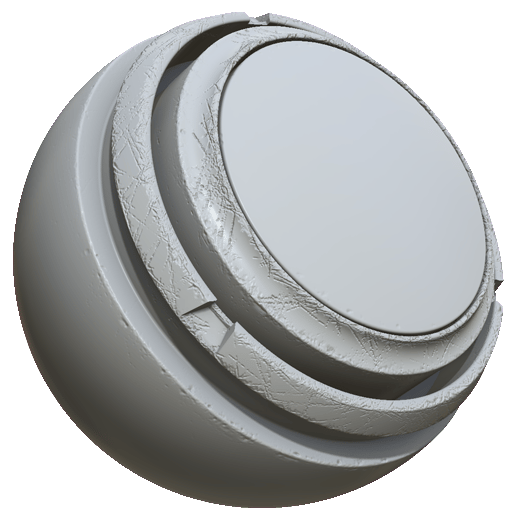
In: Effects/blur, grayscale
Description
The MatFX Edge Damages filter creates chipped and damaged edge details. Edge Damage behaves differently to the MatFX Detail Edge Wear filter in that Edge damage doesn’t change the color of the damaged area. This means that it can be more useful for simulating damage to materials like plastic or resin, rather than Edge Wear which is better used for materials like painted metal.
MatFX Edge Damages is used on texture layers or material stacks to add worn, scratched, and damaged edge details.
NOTE
In order for the MatFX Edge Damages filter to modify the height channel, there needs to be existing height data in the channel. In other words, if there are no layers below the filter layer that have height data, the filter won’t have an observable effect on the height channel.
Parameters
Parameter name
Description
Blur Intensity:
Adjust the strength of the blur effect.
Blur Wrap:
Toggle blur wrapping. When enabled, the effect samples pixels from the opposite side of the texture.
Level:
Adjust the overall damage level.
Contrast:
Adjust the contrast or falloff of the result.
Scratches Intensity:
Adjust the intensity of the scratches.
Damages Roughness:
Adjust the roughness of the damaged areas.
Damages Depth:
Adjust the depth of the damaged areas.
recommendation-more-help
substance-3d-painter-help-guide