Link creation modes
In Substance graphs, you may connect nodes using one of 3 link creation modes:
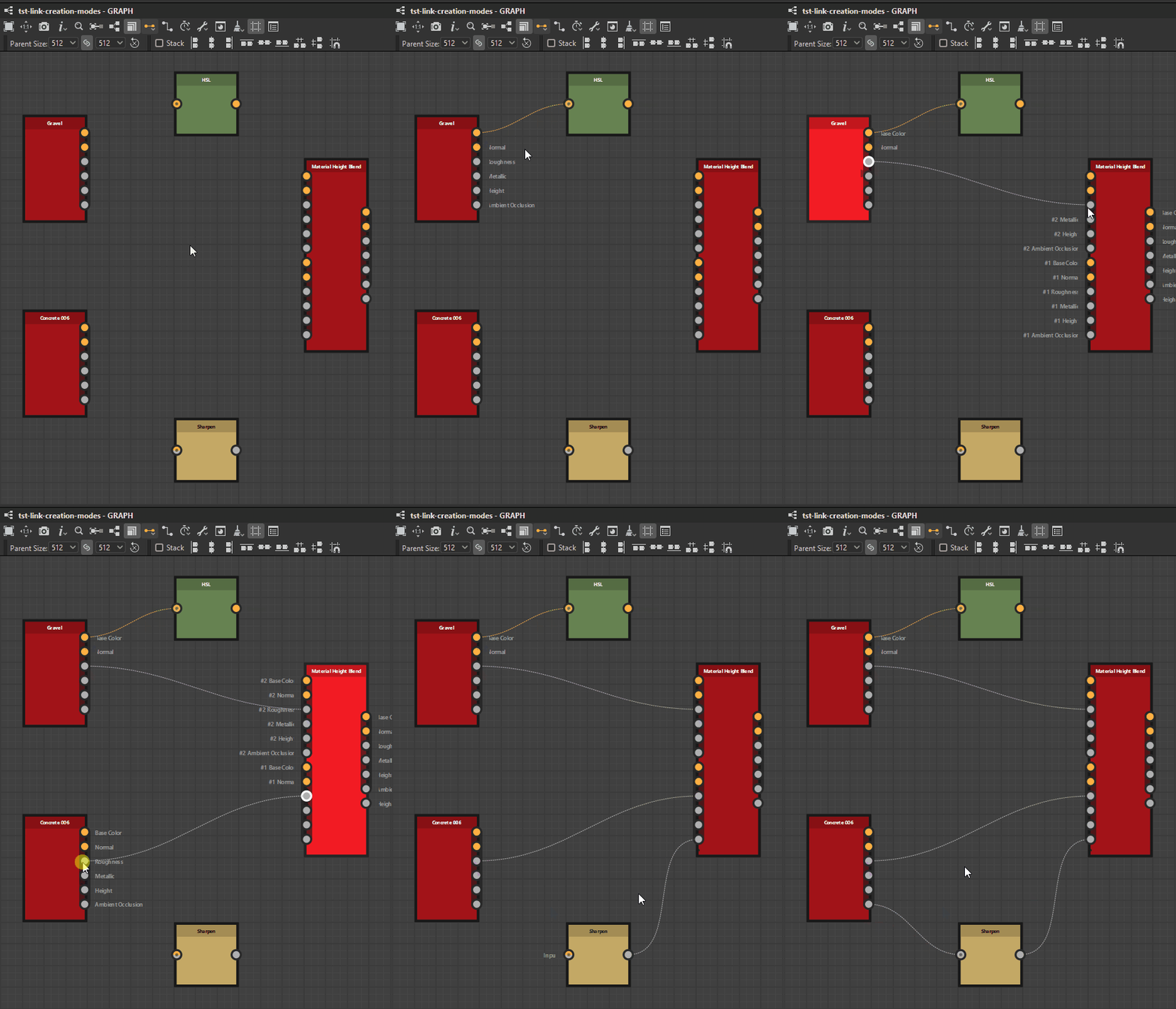
Click to enlarge

No conditions are enforced.
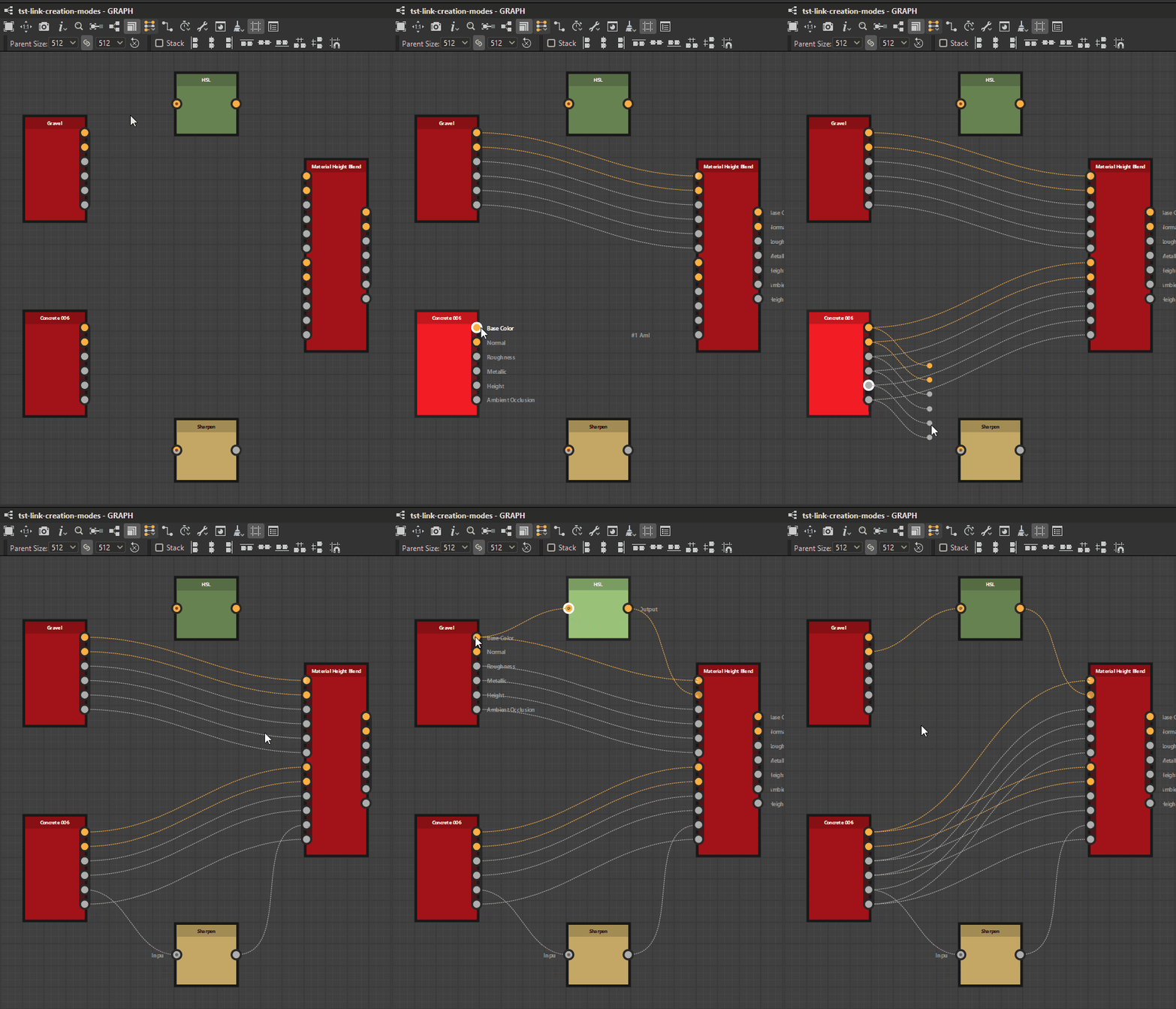
Click to enlarge

Inputs and outputs are matched based on their usages.
If only one of the two has a usage, the connection is performed as in Standard mode.
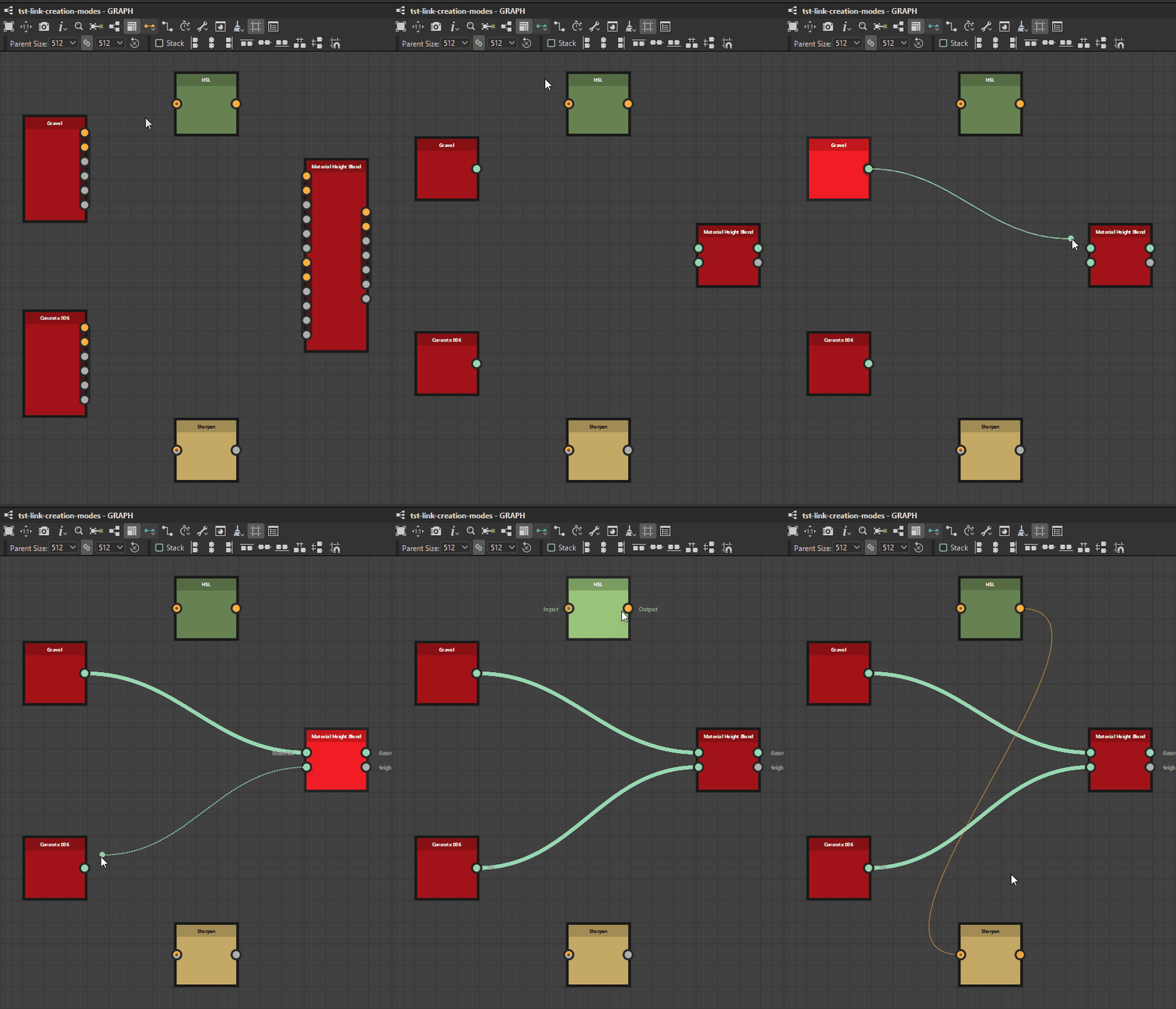
Click to enlarge

Same as Material.
Inputs and outputs belonging to a same group are collapsed.
You can switch between modes at any moment in the graph toolbar by clicking on the

In Material and Compact Material modes, connections beteen inputs and outputs with non-matching usages are prohibited.
The modes
Standard
Compact
Compact Material
Assigning groups
You should assign groups to the graph’s Input and Output nodes in order to use the Material and Compact material modes.
You assign a group in the Attributes parameters of the node, by filling the group name in the Group property. A group can be any string value, and links will be grouped if they share the exact same, case-sensitive group name.
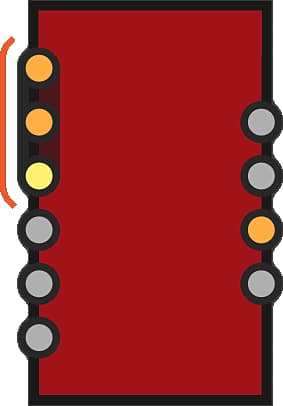
Grouped inputs and outputs of a graph are denoted visually by being enclosed in a dark capsule on node instances referencing that graph.
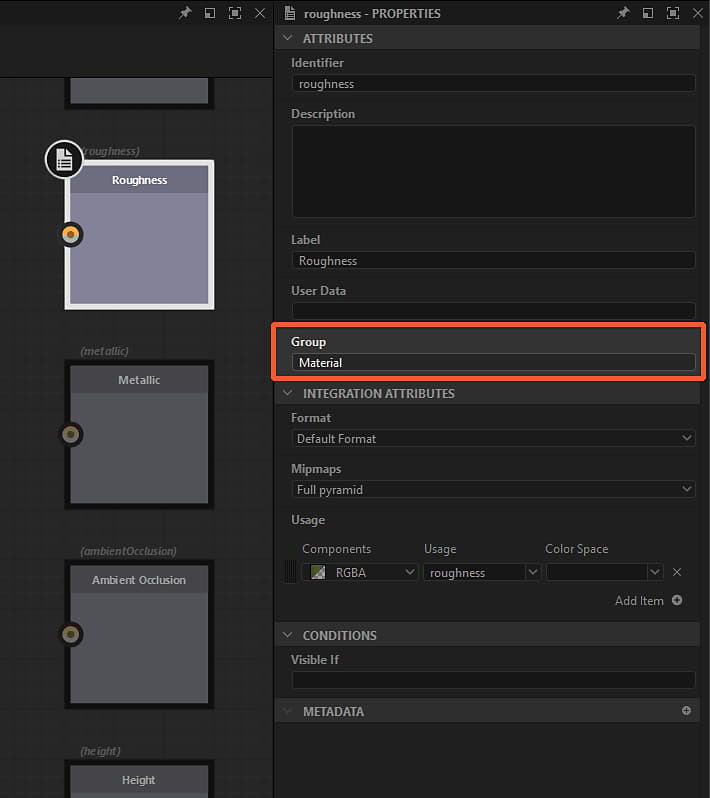
Click to enlarge
Link matching with usage
Once links are grouped, individual inputs need to be matched with outputs. This is done through the Usage attribute of Input and Output nodes. If the usage between both input and output matches, a link will be created. If no matching usage is found, no link is made.
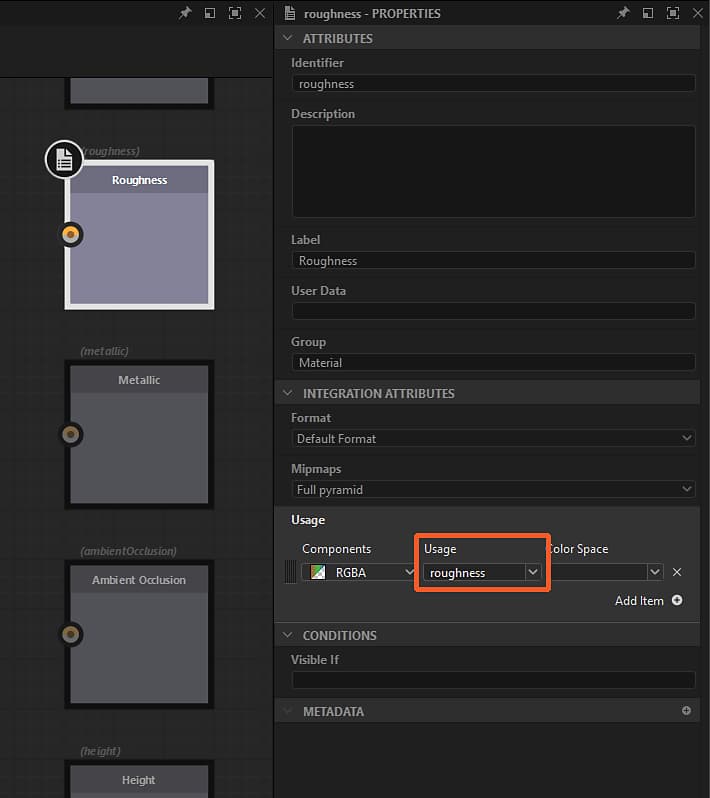
Click to enlarge