Extracting materials values and textures
The properties of materials can be extracted to be used in Substance graphs.
New graph from textures
The ‘Create graph from texture inputs action’ creates a new Substance graph with all the textures used by a material
A few things happen when using this action:
- A Substance graph named after the material is created at the selected location.
- A bitmap resource is created for every texture used by the material, and placed in a folder named after the material, under a ‘Resources’ folder.
- In the graph, Bitmap nodes are created for each of these bitmap resources and automatically connected to Output nodes configured after the material properties using textures.
- If each channel of a same texture is used to drive different material properties (the technique is called channel packing), Grayscale conversion nodes are automatically added to select appropriate channels.
- The graph is automatically connected to the material and its appearance should not change until you make edits in the graph.
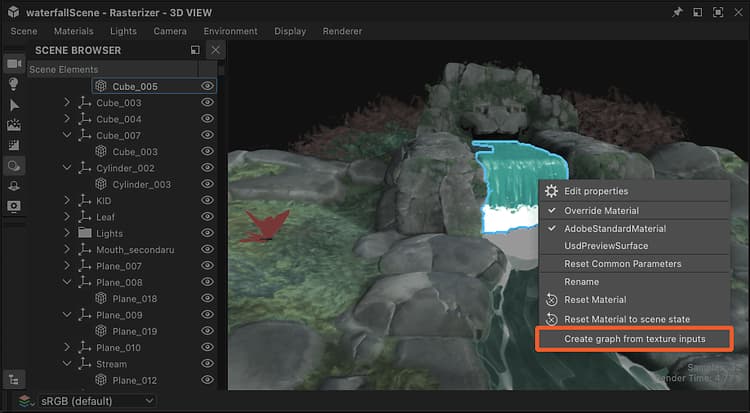
Action in 3D View viewport
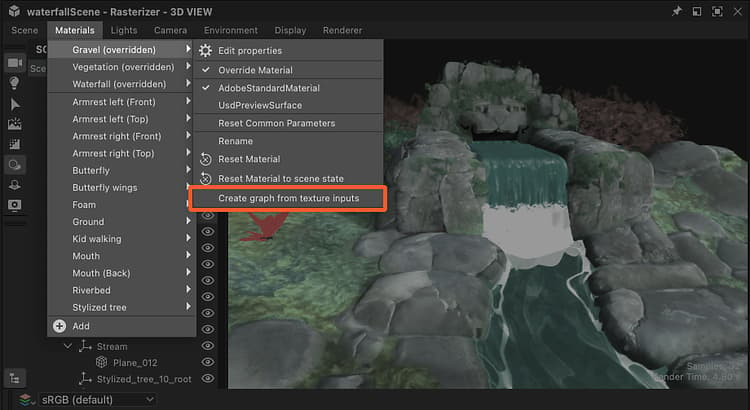
Action in Materials menu
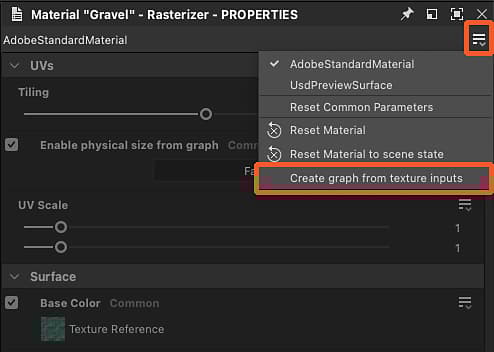
Action in Properties dock
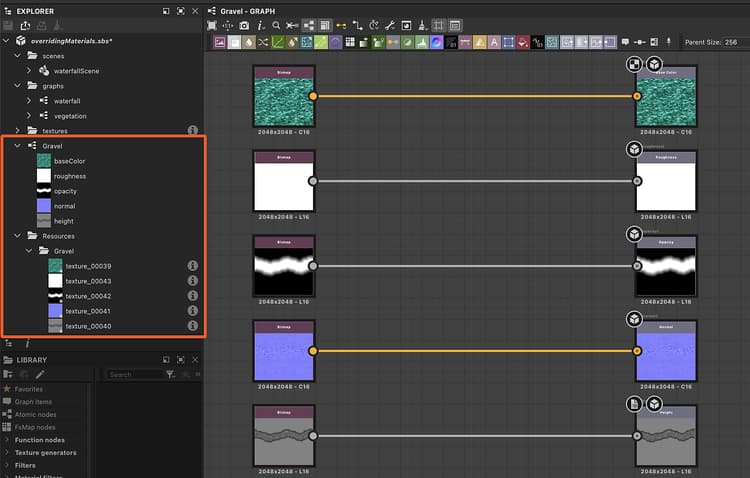
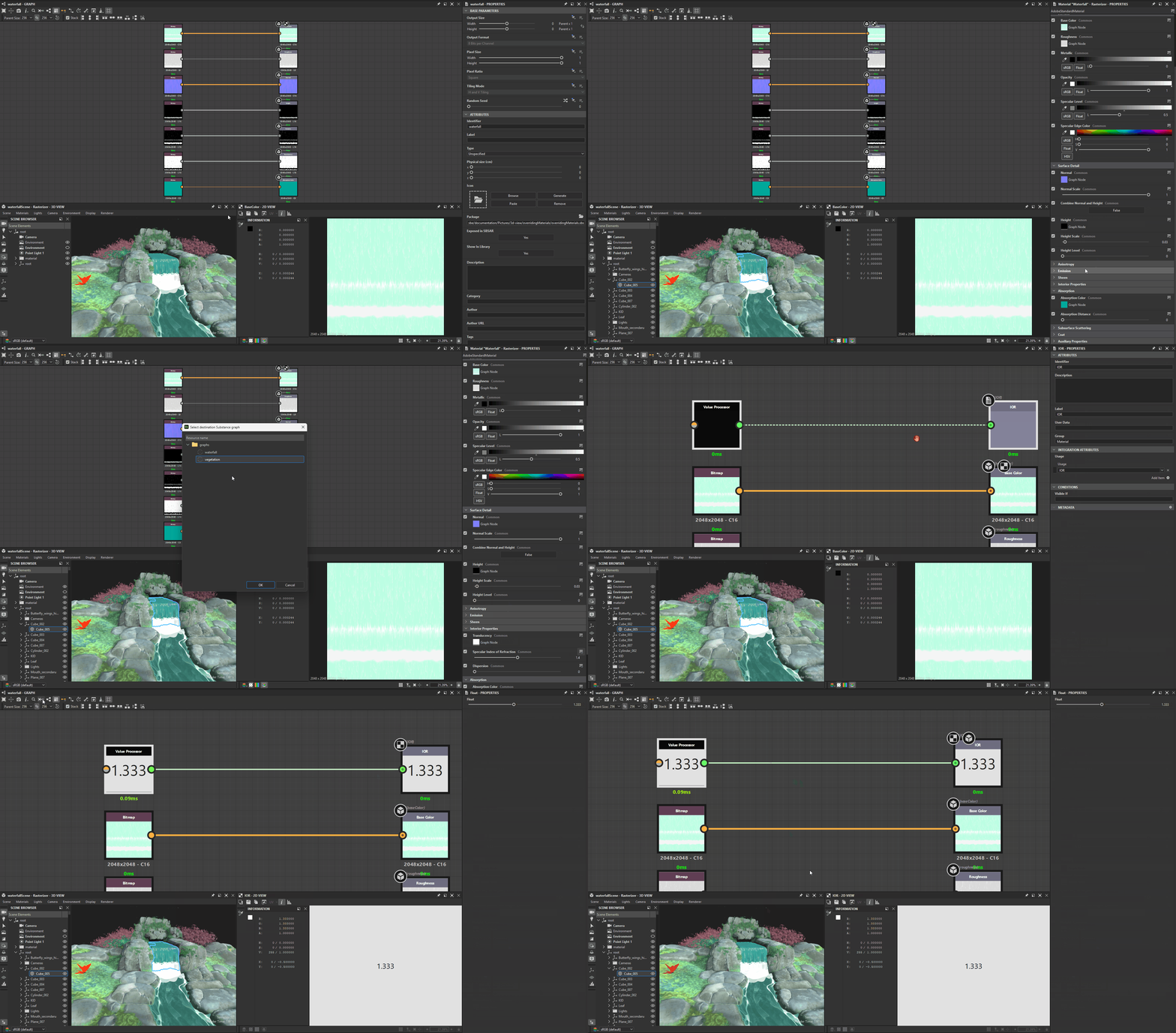
Result of graph creation from material textures
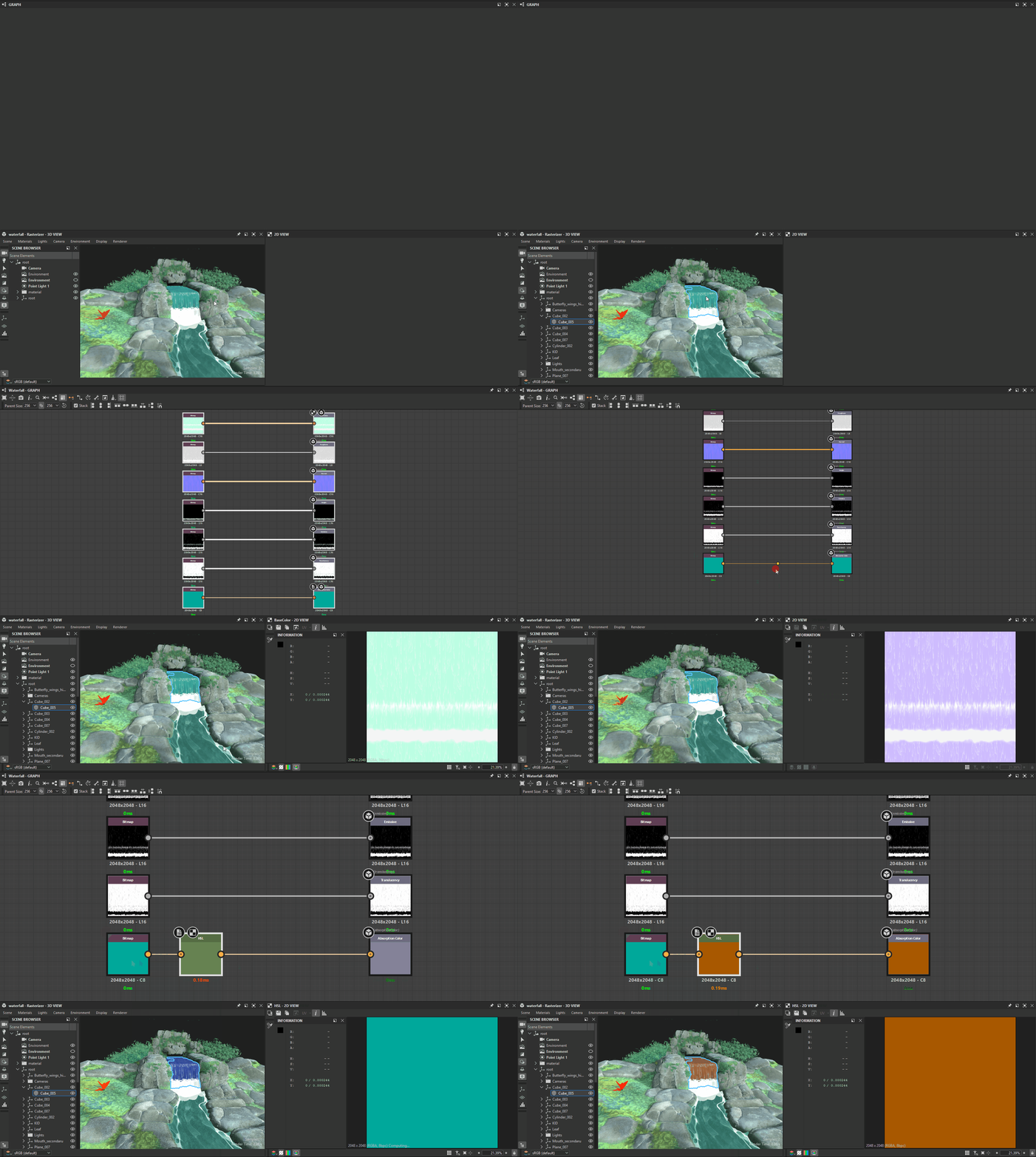
Extract texture
The ‘Extract texture to graph’ action creates a new Bitmap node in an existing graph for a texture used by a material.
A few things happen when using this action:
- A bitmap resource is created for the texture used by the material, and placed in a folder named after the material, under a ‘Resources’ folder.
- In the selected graph, a Bitmap node is created for that bitmap resource and automatically connected to an Output node configured after the material property using that textures.
If an Output configured for the material property already exists in the graph, then no nodes are created and only the bitmap resource creation is performed.
E.g.: Extracting a texture for the ‘Base color’ property to a graph already hosting an Output node configured for ‘Base color’ will result in no nodes created in the graph.
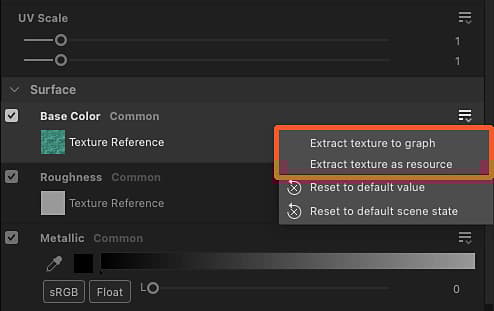
Action for material property in Properties dock
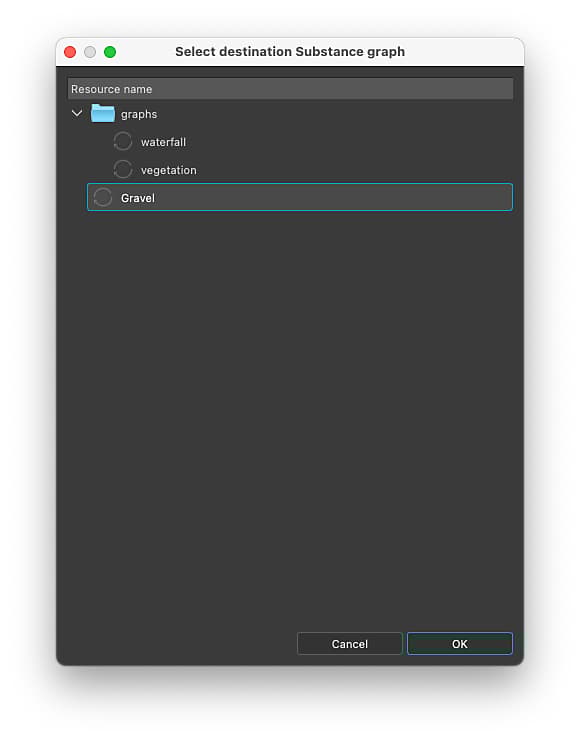
‘Select destination graph’ dialog
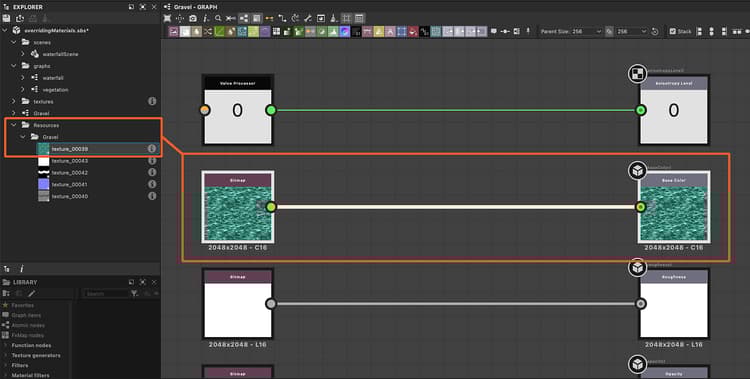
Result of the texture extraction
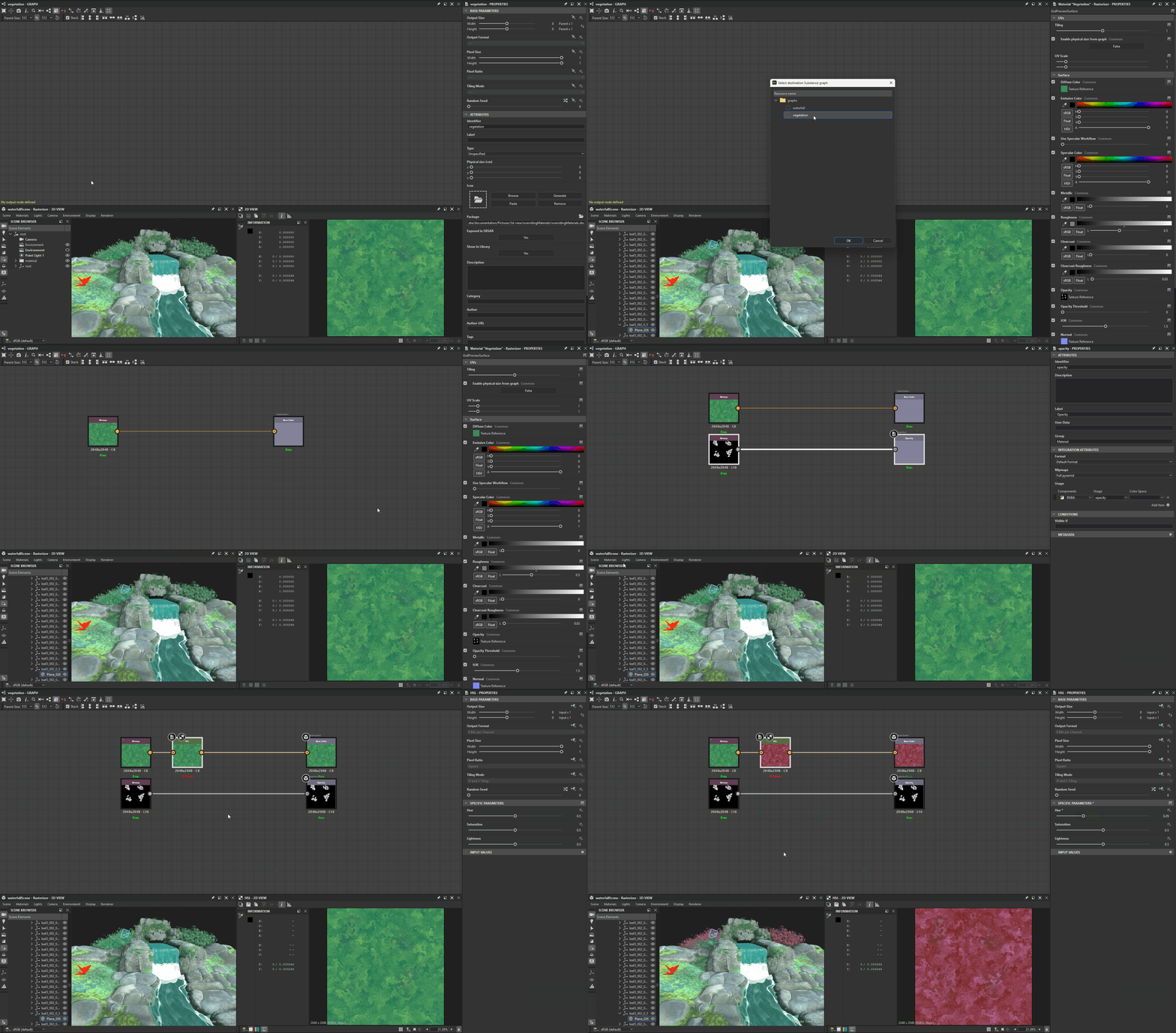
The ‘Extract texture as resource’ action only creates a bitmap resource for the texture used by the material, and places it in a folder named after the material, under a ‘Resources’ folder.
Extract value
The ‘Extract value to graph’ action creates a new Value processor node in an existing graph for a material property value.
A few things happen when using this action:
- In the selected graph, a Value processor node is created for that property value and automatically connected to an Output node configured after that material property.
- In the Value processor node’s Substance function graph, a constant node matching the value type is created, set to the extracted value as set as the graph’s output.
If an Output configured for the material property already exists in the graph, then no nodes are created.
E.g.: Extracting a value for the ‘Anisotropy level’ property to a graph already hosting an Output node configured for ‘Anisotropy level’ will result in no nodes created in the graph.
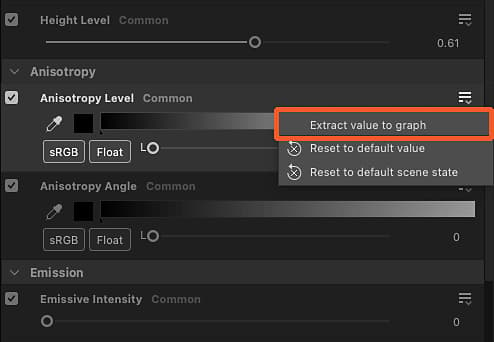
Action for material property in Properties dock
‘Select destination graph’ dialog

Constant node in Value processor node’s function
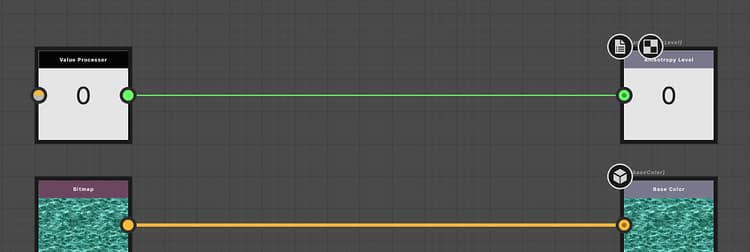
Result of the value extraction