Tile Random
In: Generators > Patterns
Description
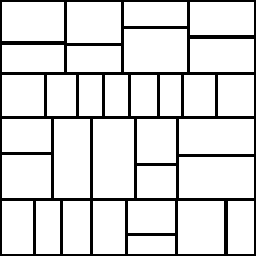
Tile Random generates a procedural tile pattern that has a little bit more chaos in the tile shapes than its counterpart, Tile Generator. It does this by randomly splitting certain tiles into smaller tiles. We suggest you first find your way around Tile Generator before tackling Tile Random, as many concepts are similar.
Tile Random is used instead of Tile Generator when the goal is an older-looking, less organised pattern. It does have its limitations though, so consider Tile Sampler for any other advanced needs.
Inputs
Pattern Input Grayscale Input (Color Input)
Custom pattern image, used when the “Pattern” parameter is set to “Image Input”.
Background Input Grayscale Input (Color input)
Parameters
X Amount 1 - 64
Amount of X-repetitions of the pattern.
Y Amount 1 - 64
Amount of Y-repetitions of the pattern.
Non Square Expansion False/True
Enables compensation of squash and stretch with non-square ratios.
Pattern
Pattern Pattern Input, Square, Disc, Paraboloid, Bell, Gaussian, Thorn, Pyramid, Brick, Gradation, Waves, Half Bell, Ridged Bell, Crescent, Capsule, Cone
Selects what pattern shape to use.
Image Input Filtering (Engine > v4) Bilinear + Mipmaps, Bilinear, Nearest
Pattern Specific 0.0 - 1.0
Lets you change the selected pattern’s shape. The effect is dependent on the selected pattern.
Pattern Specific Random 0.0 - 1.0
Randomisation effect is dependent on the selected pattern.
Rotation 0, 90, 180, 270, random horizontal, random vertical
Sets rotation in 90 degree steps, with optional randomisation.
Rotation Random 0.0 - 1.0
Adds random free rotation.
Symmetry Random 0.0 - 1.0
Randomly mirrors certain patterns by the selected Symmetry random Mode. The higher this value, the more patterns will be mirrored.
Symmetry Random Mode Horizontal + Vertical, Horizontal, Vertical
Determines mirroring behaviour when Symmetry random is higher than 0.
Split
Mode none, auto, auto horizontal, auto vertical, random h+v
Sets the rule on how to split tiles.
Threshold 0.0 - 1.0
Size treshold for when to split a tile.
Multiplier 0 - 10
Splitting multiplier. The higher this value, the more splits.
Size
Random X 0.0 - 1.0
Randomises non-uniform scaling over X-axis.
Random Y 0.0 - 1.0
Randomises non-uniform scaling over Y-axis.
Interstice
Mode Relative to smallest brick, Relative to largest brick
Sets what brick size interstice is relative to.
Amount 0.0 - 1.0
Sets gap size between bricks.
Shape
Scale 0.0 - 1.0
Globally scales every tile.
Scale Random 0.0 - 1.0
Random scaling on a per-tile basis.
Rotation 0.0 - 1.0
Global rotation for every tile.
Rotation Random 0.0 - 1.0
Rotates randomly on a per-tile basis.
Rotation Constraint False/True
Constrains the scale so rotated tiles never overlap.
Position
Offset 0.0 - 1.0
Moves or translates the tiles globally, slides over X-axis only
Offset Random 0.0 - 1.0
Randomises offset per-tile, slides over X-axis only
Random 0.0 - 1.0
Randomises position, tiles move on both X- and Y-axis.
Random Constraints False/True
Constrains scale so tiles touch, but don’t overlap. Tones down the Random Position effect significantly.
Color
Color (Grayscale value) / (Color value)
Sets solid color for all tiles.
Color Random 0.0 - 1.0
Randomises color on a per-tile basis.
Color Parametrisation none, area, size x, size y
Makes color variation dependent on one of these settings.
Color Parametrisation Intensity 0.0 - 1.0
Multiplier for the above Parametrisation effect.
Color Parametrisation Effect (for Color only) RGB+Alpha, RGB only, Alpha only
Determines color-only parametrisation effect.
Background Color (Grayscale value) / (Color value)
Sets solid background color.
Blending Mode Add/Sub, Max / Add/Sub, Alpha Blend (Color)
Sets blending mode for tiles onto background.
Mask
Random 0.0 - 1.0
Randomly begins masking out tiles. The higher the value, the more tiles dissappear.
Invert False/True
Inverts the mask result.
Examples
recommendation-more-help
substance-3d-designer-help-guide