Splatter
Splatter (Color)
In: Texture Generators*/Patterns*
Complex
Description
Splatter is a pattern generator intended for random placement of a map input. It has many controls for geometrically patterned placement, and is simpler in use than Tile Generator. The latter can achieve similar results, but is much more complex.
Splatter works well for quickly getting some shapes stamped down, without needing too much tweaking.
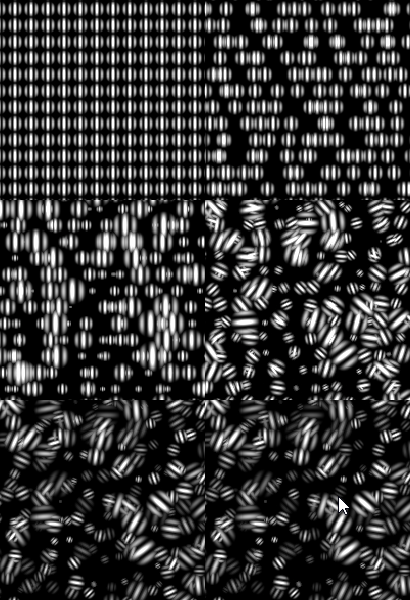
Keep in mind that the default Splatter parameters do not look random at all: you need to tweak a few of them to get randomisation (mainly Disorder parameters). Also keep in mind that Splatter requires a map input to work.
Parameters
- Pattern Size Width: 0.0 - 1000.0Number of patterns to use on the X-axis.
- Pattern Size Height: 0.0 - 1000.0Number of patterns to use on the Y-axis.
- Rotation: -360.0 - 360.0Rotates every pattern by a set amount.
- Rotation Variation: 0.0 - 360.0Introduces random rotation for every separate shape.
- Zoom: 100.0 - 10000.0Scales up the final result. Keep in mind that this breaks tiling!
- Gain: 0.0 - 10.0Adjusts blending gain of every pattern. Makes them stand out more.
- Pan X: -100.0 - 100.0Pans whole result on X-axis.
- Pan Y: -100.0 - 100.0Pans whole result on Y-axis.
- Disorder: 0.0 - 100.0
Randomly shifts shapes. - Grid Number: 0 - 8Jumps through different grid sizes to adjust result scale. Maintains tiling.
- Disorder Angle: 0.0 - 360.0Controls the angle of disorder shifting.
- Disorder Random: False/TrueRandomises the disorder angle, adding much more chaos.
- Pattern Size: 5 - 12
- Size Variation: 0.0 - 100.0Introduces random scaling for every shape.
- Image Input Filtering (Engine > v4 only): Bilinear + Mipmaps, Bilinear, NearestWhich filtering to apply to the input image.
- Output Level Min: 0.0 - 1.0Out minimum level adjustment.
- Output Level Max: 0.0 - 1.0Out maximum level adjustment.
- Background Color: *(Grayscale value)*Sets solid background color.
- Luminance Variation: *0.0 - 1.0 (Grayscale version only)*Introduces luminance variation.
- Color Variation: *0.0 - 1.0 (Color Version Only)*Introduces color variation.
Example Images