Metal Edge Wear
Metal Edge Wear
In: Mesh Based Generators*/Mask Generators*
Complex
Description
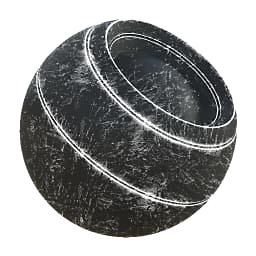
Generates a black and white mask based on baked maps and user settings. Similar to Smart Masks in Painter.
This mask represents edge wear on a metal object, with scratches and chips appearing on Convex raised edges, potentially masked out by baked AO dark areas.
Parameters
Inputs
- Curvature: Grayscale Input
Baked map used for internal effects and masking. - Ambient Occlusion: Grayscale Input
Baked map used for internal effects and masking. - Grunge Input: Grayscale Input
- Mask (optional): Grayscale Input
Mask slot used for masking the node’s effects. - World Space Normal: Color Input
- Position: Color Input
Parameters
- Wear Level: 0.0 - 1.0Sets the total amount of wear, gradually reveals.
- Wear Contrast: 0.0 - 1.0Sets the contrast of the final result.
- Edges Smoothness: 0.0 - 16.0Sets smoothness of the falloff from the edges from the Curvature.
- Grunge Amount: 0.0 - 1.0Sets amount of grunge to blend in between edges.
- Grunge Scale: 1 - 16Sets the scale of the Grunge.
- Ambient Occlusion Masking: 0.0 - 1.0Sets amount of effect the AO has on the final effect, dark areas being masked out.
- Curvature Weight: 0.0 - 1.0Sets amount of effect the Convex edges from the Curvature have on the final effect.
- Use Custom Grunge: False/TrueEnables a custom Grunge map input slot.
- Use Triplanar: False/TrueEnable Tri Planar projection to hide seams.
- Triplanar Blending Contrast: 0.0 - 1.0Sets blending contrast for the Triplanar Projection.
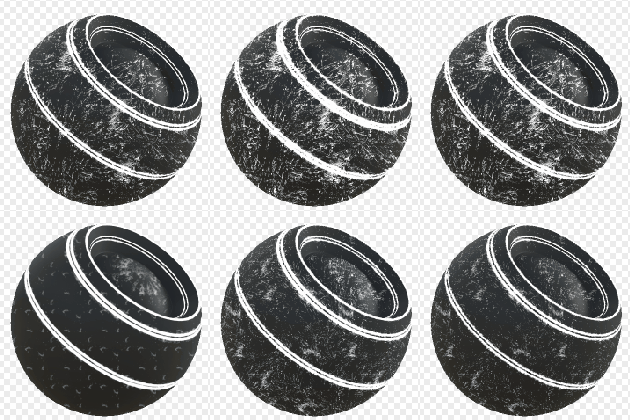
Example Images
recommendation-more-help
substance-3d-designer-help-guide