Fiber Glass Edge Wear
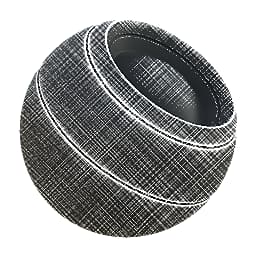
In: Mesh Based Generators > Mask Generators
Description
Generates a black and white mask based on baked maps and user settings. Similar to Smart Masks in Painter.
Represents a mask specifically intended for a fibreglass-type of wear, could perhaps be used for cloth. Due to the very tiled, repetitive nature of the fibres, Triplanar blending can optionally be enabled.
Inputs
Curvature Grayscale Input
Baked map used for edge highlighting. Required!
Ambient Occlusion Grayscale Input
Baked map used for masking occluded areas. Not required, but definitely recommended.
Grunge Input Grayscale Input
Optional custom slot to override fiber pattern.
Mask (optional) Grayscale Input
Mask slot used for masking the node’s effects.
World Space Normal Color Input
Only used for Triplanar.
Position Color Input
Only used for Triplanar.
Parameters
Wear Level 0.0 - 1.0
Like a Histogram Scan, progressively reveals the wear.
Wear Contrast 0.0 - 1.0
Sets total effect contrast.
Edges Smoothness 0.0 - 16.0
Sets bleed out/blurring from highlighted edges.
Grunge Amount 0.0 - 1.0
Sets how much of the fibre effect to blend in between the edges. Tweak this together with Wear Level to get maximum control.
Ambient Occlusion Masking 0.0 - 1.0
Sets amount of influence the AO has on hiding the effect.
Curvature Weight 0.0 - 1.0
Sets amount of influence Convex edges from the Curvature have.
Use Custom Grunge False/True
Overrides built-in fibres with custom map.
Use Triplanar False/True
Enables Tri Planar to hide seams.
Triplanar Blending Contrast 0.0 - 1.0
Controls contrast of the Triplanar effect.
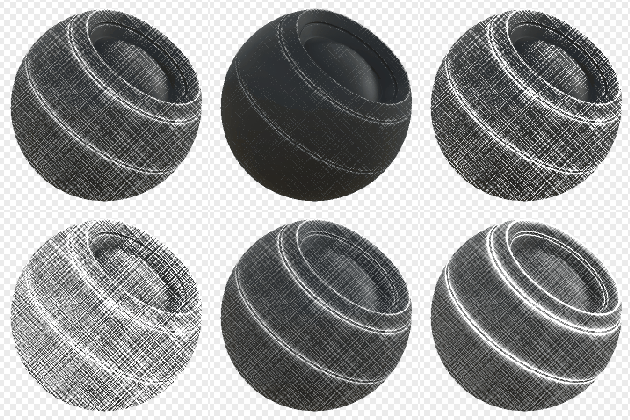
Examples
recommendation-more-help
substance-3d-designer-help-guide