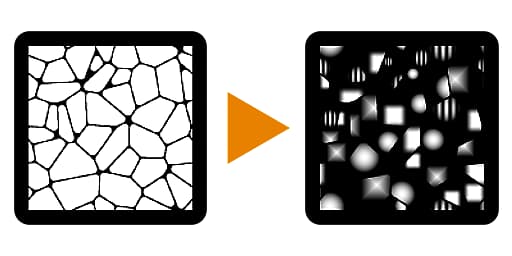
Flood Fill Mapper
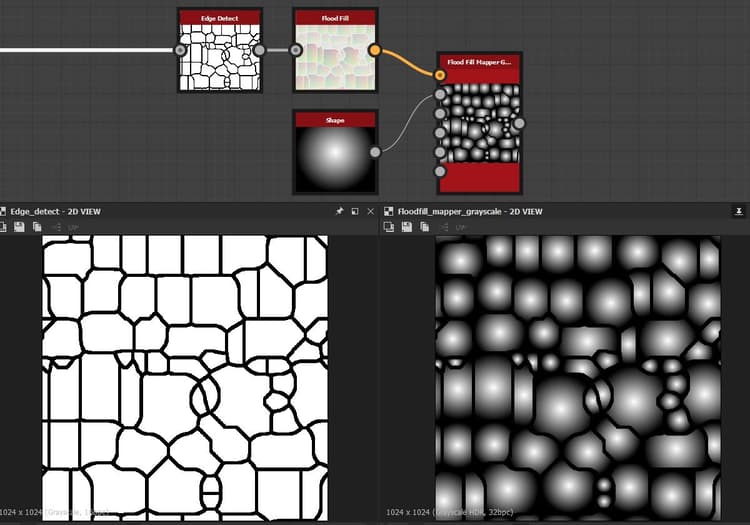
Flood Fill Mapper (Grayscale)
In: Filters/Effects
Complex
Description
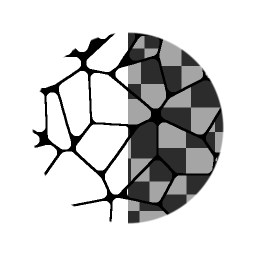
Flood Fill Mapper allows remapping of an existing Pattern or Texture onto every single cell from a Flood Fill. It is different from other Flood Fill conversions like Random Grayscale or Gradient in that it does not generate solid colors or values, but allows you to use you own input maps. It can be seen as a sort of combination of Flood Fill and Tile Sampler or Shape Mapper, as it provides quite a few similar controls and interfaces.
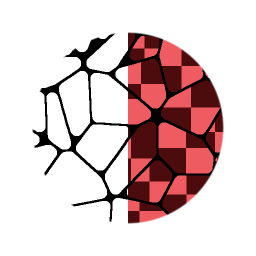
The Color version has additional controls to work with Normal Maps, where it can compensate for tangent-space Normap Map rotations.
Parameters
Inputs
- Flood Fill Bbox: Color InputStandard Flood Fill input, required.
- Pattern Input 1-8: Grayscale/Color Input
Custom pattern image input. - Pattern Distribution Map: Grayscale InputID Map to determine which pattern goes to which cell. Can come from other Flood Fill Map such as Flood Fill to Index.
- Scale Map: Grayscale InputMap to determine Scale per cell.
- Rotation Map: Grayscale InputMap to determine Rotation per Cell.
- Luminance Offset Map: Grayscale InputMap to set Luminance per Cell
Parameters
-
Tiling Mode: No Tiling, H+VSet wether to use Tiling or not. Only visible if Size or Scale ar set below 1.
-
Pattern
- Pattern Input Number: 1 - 8Set amount of Custom Pattern Inputs to use.
- Pattern Distribution Mode: Random, Shape Size, Distribution Map InputSet the method to determine what Pattern is shown in a Cell.
- Pattern Distribution Jittering: 0.0 - 1.0Allows for a slight varaition or Offset in the Pattern distribution without changing everything through teh Random Seed.
-
Size
- Size Mode: Relative to Texture, Relative to Shape BSphere, Relative to Largest Shape, Relative to Smallest Shape, Fit Shape BBoxSet how the size of the pattern in each cell is determined.
- Size: 0.0 - 1.0Allows for non-uniform scaling of the Pattern.
- Scale: 0.0 - 1.0
Set the global (uniform) scale for the effect. - Scale Map Mulitplier: 0.0 - 1.0Set influence of the optional Scale Map.
- Scale Random: -1.0 - 1.0Set the amount of random variation within pattern scale.
-
Rotation
- Rotation: 0.0 - 1.0Set global, uniform rotation for every cell.
- Rotation Map Mulitplier: 0.0 - 1.0Set influence of the optional Rotation map.
- Rotation Random: 0.0 - 1.0Set the amount of random rotation for every cell.
- Rotation Autoscale: False/TrueSet if a pattern should adjust its scale to fit within a cell when rotated.
-
Position
- Position Offset: 0.0 - 1.0Set global Position offset for every cell.
- Position Offset Alignment: Texture, PatternSet to either align the offset 0-point to the Pattern cell or to the texture.
- Position Offset Random: 0.0 - 1.0Set the amount of per-cell Position offset randomisation.
-
Color (Only for Grayscale version)
- Luminance Range: 0.0 - 1.0Sets the global contrast on the texture, where 0 becomes middle gray.
- Luminance Range Random: 0.0 - 1.0Sets the amount of randomisation for the Luminance Range.
- Luminance Offset: -1.0 - 1.0Sets the offset for the Luminance, working as a brightness control.
- Luminance Offset Random: 0.0 - 1.0Sets the amount of randomisation for the Luminance Offset.
- Luminance Offset Map Mulitplier: 0.0 - 1.0Sets the influence of the optional Luminance Offset map.
- Background Color: *(Grayscale value)*Sets the background color onto which textures are blended.
-
Color (Only for Color version)
- Is Normal Map: False/TrueSet to interpret Pattern Input as a Normal Map. Will compensate and fix Normal Tangent space rotation.
- Normal Format: DirectX, OpenGL
Switch between different Normal Map formats (inverts the green channel). Only Active when Is Normal Map is True. - HSL Adjustment: -1.0 - 1.0Adjust HSL globally.
- HSL Random: -1.0 - 1.0Set HSL randomisation per cell.
- Alpha Adjustment: -1.0 - 1.0Set global Alpha adjustment, reduces Alpha contrast.
- Alpha Random: -1.0 - 1.0Set Alpha Adjustment randomisation per cell.
- Background Color: *(Color value)*Sets the background color onto which textures are blended.
.
Example Images