Control nodes
This page describes nodes of Function graphs which purpose is controlling the flow of execution.
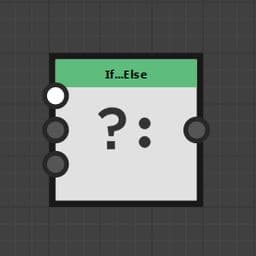
If…Else
Similarly to programming langages, the If… Else node introduces the possibility to filter the result according to predefined conditions.
You will use this node in conjunction with the Logical nodes and the Comparison nodes that will help you build the condition to check.
The condition that controls the node’s output.
If Variabe typeThe value output by the node if Condition is True.
Else Variabe typeThe value output by the node if Condition is False.
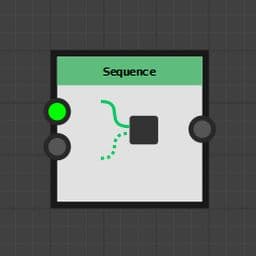
Sequence
Ensures a portion of the graph is computed before another one.
This is critical for controlling the state of variables are they are created, read and updated.
You may learn more about the Sequence node in the Using the Set/Sequence nodes page of this documentation.
The portion of the graph that should be computed first
Last Variable type
The portion of the graph that should be computed last
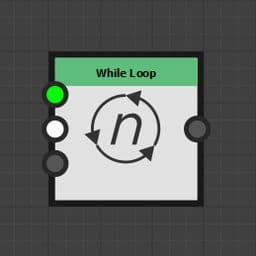
While Loop
Executes the Init branch once, then iterates over the Exit Cond. and Loop Body branches until the Exit Cond. branch returns True.
Once the loop is completed, the node outputs the result of the Loop Body's last iteration.
Loops have an implicit maximum number of iterations which can be disabled by setting it to -1.
Variables retain their value across iterations, and can be accessed in the exit condition (Exit Cond.).
This means you may add to an index value every iteration and check its value in the exit condition to control the number of loops you need.
The portion of the graph that is computed before the first iteration – I.e. the start of the loop.
Exit Cond. Boolean
The condition that needs to be true for the loop to stop. It is recomputed on each iteration.
Note: The maximum number of iterations is still limited to the Max iterations parameter.
Loop Body Variable type
The graph that benefits from the loop. It is recomputed on each iteration.
The maximum number of iterations performed by the node.
The node stops iterating when whichever of the following criteria is met first: this maximum number is reached or the exit condition becomes true .
This maximum can be disabled by setting the value to -1. At that point, only the exit condition can stop the iterations.
Setting ‘Max. iterations’ to -1 improves performances in small loops as there is one less counter to keep track and update.
However, be mindful of how the node is configured as it is possible to produce an infinite loop that may result in Designer becoming unresponsive.
Check out this tutorial about the While Loop node: