AEM Cloud Service Managed CDN (Fastly)
This configuration routes agentic traffic (requests from AI bots and LLM user agents) to the Edge Optimize backend service (live.edgeoptimize.net). Human visitors and SEO bots continue to be served from your origin as usual. To test the configuration, after the setup is complete, check for the header x-edgeoptimize-request-id in the response.
Prerequisites
To access this feature:
- Paid customers must have access to the Adobe LLM Optimizer Users IMS Product Profile. Contact your organization’s Admin to request access.
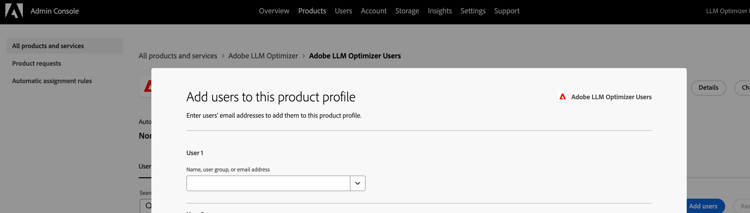
- Trial customers must be part of the LLMO Admin IMS group. If the group doesn’t exist, your organization’s Admin can create it and add you.
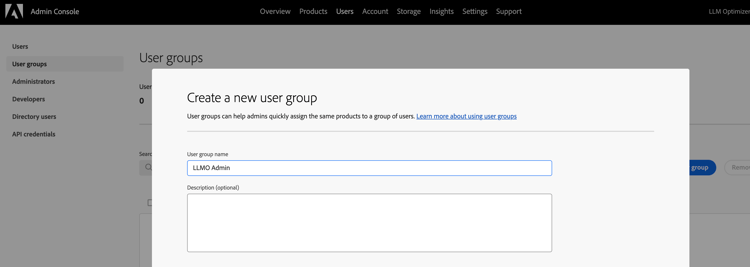
Steps to Enable Routing
To start routing agentic traffic to Edge Optimize:
-
Go to Brands Management and click the CDN label.

-
Locate the Deploy optimizations to AI agents section. Click the Enable button.

-
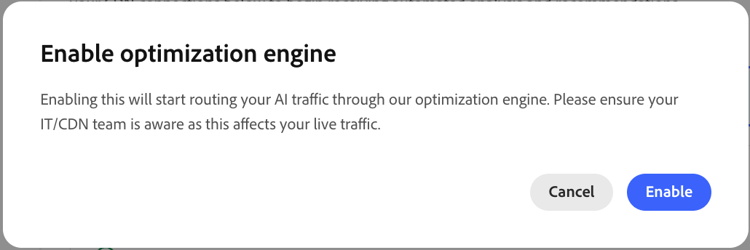
In the confirmation dialog, select Enable to confirm that you want to enable routing. If an error appears, refer to the Troubleshooting section to resolve it.
-
Once confirmed, the routing takes a few minutes to complete.

Reload the page after 5 minutes to verify that routing is complete. Once the routing is configured and active, the status updates to Completed with a green checkmark confirming that routing is enabled. No further action is required on your end.

To disable routing at any time, return to the Deploy optimizations to AI agents section in the CDN configuration tab and click Disable.
Additionally, if you require any help with the above steps, reach out to your Adobe account team or abv-at-edge@adobe.com.
Troubleshooting
If an error appears while enabling or disabling routing, it will look similar to the following:
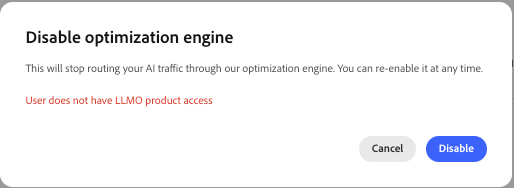
Use the list below to identify the error and follow the directions.
-
User does not have Adobe Brand Visibility product access
Cause: The user account does not have the Adobe Brand Visibility product context in your Adobe IMS profile. This is required for paid customers to configure CDN routing.
Recommendation: Verify that you have been assigned the Adobe LLM Optimizer Users Product Profile in Adobe Admin Console by your Org Admin.
-
Only LLMO Admin group members can configure CDN routing
Cause: Your account is not a member of the LLMO Admin IMS group. This is required for trial customers to configure CDN routing.
Recommendation: Verify that you have been added to LLMO Admin IMS Group in Adobe Admin Console by your Org Admin.
-
Requested CDN type aem-cs-fastly does not match the detected CDN for this domain
Cause: This indicates the CDN type detected for your site is not AEM Cloud Service Managed CDN (Fastly).
Recommendation: Verify that your site is served through AEM Cloud Service Managed CDN (Fastly).
-
Error probing site
Cause: Adobe Brand Visibility was unable to reach your site during the routing setup. This can happen if the site is down, unreachable, or the request timed out.
Recommendation: Verify that your site is publicly accessible and returning a valid response, then try again.
-
Site did not return a valid response for the routing probe
Cause: The site returned an unexpected HTTP status (not 2xx or 301) when probed during setup.
Recommendation: Verify your site is returning a successful response (2xx) for the base URL registered in Adobe Brand Visibility, then try again.
-
Authentication failed with upstream IMS service
Cause: The session might have expired or there was an issue authenticating with Adobe IMS during the routing request.
Recommendation: Log out of Adobe Brand Visibility and log back in, then try enabling routing again.
If the issue persists, reach out to your Adobe account team or abv-at-edge@adobe.com.
(Optional) Verify the Setup
After the routing configuration is complete, you can optionally verify that AI bot traffic is being routed to Edge Optimize and that human traffic remains unaffected.
-
Test bot traffic (should be optimized)
Simulate an AI bot request using an agentic user-agent:
code language-none curl -svo /dev/null https://www.example.com/page.html \ --header "user-agent: chatgpt-user"A successful response includes the
x-edgeoptimize-request-idheader, confirming that the request was routed through Edge Optimize:code language-none < HTTP/2 200 < x-edgeoptimize-request-id: 50fce12d-0519-4fc6-af78-d928785c1b85 -
Test human traffic (should NOT be affected)
Simulate a regular human browser request:
code language-none curl -svo /dev/null https://www.example.com/page.html \ --header "user-agent: Mozilla/5.0 (Macintosh; Intel Mac OS X 10_15_7) AppleWebKit/537.36"The response should not contain the
x-edgeoptimize-request-idheader. The page content and response time should remain identical to before enabling Optimize at Edge. -
How to differentiate between the two scenarios
table 0-row-3 1-row-3 2-row-3 Header Bot traffic (optimized) Human traffic (unaffected) x-edgeoptimize-request-idPresent — contains a unique request ID Absent x-edgeoptimize-foPresent only if failover occurred (value: 1)Absent -
Check routing status in Adobe Brand Visibility
You can also confirm routing in the Adobe Brand Visibility UI. Go to Brands Management and click the CDN label. When routing is active, the Deploy optimizations to AI agents section shows Completed.
To learn more about Optimize at Edge, including available opportunities, auto-optimization workflows, and FAQs, return to the Optimize at Edge overview.