Before your onboarding session with Adobe, confirm you have the following in place. Where possible, run the verification steps below — the results tell you who needs to be in the room, not whether you can proceed.
Adobe Developer Console
You need access to the Adobe Developer Console with the Developer role (or System Admin role) in your Adobe IMS organization. Ensure your organization has access to App Builder.
To verify, go to developer.adobe.com/console. If you see the Quick Start screen, your permissions are correctly set up.
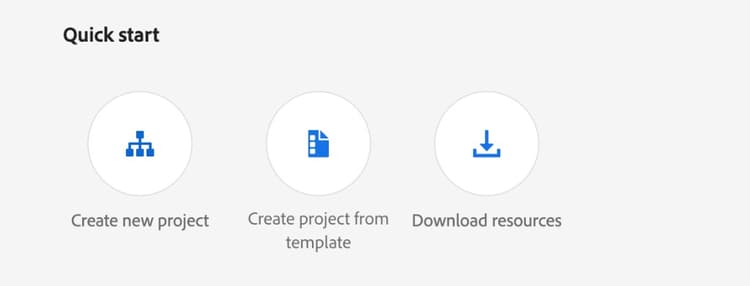
If you see a Restricted access message instead, you do not have the Developer role. Invite your IMS organization admin to the onboarding session.

GitHub
You need a GitHub account with the following permissions in your organization:
-
Create repositories — you need to create two repositories in your organization: one for the application code and one for the EDS project. To verify, go to github.com/new — if you can select your organization from the Owner dropdown, you have the permission.

-
Install GitHub Apps — you need the appropriate permissions to install a GitHub App on your organization. See Requirements to install a GitHub App.
Verify your permissions before your onboarding session
Run this quick check before meeting with Adobe. The result tells you who needs to be in the room — not whether you can proceed.
- Go to github.com/new, select your organization as the owner, and create a repository named
llm-apps-test. - Go to the Adobe LLM Apps Permission Checker installation page and install the app for the
llm-apps-testrepository only.
Once done, delete the llm-apps-test repository and uninstall the permission checker app from your organization settings.
AEM Sites with Edge Delivery Services
Action widgets are hosted on Adobe Experience Manager Edge Delivery Services (EDS). Your organization needs an AEM Sites license that includes Edge Delivery Services. You must have the Admin role in your EDS organization.
To verify, go to the EDS User Admin tool, enter your organization name, leave Site blank, and click Fetch Users. Find your account in the list and confirm it shows the admin badge.
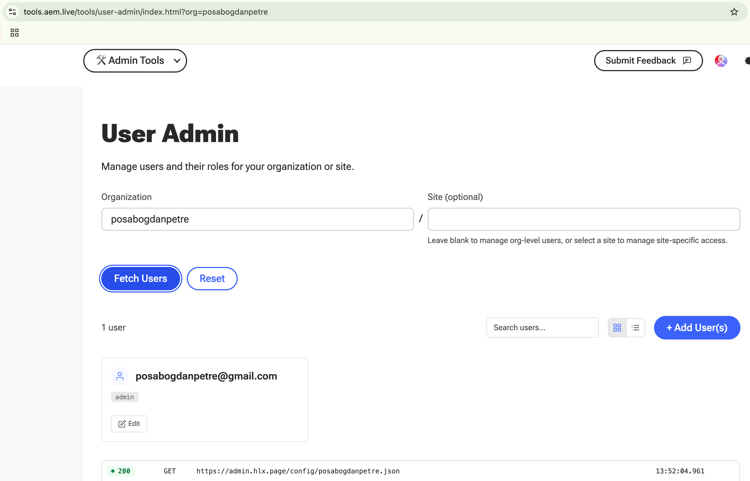
If you do not have an EDS organization yet, no action is needed — one will be created for you during the onboarding process.
LLM Platform (for testing)
To test your deployed app, you need a supported subscription tier that allows custom MCP apps and Developer Mode enabled. For example, ChatGPT requires a Pro, Business, or Enterprise / Edu subscription.