Manage and respond to comments
If you are the author, you can use the Comments panel in your project to view and reply to the comments.
-
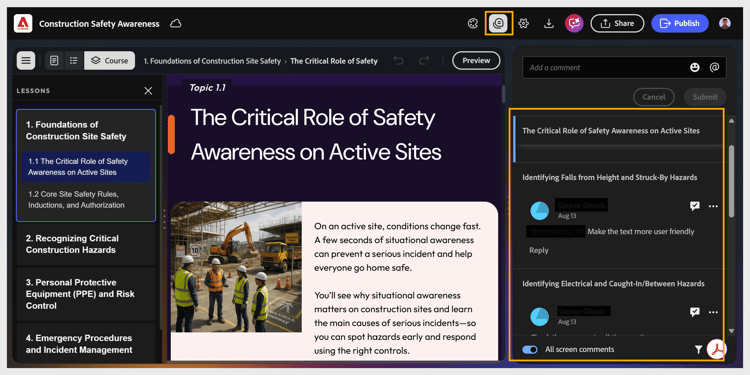
Select Comments from the top toolbar. The Comments panel opens showing all reviewer comments.
-
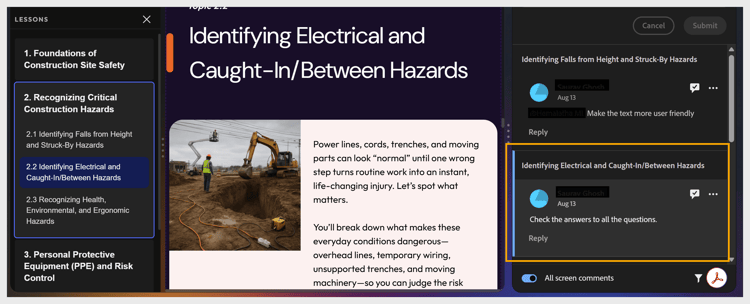
Select any comment to view it in context on the canvas.
-
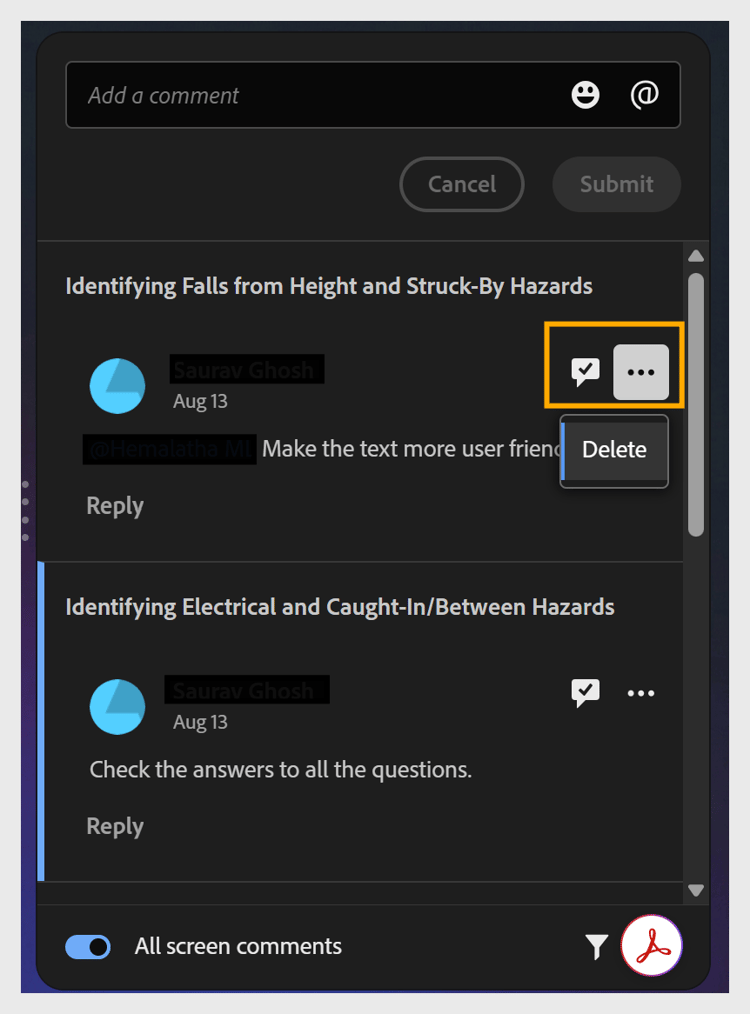
Select the checkmark icon to mark a comment as resolved, or the More options icon to edit or delete it.
-
Save the updated course.
-
Select Share to update the review link, so reviewers view the latest version.