Configure quiz settings
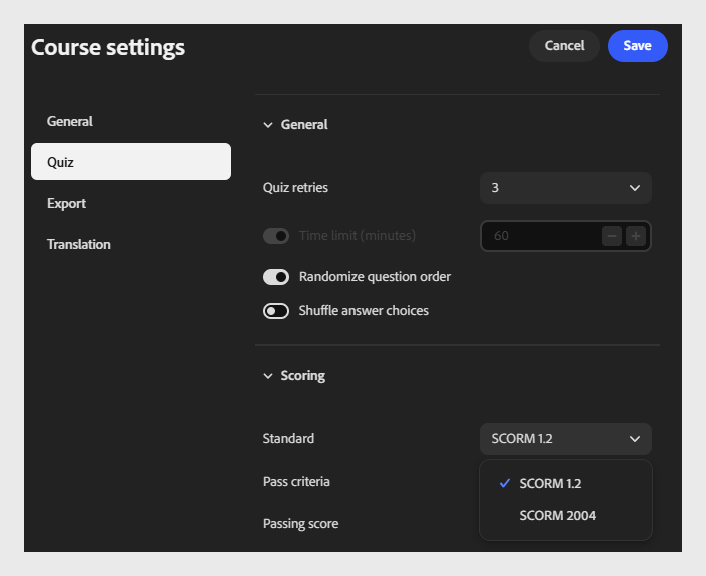
Select Quiz to configure how the quiz behaves and how it is scored.
This tab has two sections: General and Scoring.
General section
-
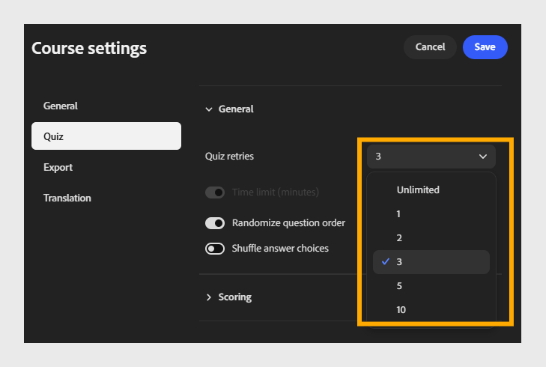
Quiz retries: Choose the number of attempts a learner gets to complete the quiz. For example, select 3 to allow up to 3 attempts.
-
Time limit (minutes): Select the toggle to enable a time limit, then enter the duration in minutes. For example, enter 60 to give learners 60 minutes to complete the quiz.
-
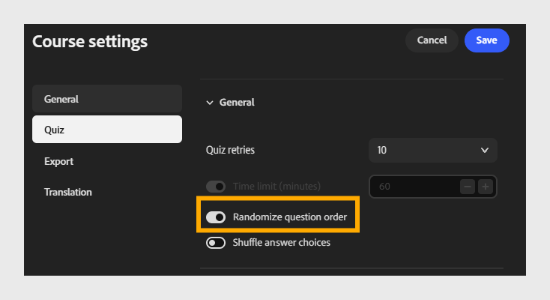
Randomize question order: Select the toggle to show questions in a random order for each learner.
-
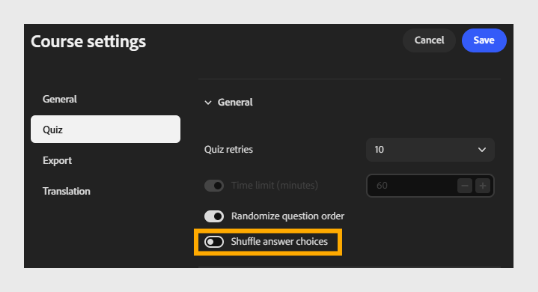
Shuffle answer choices: Select the toggle to shuffle answer choices for each question.
Scoring section
- Standard:
Select the SCORM version used to report quiz results to your LMS. Choose the version that matches your LMS’s compatibility requirements.
For example, select SCORM 1.2.