Edit the course text
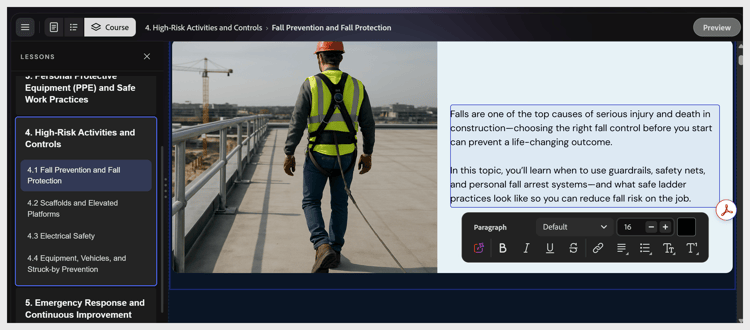
Select any text element to place the cursor inside it. A formatting toolbar appears at the bottom of the canvas with bold, italic, underline, strikethrough, link, alignment, and list controls.
NOTE
Topic names and lesson names are part of the outline structure. To rename them after the course is generated, ask the assistant: “Rename Lesson 2 to ‘Password Hygiene’.” You cannot rename them by selecting a heading in the Course editor.
recommendation-more-help
learning-manager-help-migrated