Edit the course outline
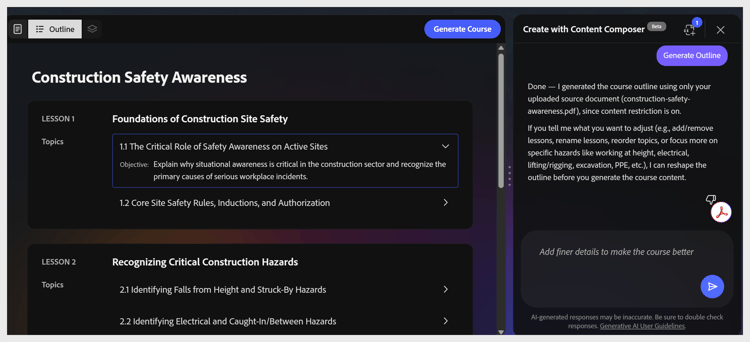
Adobe Learning Manager Content Composer generates a lesson and topic structure from your brief and source file. The outline appears on the canvas showing all lessons and their topics.
Note: Outline editing is currently conversational in the beta release. You cannot select a lesson or topic on the canvas to rename or reorder it. Type your change as a plain-language request in the chat panel.
The assistant works conversationally. You can phrase requests in your own words. Here are some examples of what you can do:
Use plain-language requests in the chat panel to modify lessons, topics, or the full outline structure.
The outline hierarchy is fixed as Lessons > Topics. You cannot create sub-topics or three-level structures.
When the outline looks right, select Generate Course in the top toolbar.