Edit or add an image
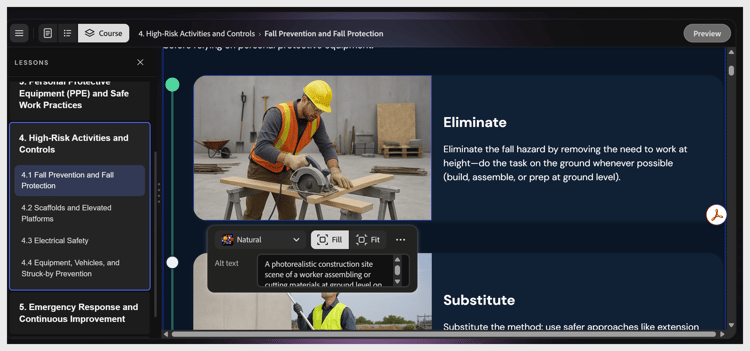
Select any image to open the image toolbar. Controls include:
-
Fill, Fit: how the image is sized within its frame
-
Alt text field: displays the image description.
Note: This text can’t be modified. It updates automatically based on the image. -
More options icon: adjusts brightness, saturation, and transparency of the image.
To replace the image, select image icon to change the image. Choose to upload your own file, search Adobe Stock, or generate one with AI.
recommendation-more-help
learning-manager-help-migrated