Create a collection
Collections allow you to categorize and group your decision items according to your preferences. These categories are created by crafting rules that leverage the attributes of decision items.
-
Login to Journey Optimizer.
-
Click Decisioning > Catalogs > Collections > Create collection.
-
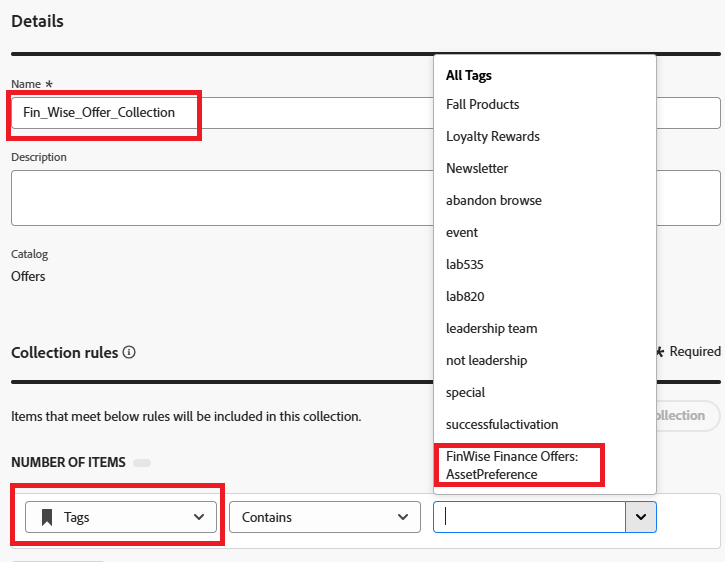
Specify the collection name and Collection rules as shown in the following screeshot.
recommendation-more-help
journey-optimizer-learn-help-tutorial-use-decisioning-to-personalize-web-offers